User’s Manual
174 Software Configuration
Apply Color Selection to All Color Mixers
If the fixture used has more than 1 color mixer then selecting a color using a color picker will be applied to all of the
color mixers in the light. If this option is off then the selected color will only apply to the first mixer in the fixture.
This option can also be changed in the generic color picker that is shown with color mixing fixtures.
Multiple Shortcut and Submaster Windows.
Default Off - With this option off only one shortcut and one submaster window can be opened at any time. Clicking
on the button once opened will cause the window to be brought to the foreground and given the current focus.
When this option is turned off click on the buttons will cause another copy of the window to appear. This can be
convenient for running the submasters or shortcuts on multiple pages if you have the screen real estate for it.
If this option is turned on the save and restore options will only work on the first window opened.
Disable Fader Move with Bump Buttons
Will disallow motorized fader movement when bump buttons are used to minimize distractions and improve response
time.
GM (Grand Master) Affects Record
When on and the GM inhibiting values by not being at full, the record function will record the actual values. When
off, the record function shall ignore any affect the GM has on output and record as if the GM is not in use.?
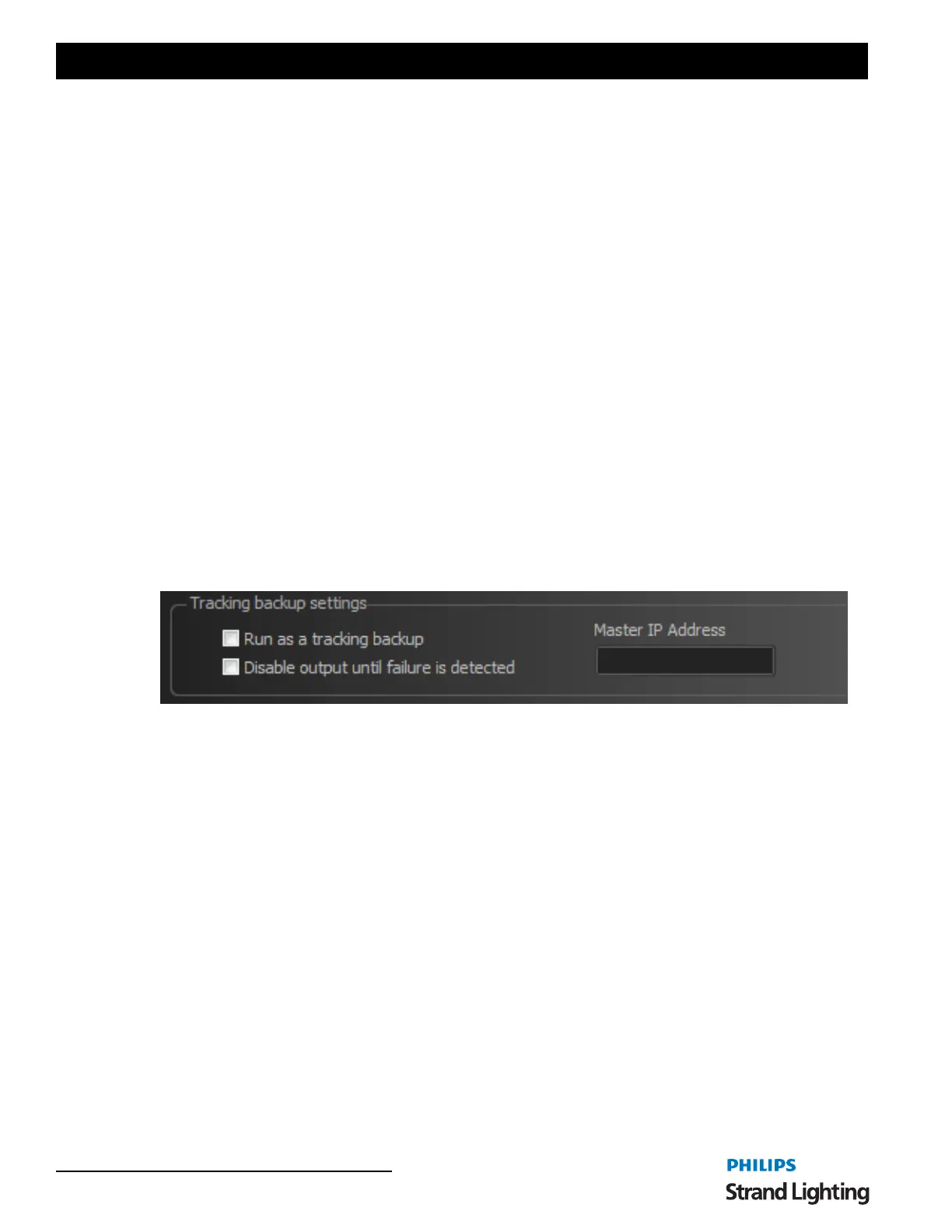
Tracking Backup Options
A tracking backup is a second console mirroring the main console. This backup console mimics the master system so
that in the event of something going wrong with the master the backup can take over.
The tracking backup options should only be turned on for the secondary system. The only option needed on the
master system is the Telnet interface must be turned on.
Check the option "Run as a tracking backup" to identify the system as the backup.
Set the Master IP address to identify the master system. The IP address of the master can be found on the command
window when the software starts.
It is also recommended that you disable the output until a failure is detected. This option will temporarily stop
DMX output until the operator tells the software start outputting DMX or the auto failure detection is activated.


 To Next Page