User’s Manual
156 Software Configuration
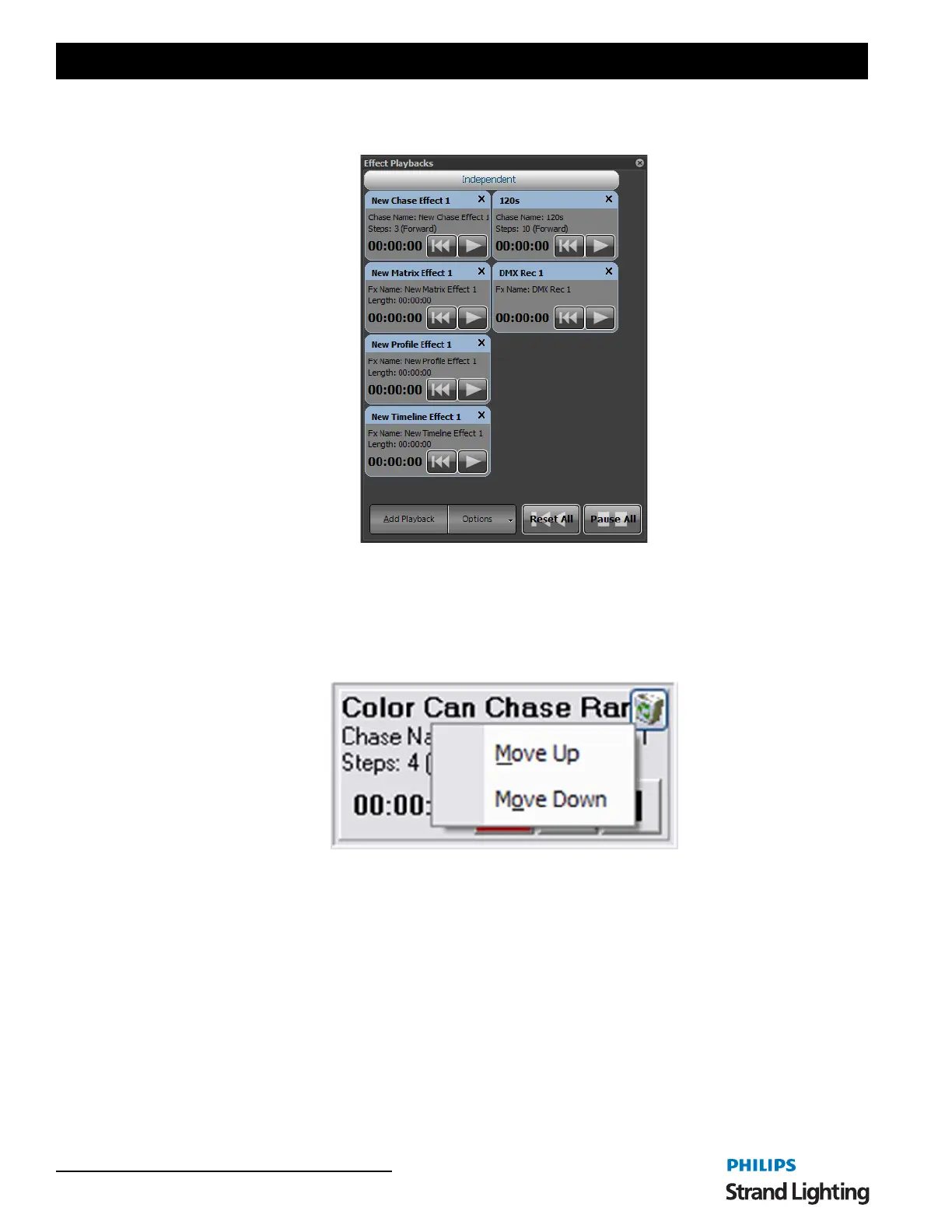
Open the "Effects Playback" window by clicking on the "Fx Playbacks" button at the bottom of the Command Line
interface or pressing the F9 key on your keyboard.
This window will remain empty until you begin adding playbacks by clicking on the "Add Playback" button.
Playbacks can be removed by clicking on the small X in the top right of the frame.
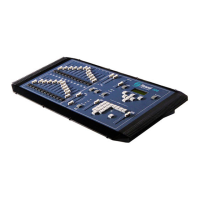
At any time you can re-order the effects playbacks by right-clicking to bring up the move menu. Click on the "Move
Up", "Move Down" or "Move To" to rearrange the effect runner appearance order.
Options
The "Options" button at the bottom of this window can be used to change the size of the playbacks or toggle the edit
mode sate. When the edit mode is turned off you will be able to delete a playback or change its settings. This switch
is designed to avoid accidentally changing the configuration during a show.
Effects Playbacks
Effects Playbacks Move Options


 To Next Page