User’s Manual
164 Software Configuration
24. DMX View
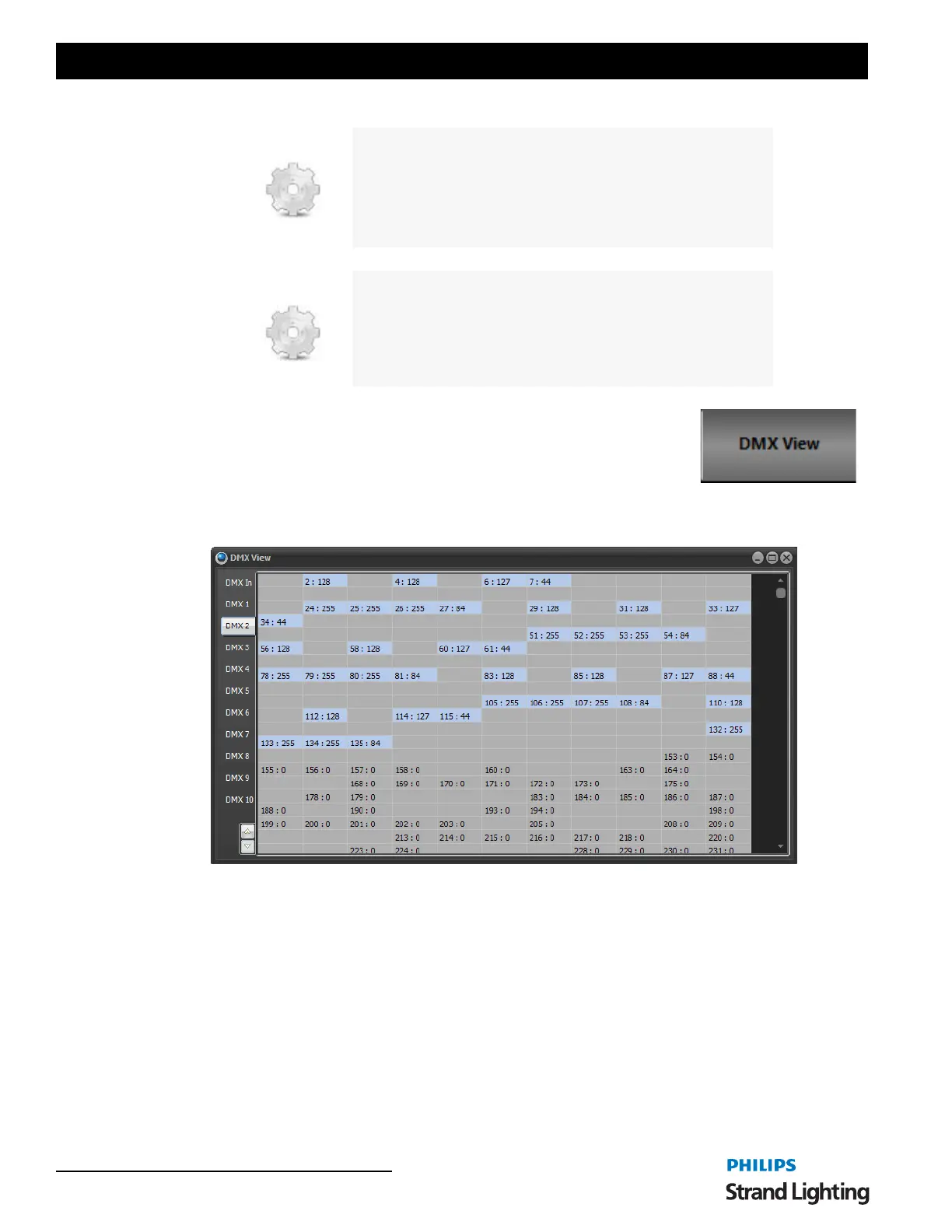
The DMX display is provided as a means to debug the system output by showing the final output values being sent to
the DMX hardware.
To open the " DMX View" window click on the DMX View button or select from the MORE pulldown. Each of the
DMX dimmers is represented as a cell in the above grid. The DMX value is displayed to the right of the dimmer
number. Whenever a DMX dimmer has a value greater than 0, it will be highlighted in grey.
The first tab in the widow will always display the DMX in state for use in debugging submasters. Click on the "DMX
In" tab to see what is being received by the DMX in hardware.
branch channel(3) > 30 label1
3@10
end
#label1
3@50.
The above macro will set channel 3 to 50% if its current value is
greater than 30 otherwise it will be set to 10%
branch my_variabe <= 5 label1
Jump to label1 if the system variable is less than or equal to 5.
branch playback(0) > 10.5 label1
Jump to label1 is the current active cue in playback 0 is greater then
10.5
DMX Output Display Window



 To Next Page