Patch 141
NEO Lighting Control Console
Updating a Cue with a Palette
When updating cues that contain palettes special care must be taken to ensure that the end result is what you intended
to happen. If a attribute that is referencing a palette is changed and you update a cue you must decide if you want to
record the new value into the cue as a hard value or if you want NEO to change the palette that is referenced.
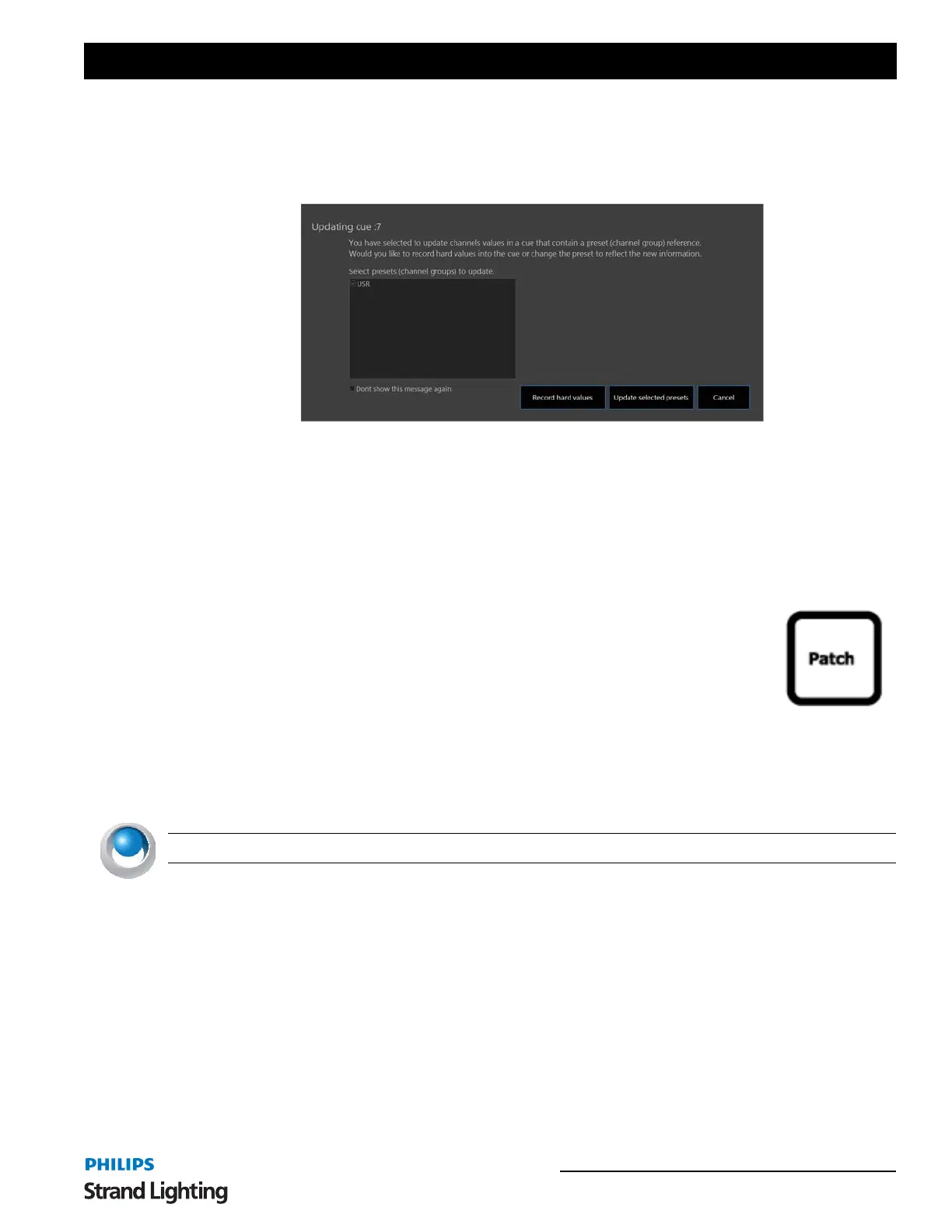
If NEO detects that an attribute has changed that is referencing a palette a dialog will appear asking you what it
should do with this change. The dialog above will list all of the palettes that are referenced and require updating.
If you do not want to change the palette (or channel group) and simply record hard values into every cue press the
button labeled "Record hard values". The dialog will close and the cue will be update with all changed palette
references replaced with the actual values of the attribute.
Use the "Update selected palette" button to change the reference to the new value. Use the check boxes to update only
a subset of the palettes in the cue.
19. Patch
NEO provides up to 25,000 control (desk) channels that can be assigned any number of DMX dimmers or intelligent
fixtures. Up to 51,200 DMX outputs are supported by the software and can be patched into the control channels or
fixtures. By default the system will create 500 control channels however you can increase this number in the "System
Properties". You should try and keep the number of channels as low you think you will need as the more channels the
system creates the slower the start-up and the more load there will be on the system.
NEO NOTES & TIPS: System will require a restart when the channel number is changed.



 To Next Page