User’s Manual
24 Controls
CONTROLS
1. Desk Layout
Console Overview
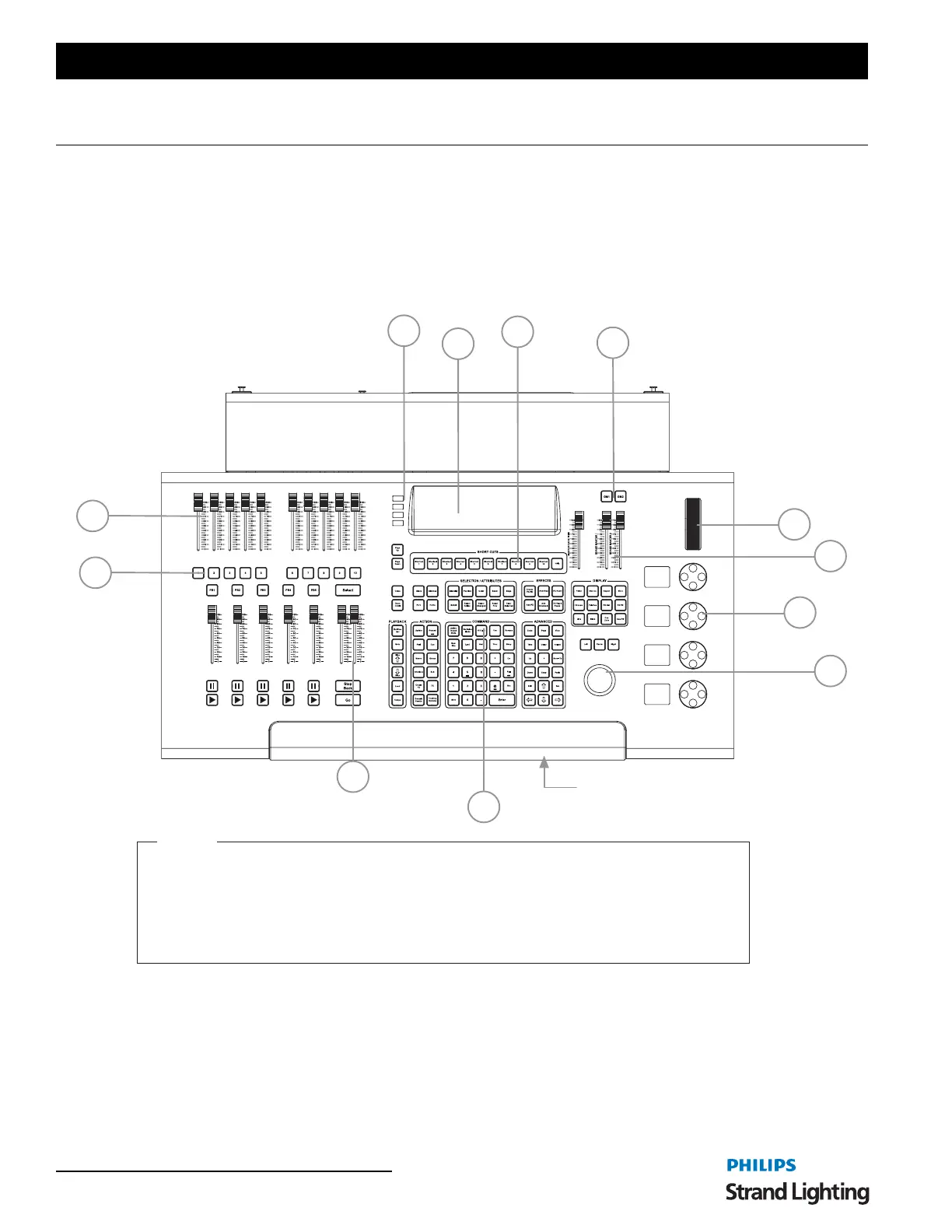
Figure 3 provides an overview of console desk controls. Refer to subsequent pages for more in-depth explanations of
individual button and slider functions.
Figure 3: NEO Control Console Overview
2. Programming Button Layout
The programming section of the desk provides direct access to intensity channels, channel attributes, playback
control, console setup and display options.
A
I
E
K
A. Motorized Faders / Submasters
B. Level Wheel
C. 10 Bump Buttons
D. USB Port (showfile storage, USB key sold separately)
E. Tablet Well with USB Power (tablet by others)
F. Grand Masters (2)
G. Black Out Buttons
H. Shortcuts (10 each)
I. Encoders with Encoder Status (4 each)
J. Programming Buttons
K. A/B Playback Controls (with Go and Stop/Back buttons)
L. Track Ball
Legend
G
C
B
D
F
H
J
Pull out Keyboard Drawer with
Phone Storage and USB Charger
(phone by others)
Top of Unit
L



 To Next Page