FX or Effects Playbacks 159
NEO Lighting Control Console
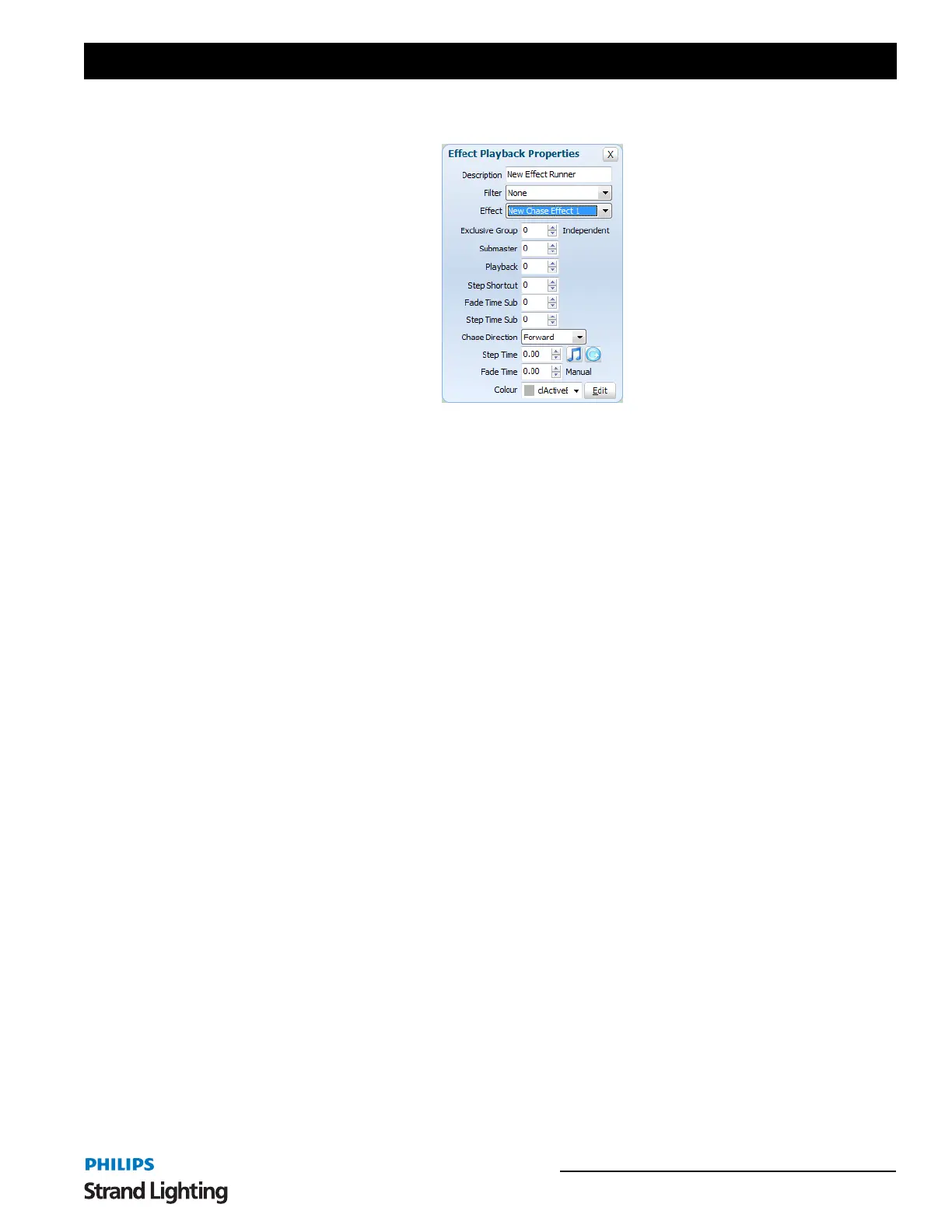
Chase Options
Submaster - Assigning a submaster to the playback will override the dimmer of the fixtures contained in the effect.
As the effect runs the position of the submaster will determine output of the fixtures. A submaster assigned to a chase
will also cause the effect to automatically start when the value is above 0 and pause with it returns to 0.
Playback - Assigning a playback will disable the submaster edit as only one can be assigned to the playback at a
time. A playback relates to the Enttec Playback wing. Assigning a playback does more than just utilize the fader on
the wing but also allows you to use the play, back and pause buttons to run the effect.
Step Shortcut - Set a shortcut number to use to step the chase. Pressing the assigned shortcut will cause the chase to
transition from the current step to the next.
Fade Time Submaster - To manually adjust the fade time or transition time as the chase is running you can assign a
submaster that will control this. As each step executes the fade time will be dependent on the position of the
submaster. The maximum fade time that can be set by the submaster is 10min.
Step Time Submaster - To manually adjust the step time (time between automatic executions of steps) as the chase is
running you can assign a submaster that will control this. As each step executes the time before the next step executes
will be determined by the position of the submaster. The maximum step time that can be set by the submaster is
10min.
Chase Direction - Use this drop down option to specify how chase will run.
• Forward - The chase will run from the first step to the last. If the chase is set to loop the chase will return to the
first step after the last step.
• Backward - The chase will run from the last step to the first step. If the chase is set to loop the chase will return to
the last step after reaching the first step.
• Bounce - The chase will run from the first step to the last step and then back to the first step. If the chase is setup to
loop then this will operation will repeat.
• Random - Every step in the chase will execute in a random order.
Step Time - To specify a step time other than the default defined in when the chase was created enter a value into this
field. Setting the step time to zero (0) will cause the default step time to be used.
Click on the buttons to the right of the "Step Time" field to set the chase to be triggered by either the audio or tap
tempo features.
Fade Time - To specify a fade time other than the default defined in when the chase was created enter a value into
this field. Setting the fade time to zero (0) will cause the default fade time to be used.



 To Next Page