Media 187
NEO Lighting Control Console
4. Media
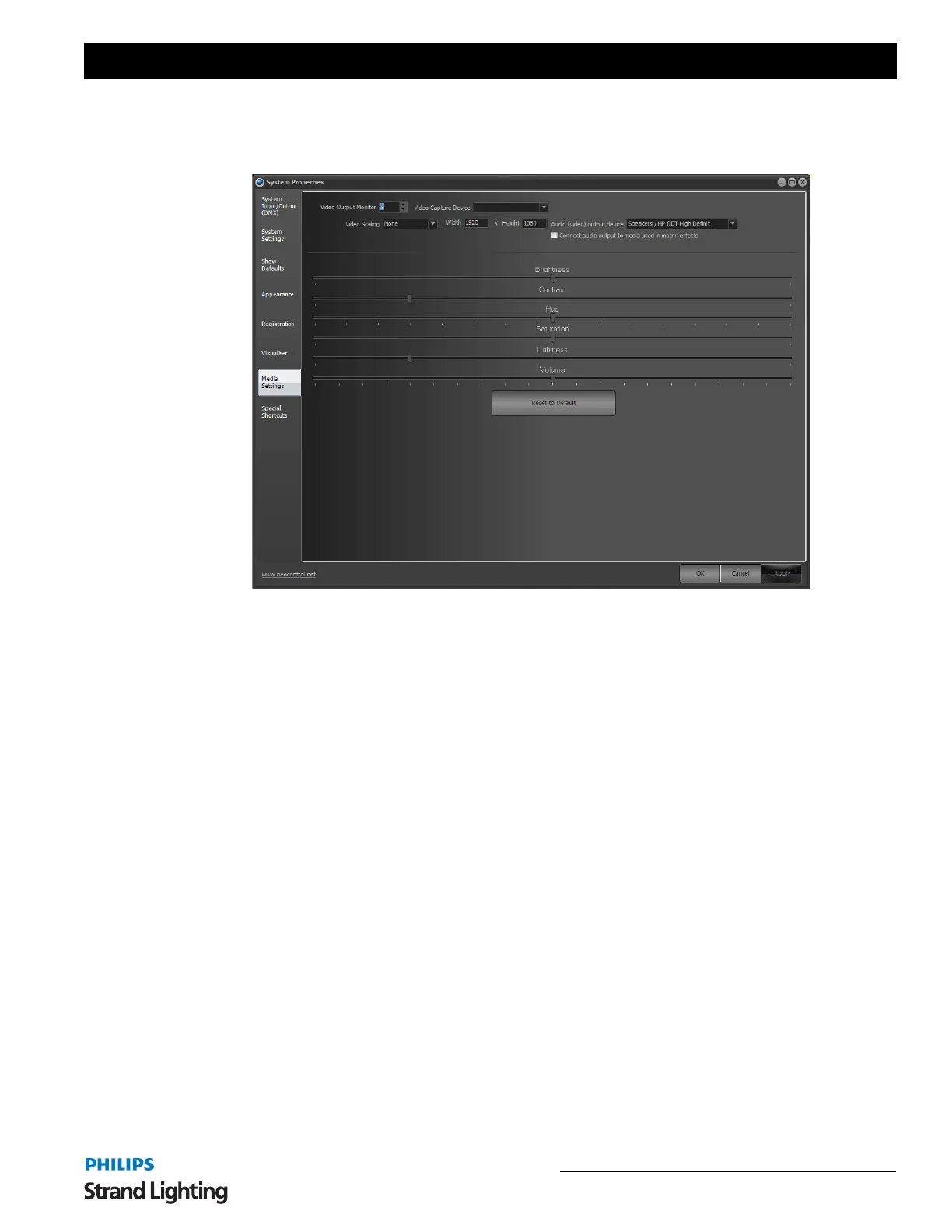
The settings in the media tab are used to globally control the output of media playback when using the media effect.
Video Output Monitor - Use this option to define what display on your computer all video content go to. If you only
have 1 monitor or you select your primary monitor then the video will play in a sizeable window. If you are using a
secondary display the video output will automatically be played in full screen.
Video Capture Device - The video capture is used to map live video into a matrix effect and can also be used to
capture an image when recording cues. This setting determines the device that will be used.
Video Scaling - NEO supports a number of advanced scaling routines to improve the output quality when the video
size does not match the output size. These options can require a lot of CPU to work at full frame rate so it is always
recommended that your video be pre rendered to the size you need.
Width & Height - Used to set the output size that the video will be scaled to when using the advanced scaling
routines.
Audio (video) output device - Used to set the audio device that all video sound will be sent to.
Connect audio output to media used in matrix effects - By default a matrix effect does out output any audio from
the playing media. Turn this option on to connect the audio channels when the effect is played.
Brightness - The Brightness property defines the luminance intensity.
Contrast - The Contrast property defines the relative difference between higher and lower luminance values.
Hue - The Hue property defines the phase relationship, in degrees, of the chrominance components.
Saturation - The Saturation property defines the color intensity, in IRE units.
Lightness -
Volume - The volume property defines the default audio level of the playback.
Reset to Default - pressing this will reset all settings back to default.
System Properties, Media Settings


 To Next Page