FX or Effects Playbacks 157
NEO Lighting Control Console
Effects Playback Sizes
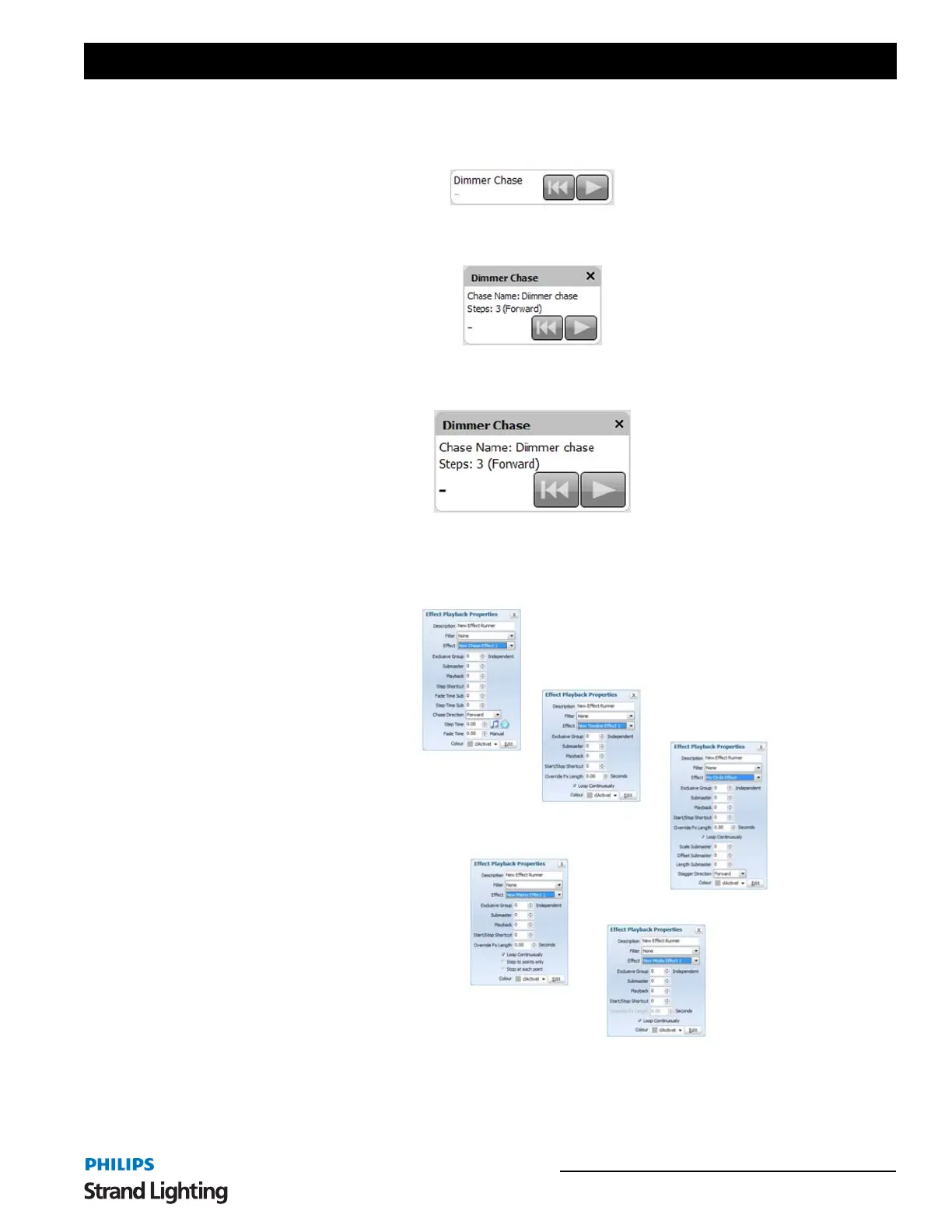
The "Options" menu will allow you to set 3 different sizes for the playbacks.
Setting up a New Effect Playback
Left click inside the playback to bring up the "Effect Playback Properties" window.
The description field can be used to easily identify the playback and will appear along the top of the control. By
default, this will be set to the same as the effect name but can be changed as desired.
To set the effect to the playback, select the desired effect from the drop down list and the effect playback will become
active.
Effect Playbacks - Compact Mode
Effect Playbacks - Normal Mode
Effect Playbacks - Large Mode
Effect Playback Properties Windows


 To Next Page