Command Pulldowns 57
NEO Lighting Control Console
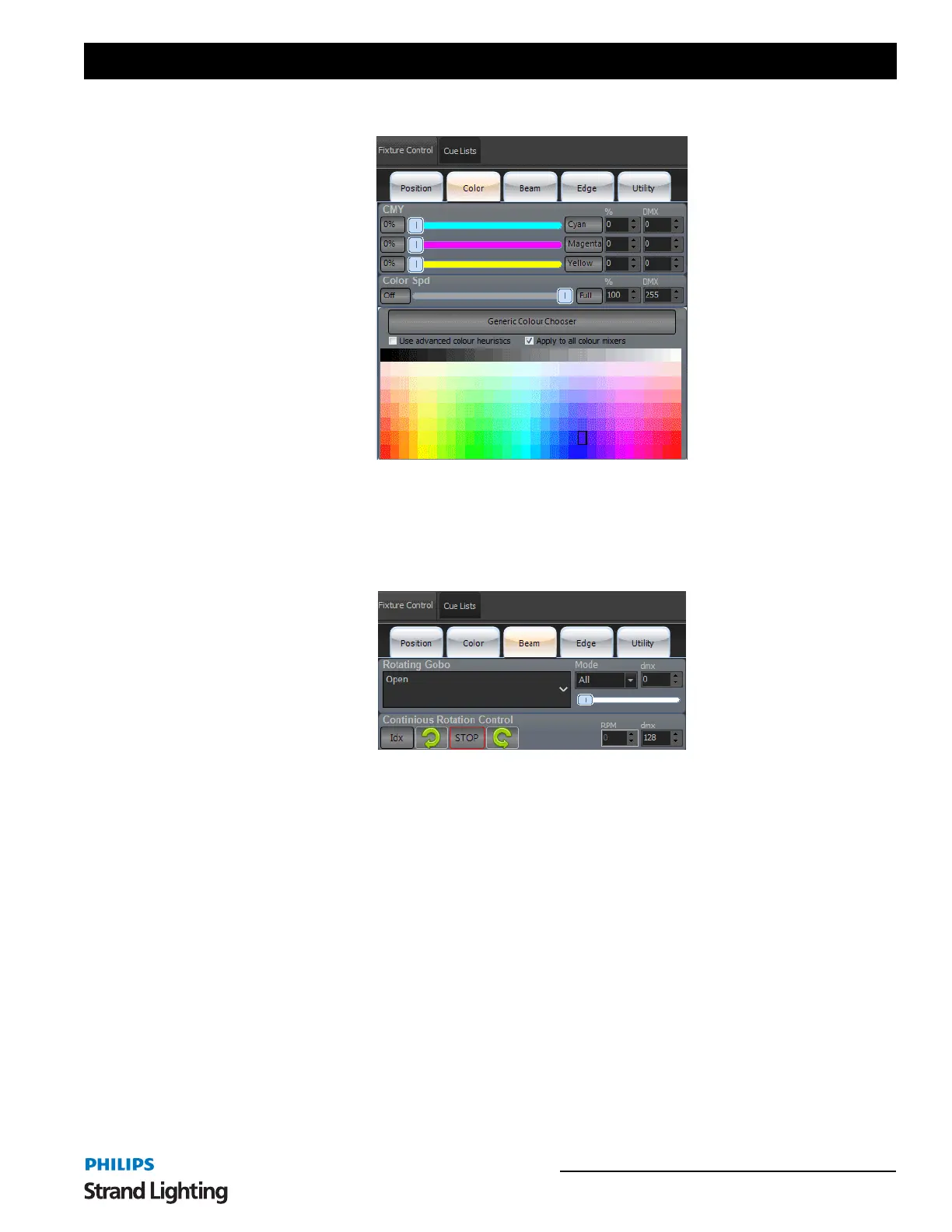
Color Tab
Slider bars appear for Color Mixing control. Again with Off (0%) and Full (the color label button), percentage value
box and DMX box. Color speed and a Color Picker is available.
"Use Advanced Color Heuristics". When checked, NEO will attempt to map the spectrum selected color across all
color controls. When unchecked, the spectrum selected color will apply only to the 3 main colors. In this case, CMY.
Beam Tab
This is for all attributes that effect the "inside" of the beam of light. Gobos, Prism and such. The VL1100 has a
Rotating Gobo, the pulldown will display all available stock gobos. Mode - if the gobo selection is in All, Index,
Rotating or other gobo movement mode. The DMX box is for the raw DMX value of the gobo attribute. Continuous
Rotation Control allows going from Index Mode to Rotation Mode by selecting CW/Stop/CCW rotation. Once
selected, the interface will adjust to show the appropriate controls. This includes RPM speed and raw DMX values.
Both are adjustable by the presented interface.



 To Next Page