User’s Manual
126 Software Configuration
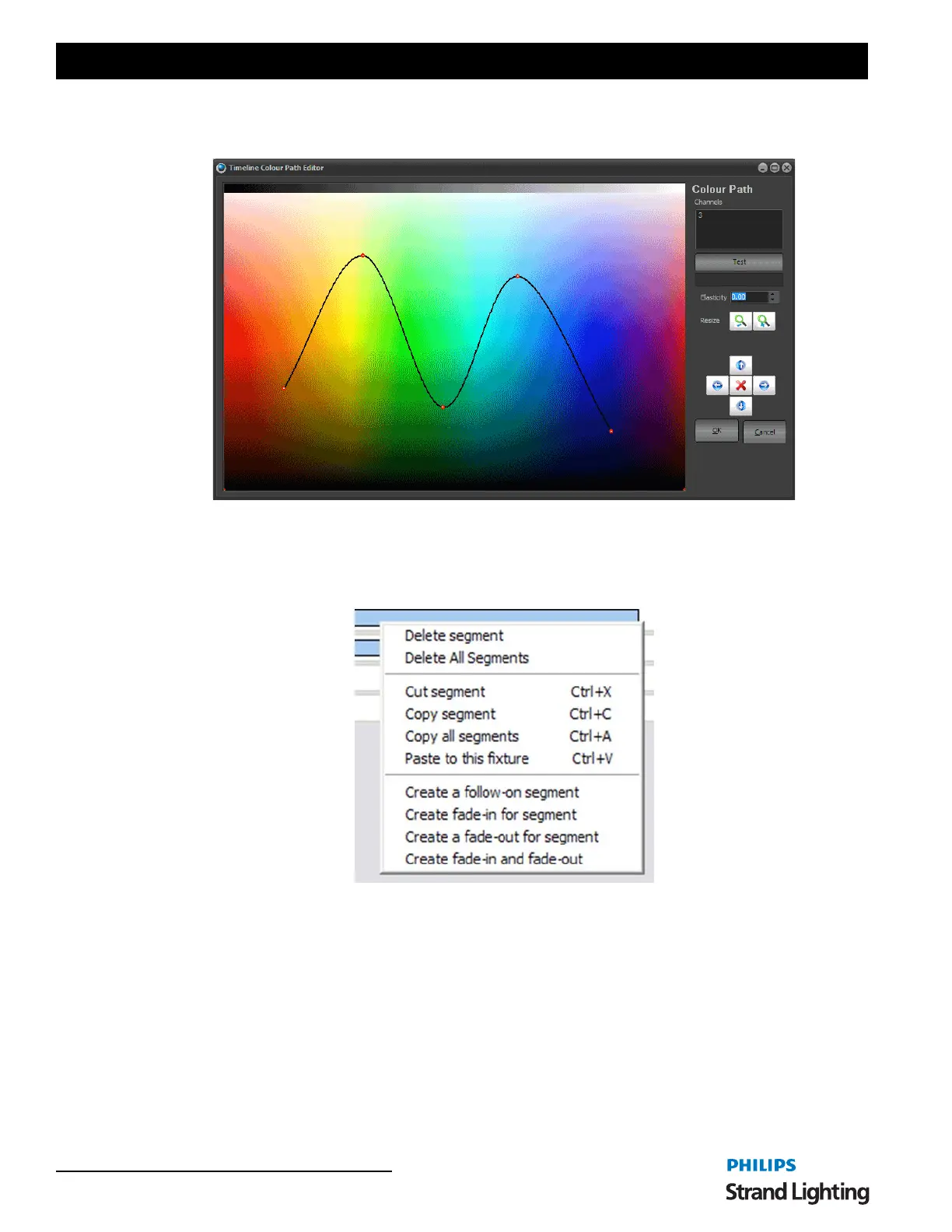
You can create a similar path for determining the color during the segment by click on the color path area of the right
of the segment state editor.
Options
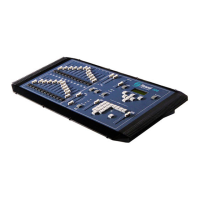
Clicking on the right mouse button while over a segment of the effect will bring up a number of advanced options to
assist with creating effects.
Delete Segment
Click on the "Delete Segment" option to remove the currently highlighted segment from the effect. A confirmation
dialog will ask you to confirm this operation before the segment is deleted.
Delete All Segments
Click on the "Delete All Segments" option to remove the segments for this fixture. A confirmation dialog will ask
you to confirm this operation before the segment is deleted.
Cut, Copy, Copy All, Paste Segments
The cut, copy, and paste functions operate exactly as they do in most applications you use within windows. Cutting a
segment will remove it from the effect and put on the clipboard for pasting somewhere else, while copying places a
copy of the highlighted segment on the clipboard without removing it from the effect.
Color Path Editor


 To Next Page