Objet30 User Guide 5 Using Objet Studio
DOC-34025 Rev. I 5-78
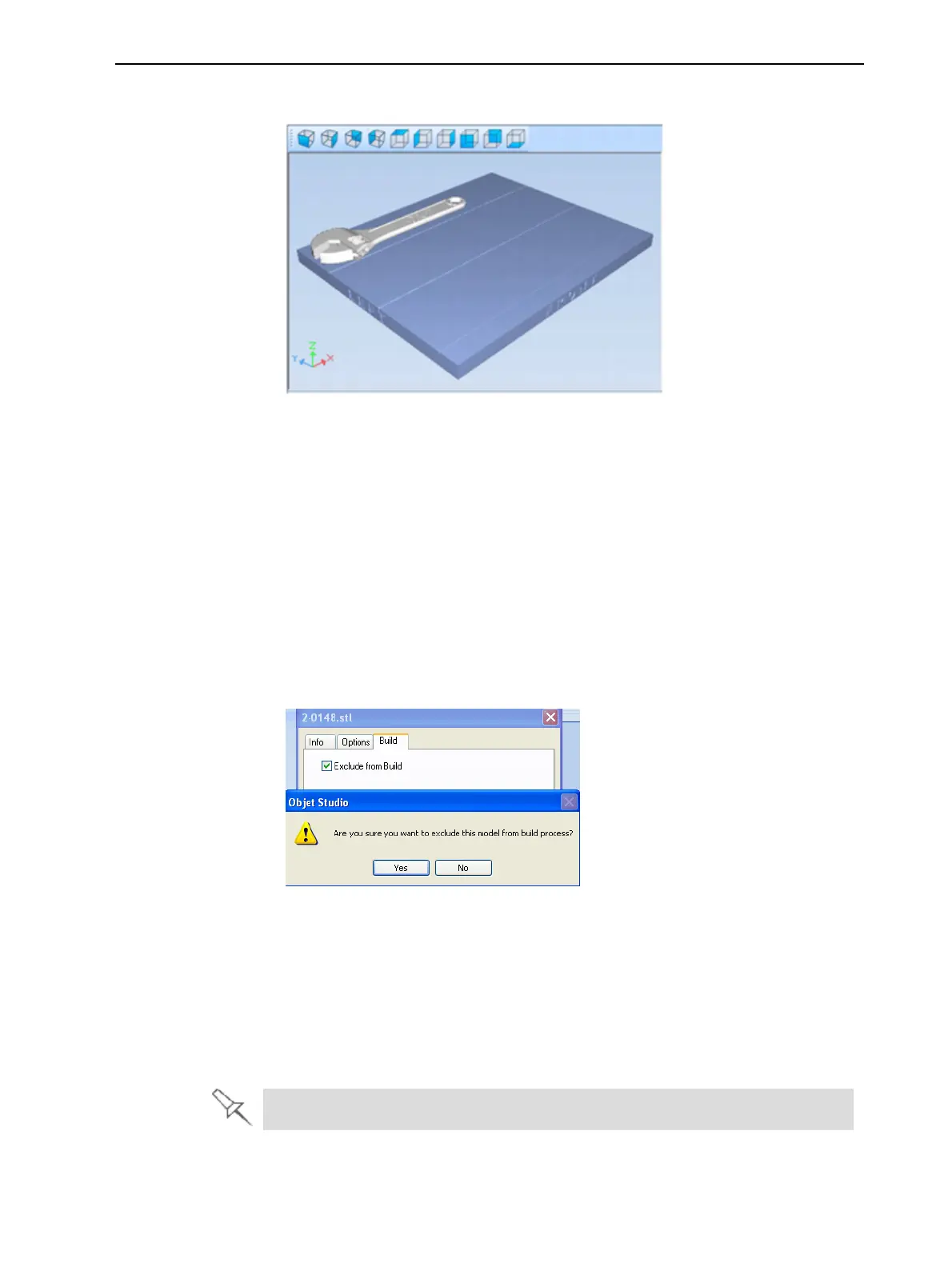
2. Click the Tray Preview pane.
Figure 5-95 Job Preview
❒ To change the tray magnification, turn the mouse wheel.
❒ To view the tray from a different perspective, click the relevant icon.
❒ To resize the window, drag its edge or corners.
If there are several objects on the build tray, you can exclude one or more from
being printed, without actually deleting the object from the tray file.
To prevent the printing of an object on the build tray:
1. Double-click on the object you do not want to print.
2. Display the Build tab.
3. Select Exclude from Build.
Figure 5-96 Excluding a model from the build
4. Click Yes to confirm.
On server computers, you can use Tray Preview to dynamically display objects
as they are printed, layer by layer. This enables you to visually monitor printing
progress on the computer screen.
To display printing progress in the Tray Preview pane:
➢ From the Job menu, select Show 3dProgress.
This option uses additional system resources.













 To Next Page