Objet30 User Guide 6 Operating and Maintaining the Printer
DOC-34025 Rev. I 6-14
Printing Indicators
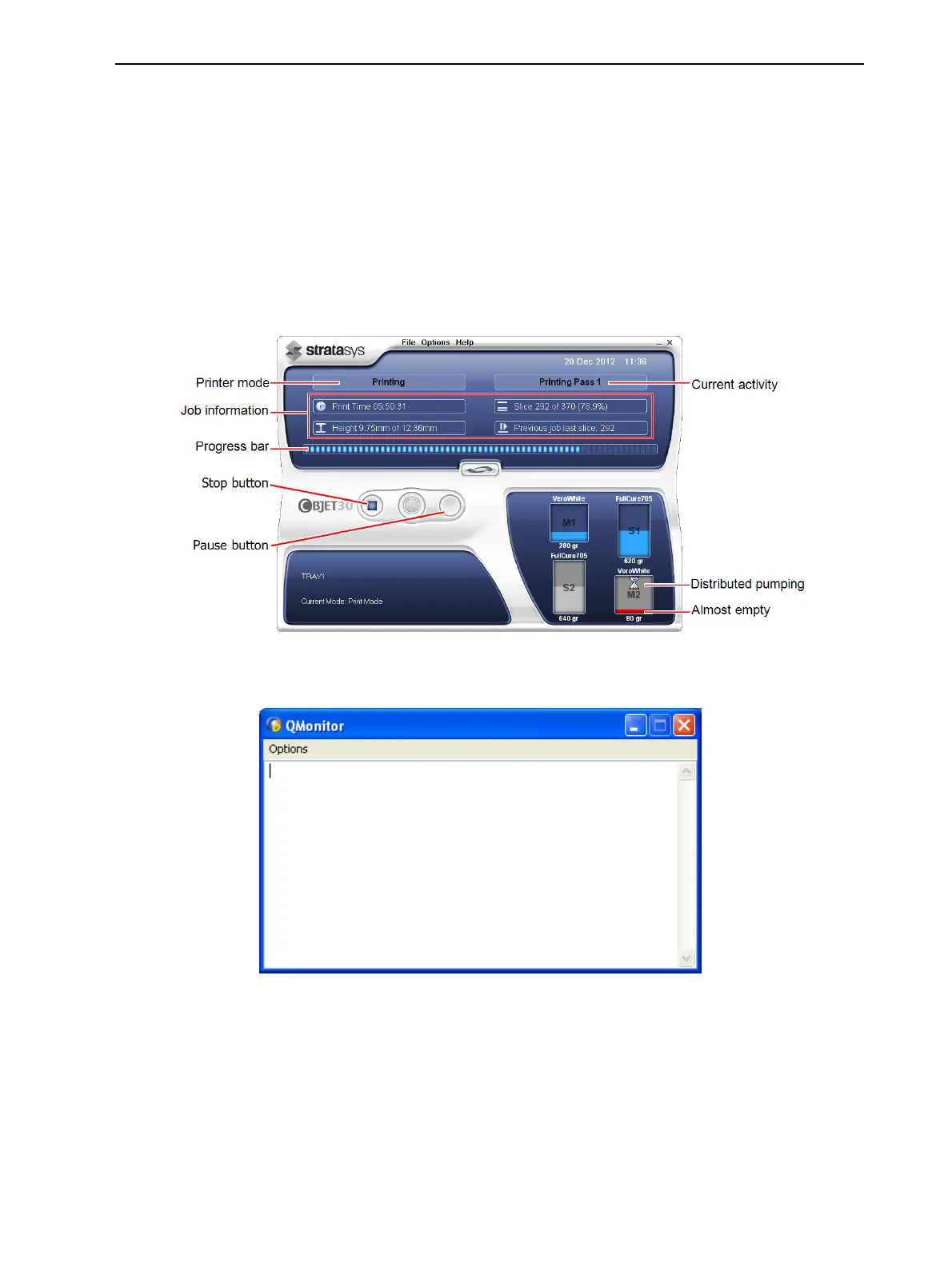
The printer interface screen changes when you send a print job to the printer, if
the printer is online:
• The mode changes from Pre-print to Printing.
• The specific activity being performed is shown in the “current activity” field.
• Current job-printing information is displayed.
• The printing progress bar is displayed.
• The Stop button is enabled.
Figure 6-10 Printer interface during printing
During printer operation, the following window may occasionally appear.
Figure 6-11 Q-Monitor
This window records information for service personnel only, and it does not
require your attention. You can close or minimize it to remove it from view.













 To Next Page