Objet30 User Guide 6 Operating and Maintaining the Printer
DOC-34025 Rev. I 6-84
After replacing the UV lamp:
l Calibrate its power by running the UV Calibration wizard (see "Testing and
Calibrating the UV Lamp" on page 6-71). Wait at least two minutes for the
UV lamp to cool before starting the UV Calibration wizard.
l Calibrate the new UV lamp again after 100 hours of printing.
Replacing the Material Filter
The Model and Support filters are replaced during the periodic preventive
maintenance routine (see "Preventive Maintenance Tasks" on page 6-108).
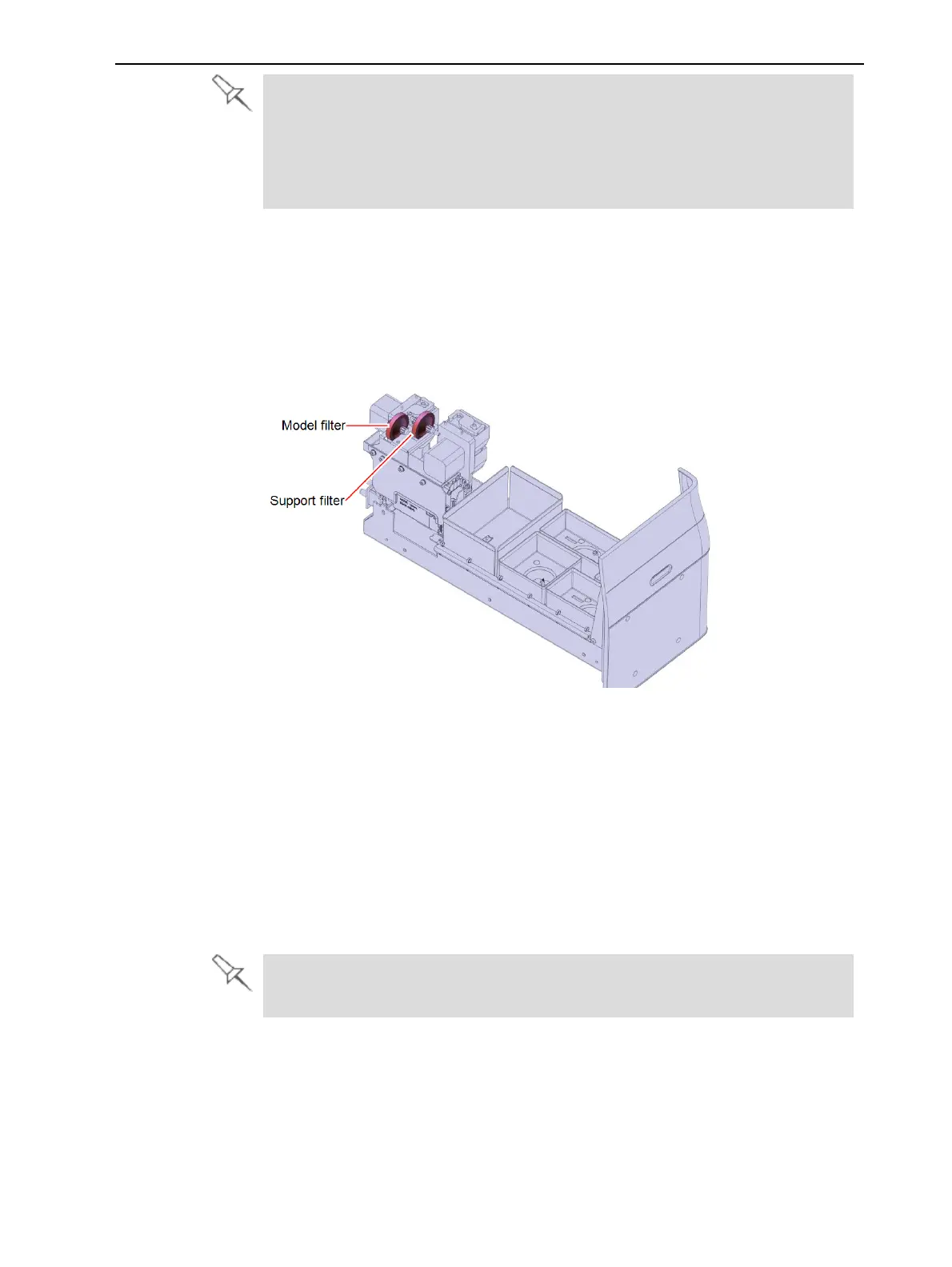
The material filters are located at the back of the materials drawer, as shown
below.
Figure 6-116 Material filters
To replace the material filter:
1. Prepare the following tools and materials:
❒ protective gloves
❒ cleaning cloths
❒ wire cutter
❒ paper towels
❒ two replacement filters and cable ties (supplied in the preventive
maintenance kit)
The Model and Support filters supplied in the preventive maintenance kit
are identical.













 To Next Page