Objet30 User Guide 5 Using Objet Studio
DOC-34025 Rev. I 5-47
Applying Additional Objet Studio Features
Dividing Objects
You can use the Split Object feature to produce objects larger than the tray
area by dividing the model into separate parts. With this feature, you produce
only a specific section of a model.
To split an object:
1. Select the object.
2. From the Object menu, select Split.
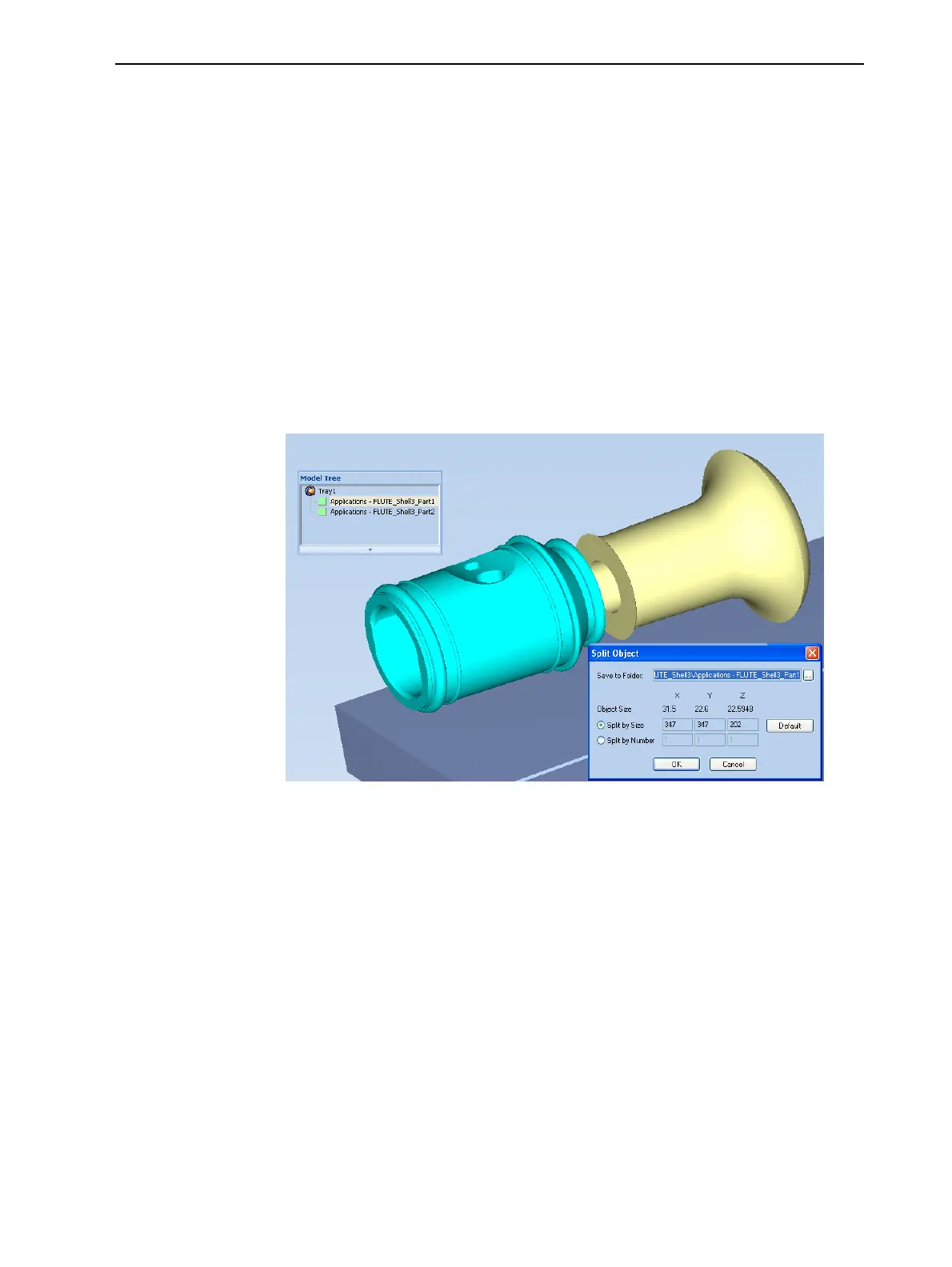
3. In the Split Object dialog box, enter the values to determine how Objet
Studio will divide the object. You can divide an object along any of its axes,
by entering either exact measurements or the number of parts.
Figure 5-53 Split Object dialog box
4. In Save to Folder, enter the folder name.
5. Click OK.
The composite parts are saved as new stl files with “Part 1,” “Part 2,” etc.,
added to the original file name.
Note: Before printing the newly created stl files, it is recommended that you
check them for defects in an STL-repair application, such as Magics™, by
Materialise
®
.













 To Next Page