Objet30 User Guide 3 Introducing the 3D Printer
DOC-34025 Rev. I 3-3
Work Configurations
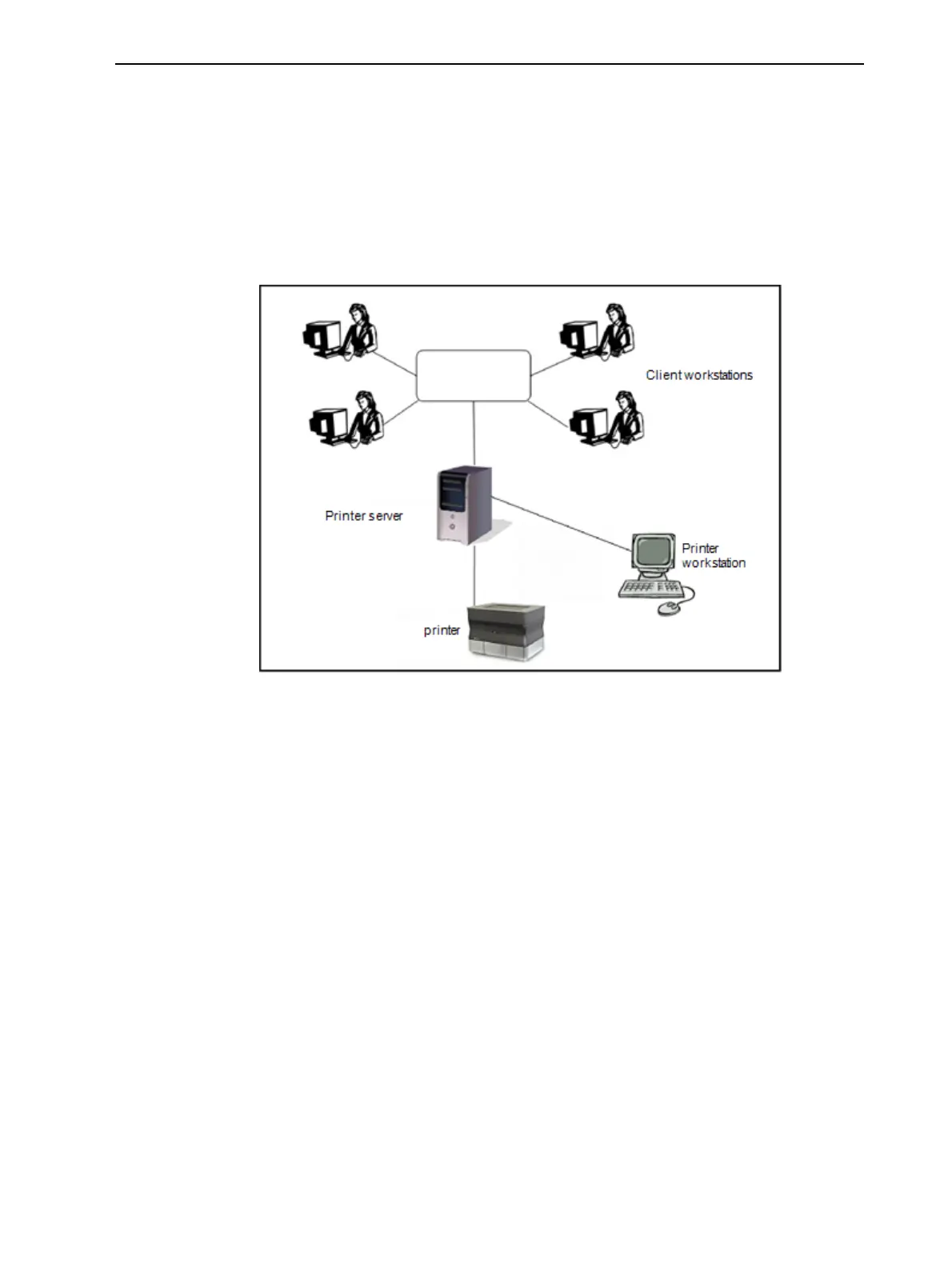
Objet30 3D printing systems can be set up as single-station systems or as
multi-station systems. When connected to a local computer network, the
system can serve multiple users. In such configurations, each user (client)
prepares files for production. A server, typically next to the printer, sends jobs
to the printer.
Figure 3-1 shows the printer set up in a multi-client configuration.
Figure 3-1 Multi-client network configuration
When jobs are sent to the printer, Job Manager, on the server computer,
arranges them according to their priorities, model-material type, and other
factors. In multi-workstation configurations, the operator of the server—
typically the production administrator—has total control over the jobs sent to
the printer, and can prioritize jobs, delete jobs, review job history and reprint
jobs.













 To Next Page