Objet30 User Guide 5 Using Objet Studio
DOC-34025 Rev. I 5-48
Choosing the Support Strength
When producing models, support material fills some hollow and empty
sections (see "Manual Positioning" on page 5-22). Objet Studio allows you to
adjust the strength of the structure formed with the support material. This
adjustment is useful when producing either large/massive models or
small/delicate models. For most purposes, the default setting provides
adequate support strength.
To change the strength of the support structure used when printing a
model:
1. Select a model on the tray.
2. On the Model Settings ribbon, in the Options group, click .
or—
❒ On the Model Toolbar, click .
or—
❒ From the right-click context menu, select Advanced Properties.
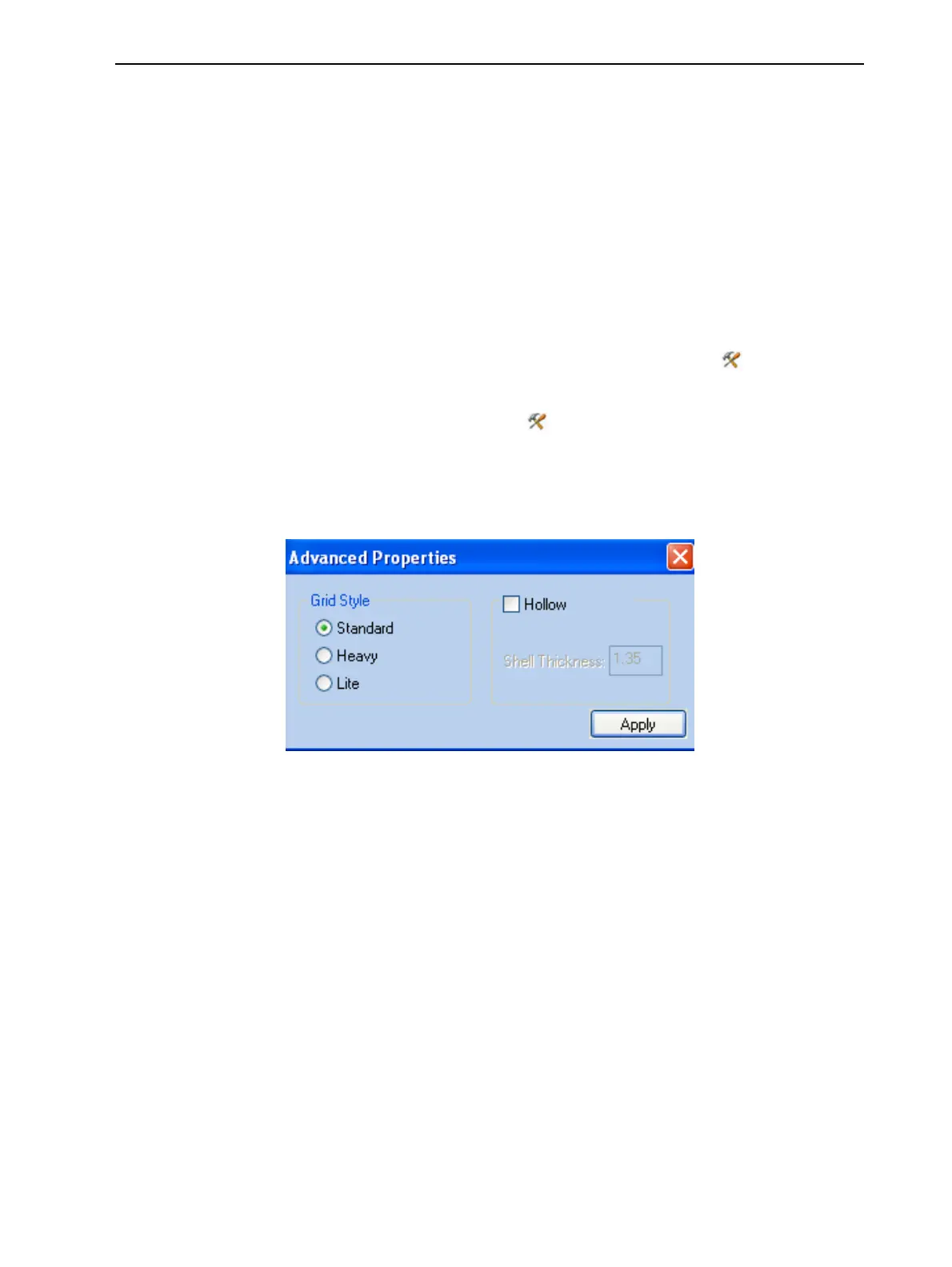
The Advanced Properties dialog box opens.
Figure 5-54 Advanced Properties dialog box
Note: If an object is split into shells, the Advanced Properties enabled vary
with the object selection. If a single element is selected only Hollow is enabled.
If a group of elements is selected only Grid Style is enabled.
3. In the Grid Style section, choose the support strength suitable for the
selected model. You can select a different support strength for each model
on the tray.
❒ Standard—for models needing average support (most models).
❒ Heavy—for large models needing much support.
❒ Lite—for models printed with SUP706 Support material and for delicate
models needing little support. (This setting makes it easy to remove the
support material.)
4. Click Apply.













 To Next Page