Objet30 User Guide 5 Using Objet Studio
DOC-34025 Rev. I 5-43
Handling Trays
After preparing models on the build tray, you can do the following:
• Test that it can be printed ("validation").
• Calculate the time and material resources needed to print it.
• Send it to the printer for production.
• Save it for later completion or printing.
• Save it as a compressed file for convenient storage and transfer.
Tray Validation
Before sending a job to the printer for production, you should check that the
tray is “valid” and can be printed.
To validate that the tray can be printed:
➢ On the Tray Settings ribbon, in the Build Process group, click .
or—
From the Tools menu, select Placement Validation.
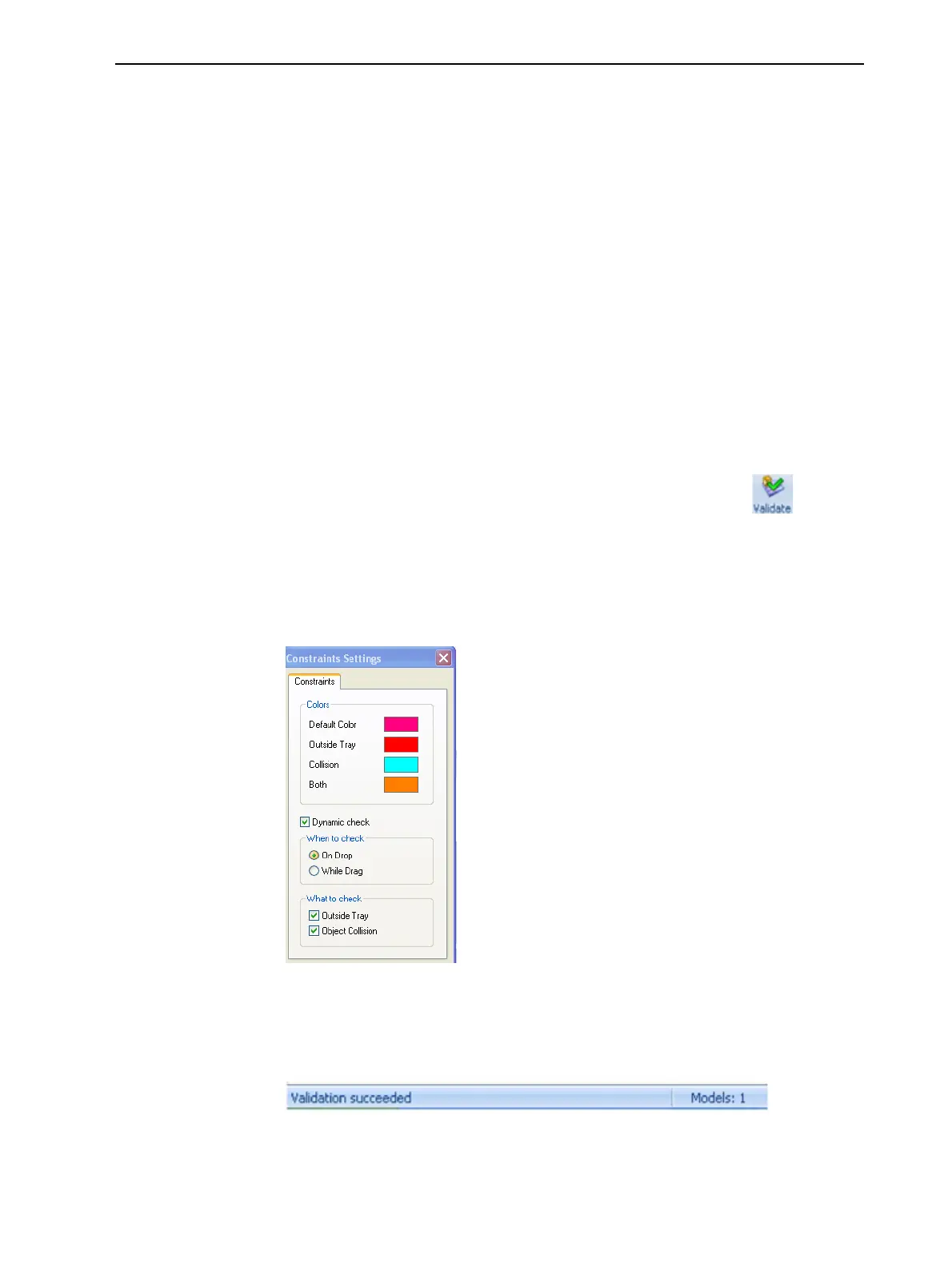
If the tray is not valid, the color of the problematic models on the tray
changes according to a pre-set code.
Figure 5-48 Color code
Note: The “Both” color also indicates a problematic stl file.
The validation status appears on the bar at the bottom of the screen.
Figure 5-49 Validation details in status bar













 To Next Page