Objet30 User Guide 5 Using Objet Studio
DOC-34025 Rev. I 5-20
Positioning Objects on the Build Tray
To produce models efficiently and with the required finish, it is important to
carefully position objects on the tray. Objet Studio supports the automatic
positioning of objects. However, you should check to make sure that the
objects are orientated optimally for your needs, according to the considerations
explained in "Manual Positioning" on page 5-22.
Two things that affect the positioning of objects on the tray are orientation and
placement. You can let Objet Studio determine the optimum orientation and
position, or you can control them.
Automatic Orientation
By default, Objet Studio automatically orients objects, when placed on the build
tray, for the shortest printing time. (You can later change the orientation
manually.) However, you can cancel automatic orientation when placing an
object on the build tray.
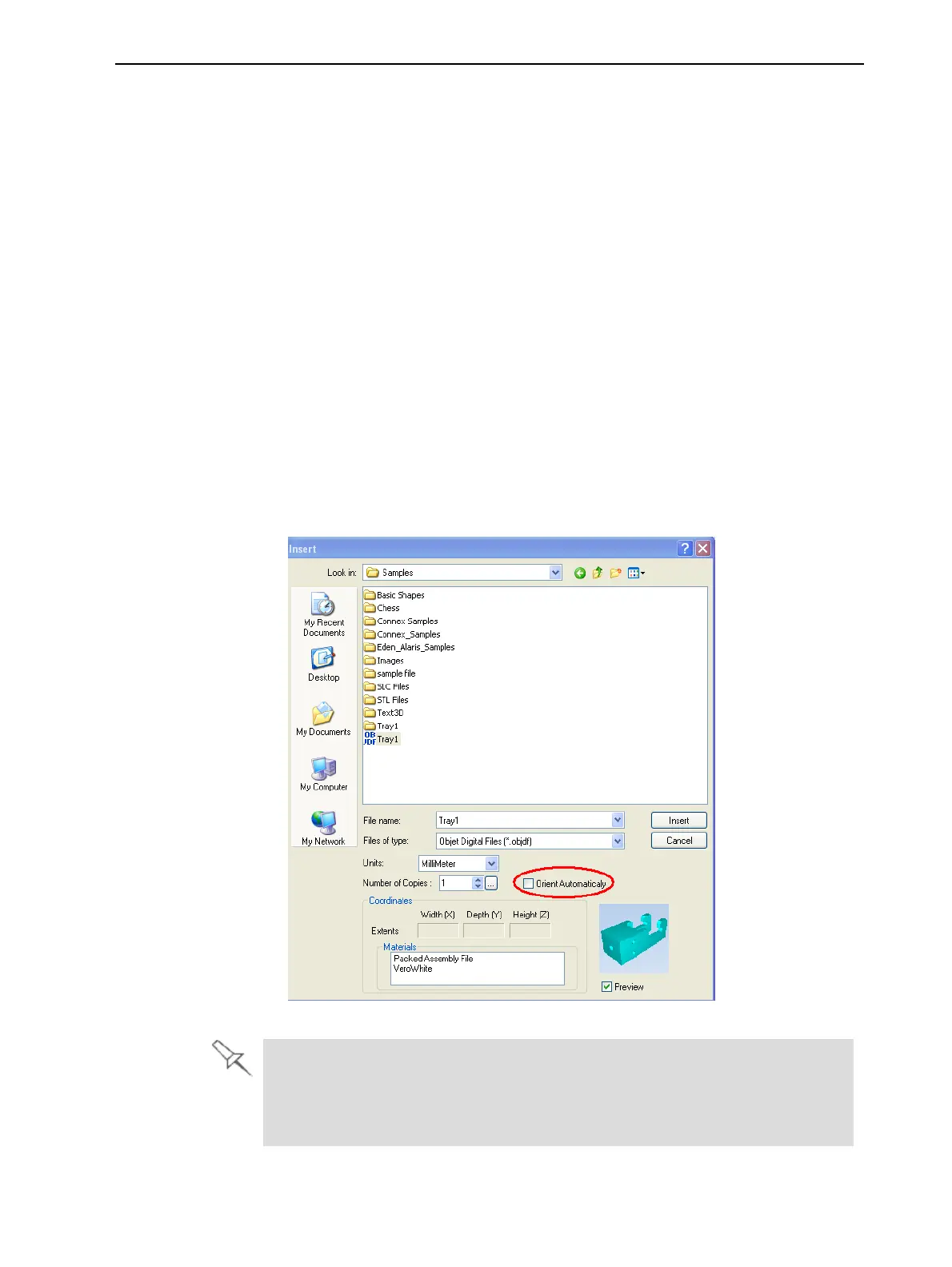
To place an object on the build tray without automatic orientation:
➢ In the Insert dialog box, make sure Orient Automatically is not selected.
Figure 5-16 Orient Automatically option disabled
You can change the default setting, so that automatic orientation is not
applied unless you select the Orient Automatically check box each time you
place an object on the build tray. To do this, see "Default Settings" on
page 5-60.













 To Next Page