EasyManua.ls Logo

Stratasys Objet30 - Ribbon Commands

Stratasys Objet30
237 pages
Print Icon
To Next Page IconTo Next Page
To Previous Page IconTo Previous Page
Loading...
Objet30 User Guide 5 Using Objet Studio
DOC-34025 Rev. I 5-6
Ribbon Commands
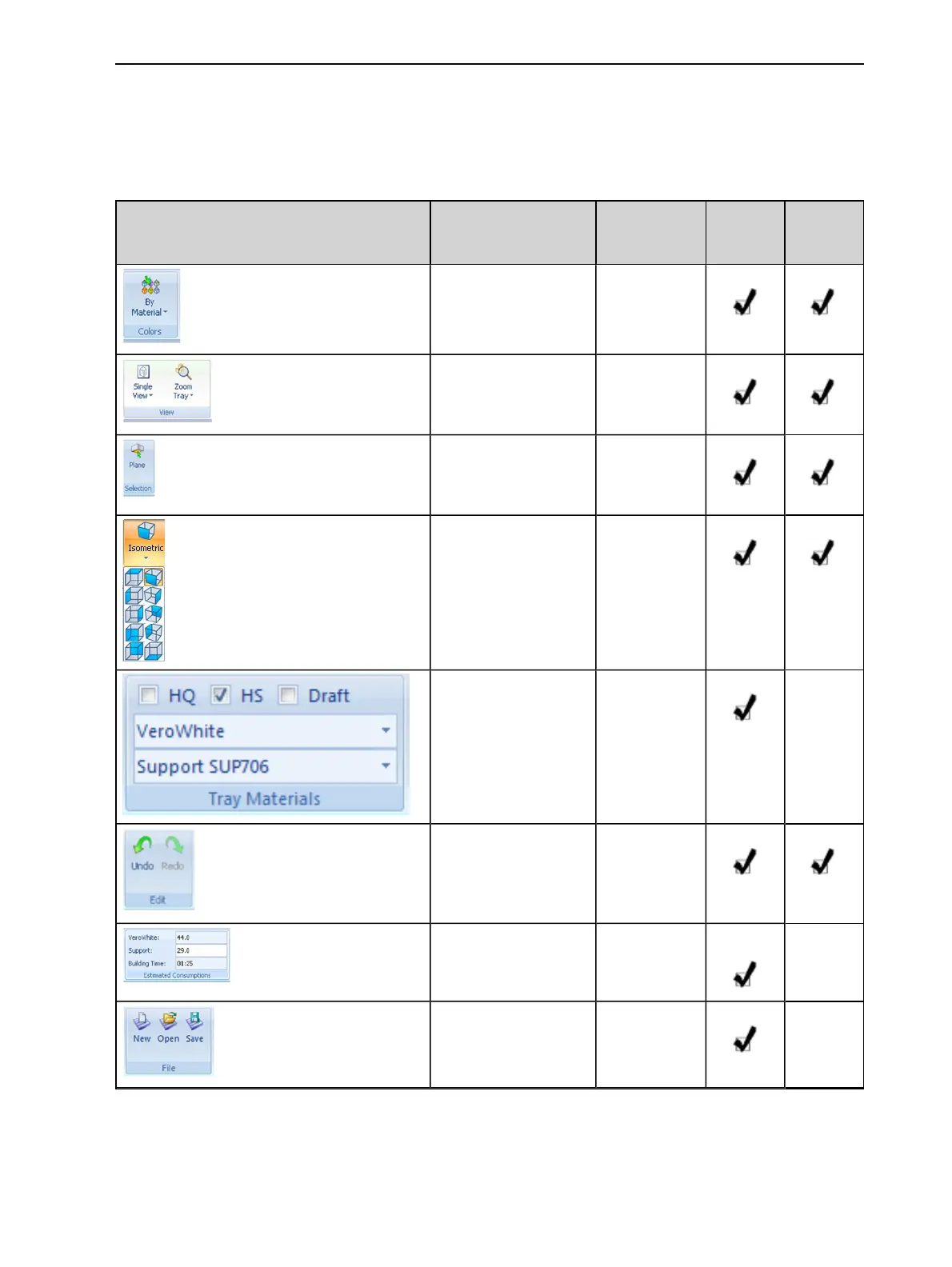
The following table lists the Tray Settings and Model Settings ribbon command
groups, and shows when they are enabled, and where they appear.
Group Purpose When
enabled
Tray
Settings
Ribbon
Model
Settings
Ribbon
Setting display colors. Always.
Selecting perspective
and zoom level.
Models are on
the build tray.
Choose to select a
plane.
Models are on
the build tray.
Change the
perspective of the
active pane.
Models are on
the build tray.
Assigning printing
materials.
Build tray is
empty.
Models are
not selected.
Undoing or redoing
actions.
After an
action or
object
selection.
Estimating the
amount of printing
materials required.
Build tray is
not empty.
Opening and saving
files.
Models are
not selected.

Table of Contents

Other manuals for Stratasys Objet30

Related product manuals