Objet30 User Guide 5 Using Objet Studio
DOC-34025 Rev. I 5-76
Configuring User Alerts
Objet Studio can alert you (and others) to the status of jobs sent to the server
for printing. This is especially useful during long printing jobs, when the
operator is away from the printer. The following events can be reported:
• The level of model or support material is low.
• The job was interrupted.
• The job was completed successfully.
To send e-mail and SMS alerts, make sure that e-mail software supporting
MAPI is installed on the server computer. To send SMS alerts, the cellular
phone service must support the transmission of e-mail messages by SMS.
Only the subject line of the e-mail message is transmitted by SMS.
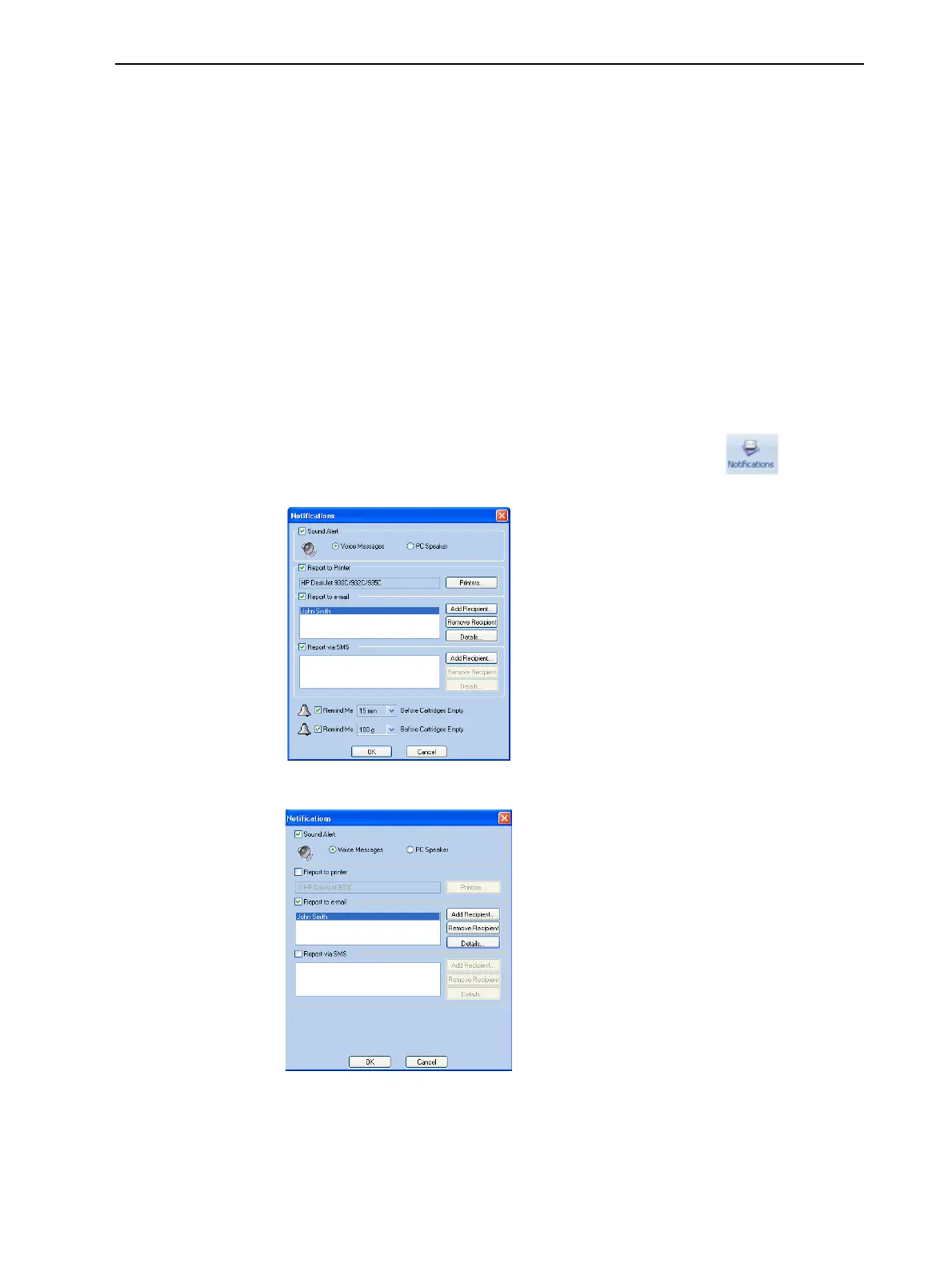
To configure Objet Studio to send notifications and alerts:
1. On the Job Manager ribbon, in the 3D Printer group, click .
Figure 5-92 Notifications dialog box (server)
Figure 5-93 Notifications dialog box (client workstation)
2. Set the desired reporting options.
3. Click Details.













 To Next Page