Objet30 User Guide 4 Installing Objet Studio
DOC-34025 Rev. I 4-2
How to Install Objet Studio
Objet Studio software is installed during printer installation. This section is
provided in case you need to reinstall Objet Studio, or install it on a remote
(client) computer.
The Objet Studio setup wizard guides you when installing this software. Objet
Studio is installed on the printer-server (“host”) computer, but it can also be
installed on remote, “client” computers and on computers used to prepare files
for printing models, or for training and demonstration purposes. During
installation, you choose to install either the printer-server (“host”) application or
the client application.
To install Objet Studio software:
1. Connect the USB flash drive (supplied with the printer) to a USB port.
2. On the USB flash drive navigate to the Objet Studio installation file, and run
it.
3. To install Objet Studio, you must agree to the license agreement. After
reading its terms, click Yes to continue, or No to close the wizard.
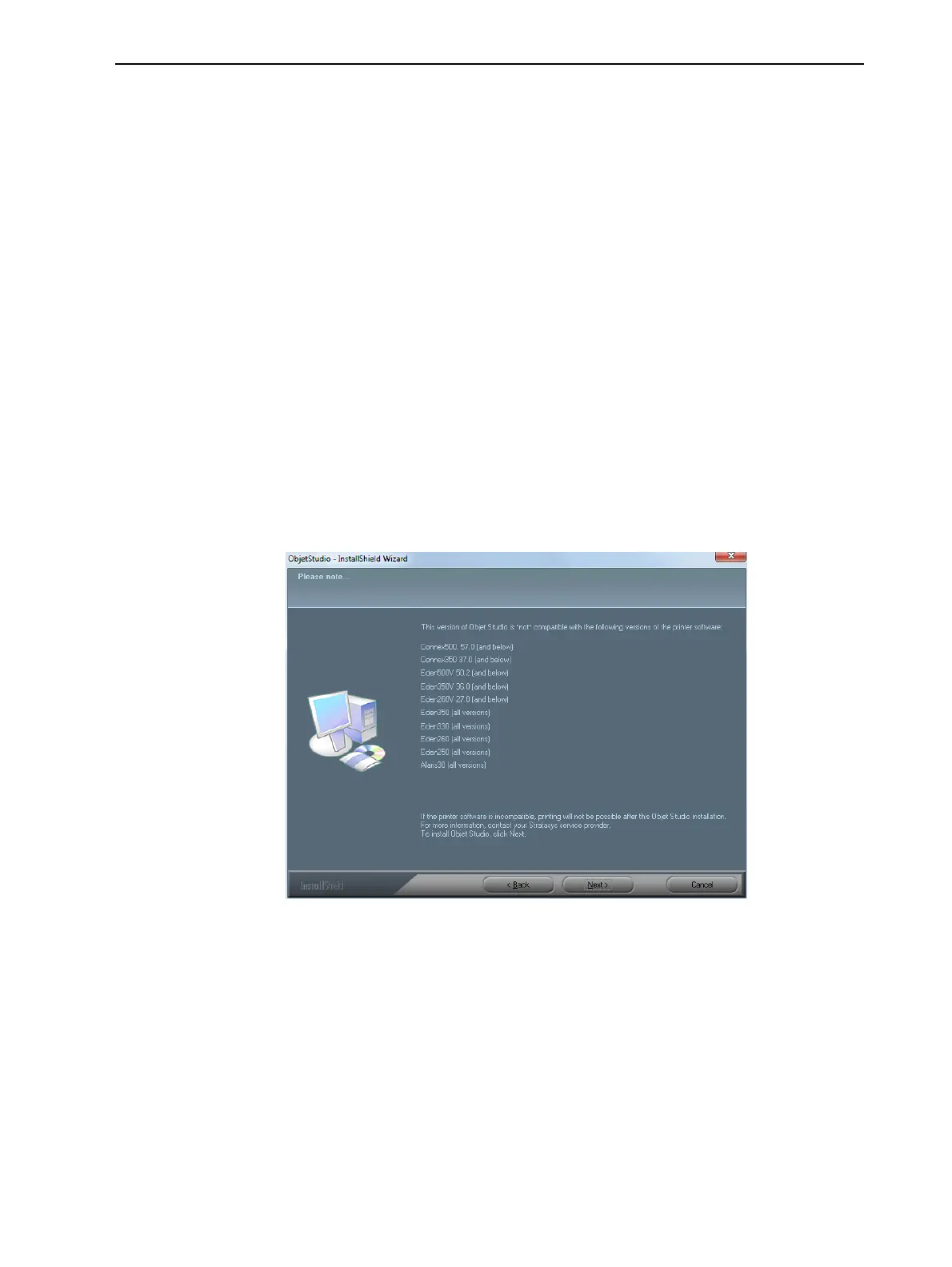
If you click Yes, the following screen should appear.
Figure 4-1 Objet Studio compatibility check
4. Make sure that your printer is compatible with Objet Studio by checking the
list displayed.
Note: The printers displayed are legacy printers that are not compatible
with this version of Objet Studio.













 To Next Page