Objet30 User Guide 5 Using Objet Studio
DOC-34025 Rev. I 5-11
Placing Objects on the Build Tray
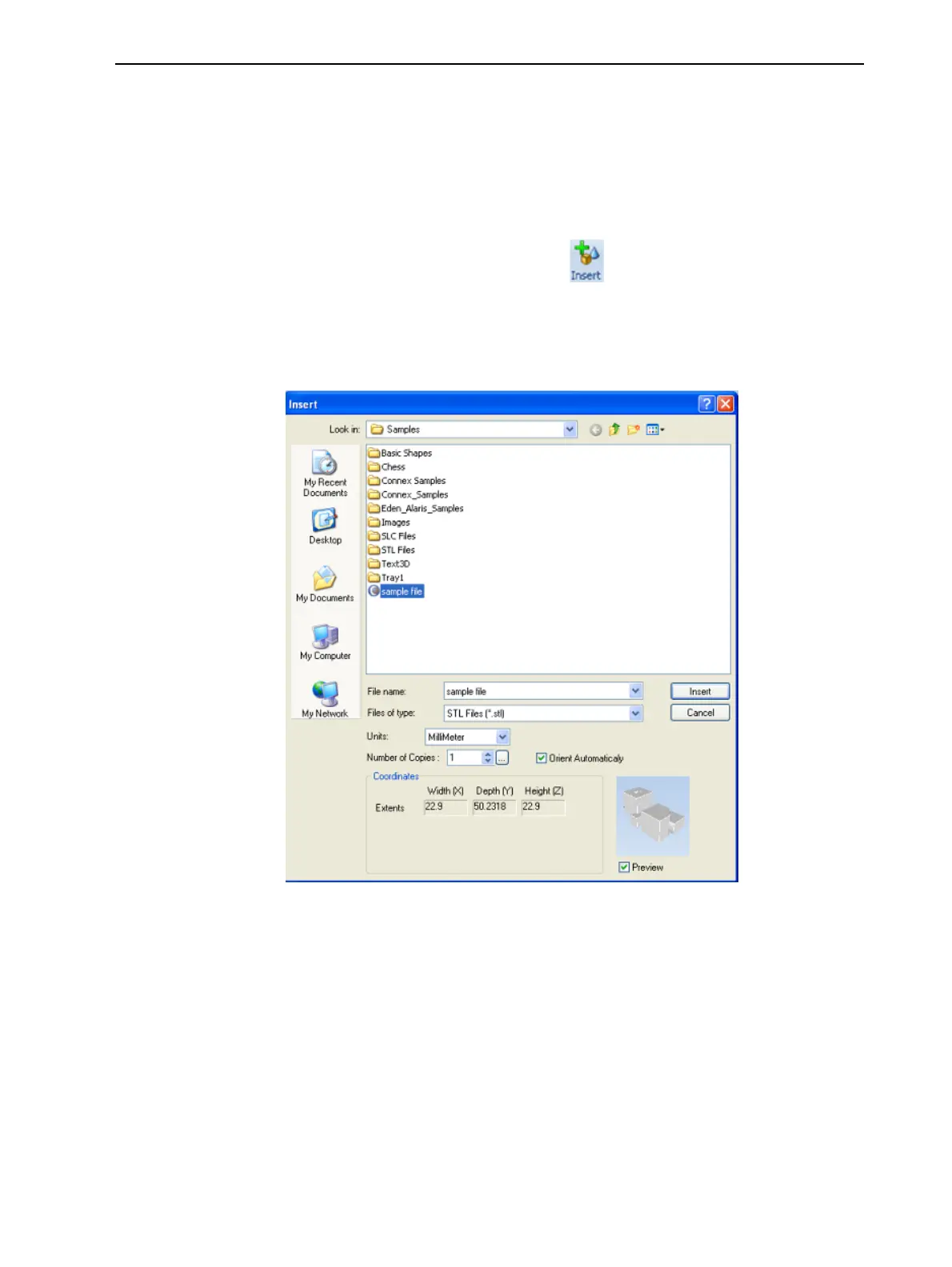
To place an object on the build tray:
1. Open the Insert dialog box—
❒ From the Object menu, select Insert.
or—
❒ On the Tray Settings ribbon, click .
or—
❒ Right-click on the build tray, and select Insert from the context menu.
The Insert dialog box appears.
Figure 5-7 Insert dialog box
2. In the Look in field, display the appropriate folder.
3. In the Files of type field, select the file type to display.
4. Select the desired file, and make sure that it appears in the File name field.
If the Preview check box is selected, the object is displayed in the dialog
box, as shown in Figure 5-7.
The Model Settings ribbon is displayed when objects are placed on the
build tray.













 To Next Page