Objet30 User Guide 5 Using Objet Studio
DOC-34025 Rev. I 5-26
Using a Grid to Position Objects
Displaying a grid on the image of the build tray can be useful when positioning
objects. To use the grid features, select the following menu options.
Menu Option Result
Tools > Grid Displays a grid on the build tray.
Tools > Snap to grid When moving the object, it aligns with the nearest grid line.
Tools > Options > Grid Enables you to change the grid origin
(X- and Y-axis meeting point) and appearance.
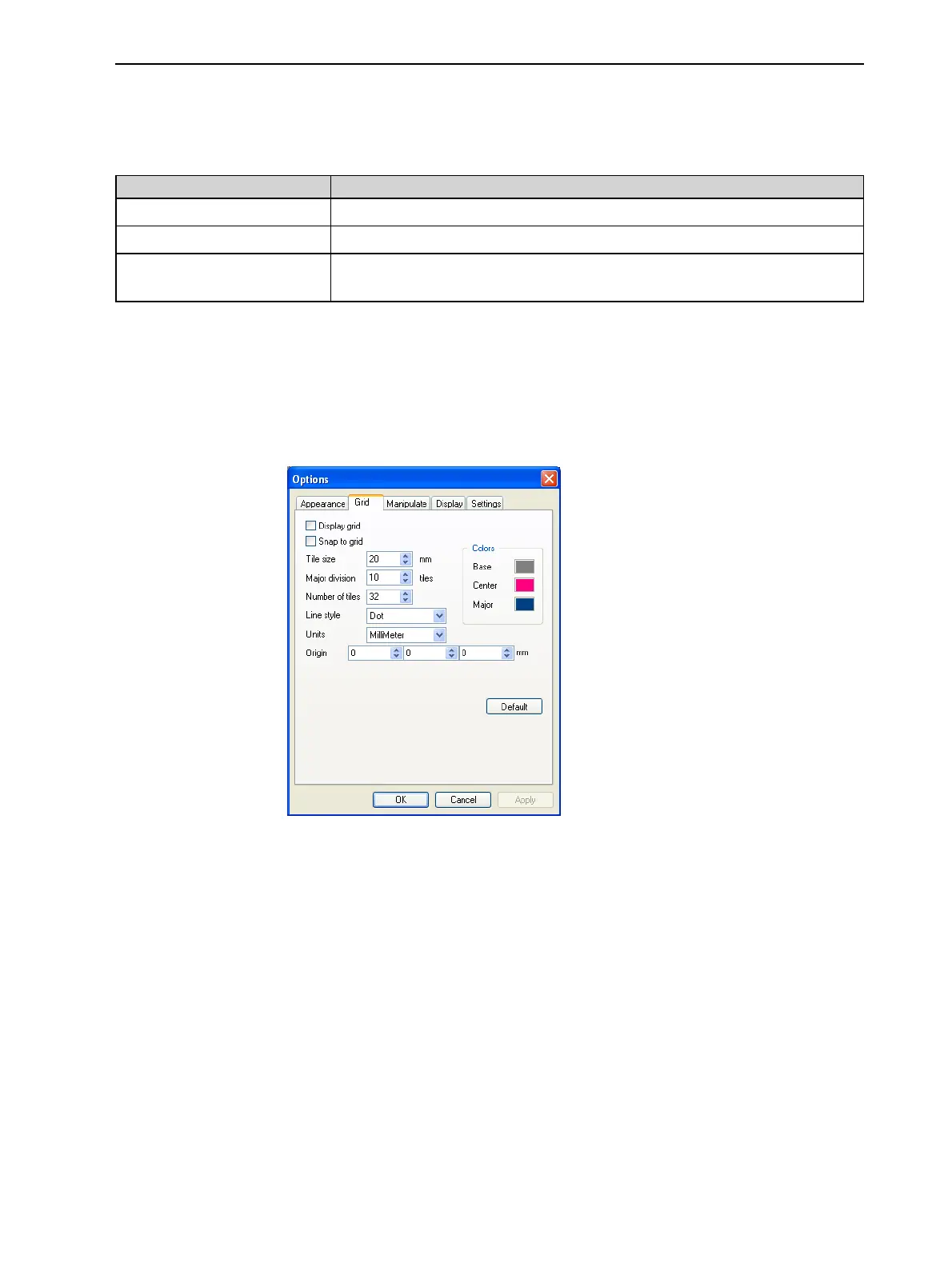
You can review and configure grid settings—and apply them—from the
Options dialog box.
To view and change grid settings:
1. From the Tools menu, select Options, and display the Grid tab.
The current grid settings are displayed.
Figure 5-21 Options dialog box, Grid tab
2. As required, change the settings, and select or clear the check boxes.
3. Click Apply or OK.













 To Next Page