Objet30 User Guide 6 Operating and Maintaining the Printer
DOC-34025 Rev. I 6-40
Pattern Test
The pattern test is the basic verification of the printer’s ability to produce quality
models, since it demonstrates the condition of the nozzles in the print heads.
Make sure, therefore, that you perform this test weekly, and whenever you
suspect a printing problem.
To perform the pattern test:
1. Make sure that the build tray is empty.
2. Prepare a sheet of pink paper, approximately 21 × 14 centimeters in size
(8.5 × 5.5 inches)—half of the standard A-4 or Letter size.
3. In the printer, tape the pink paper to the center of the build tray.
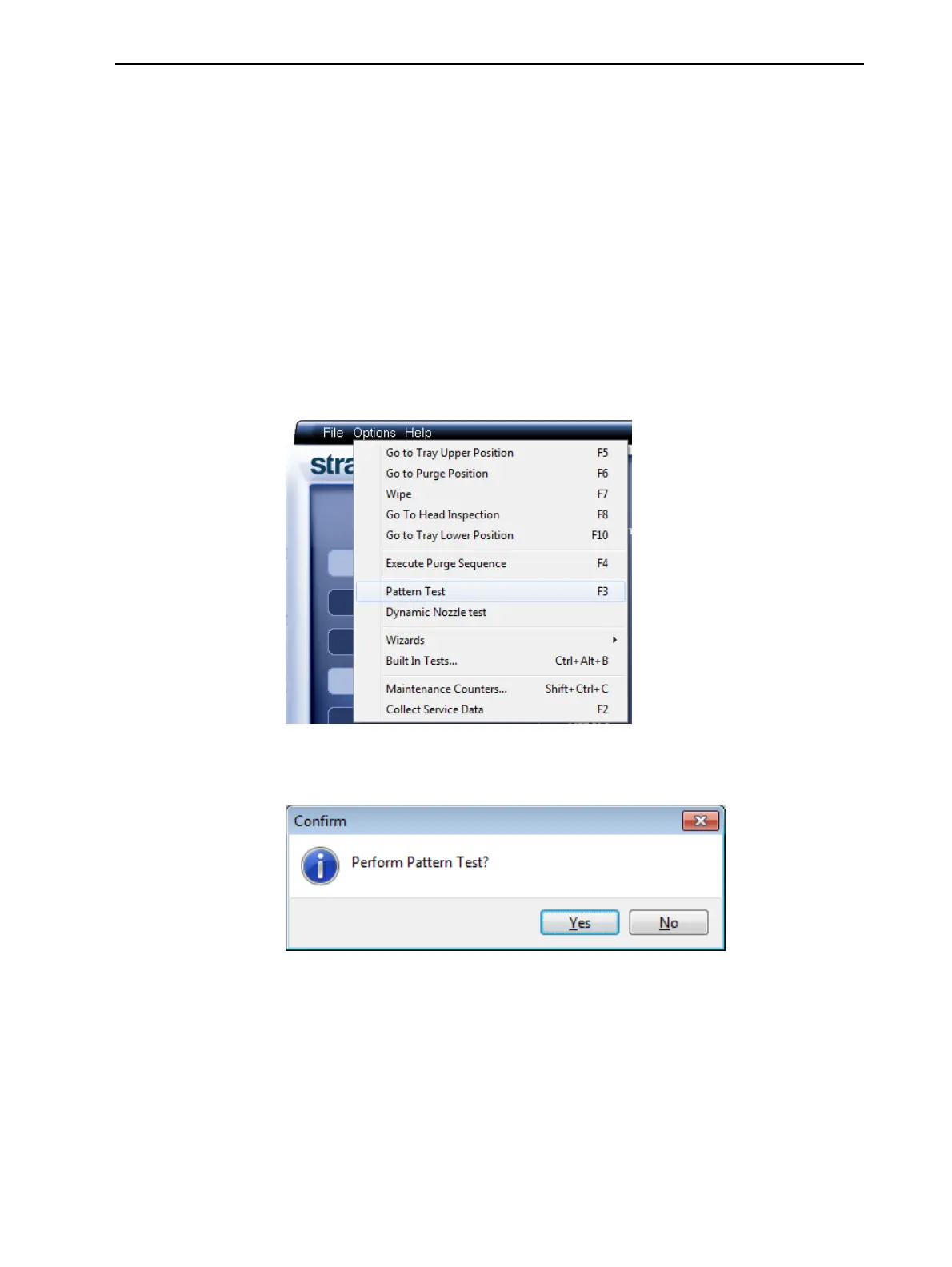
4. Press F3, or open the Options menu and select Pattern Test.
Figure 6-48 Selecting Pattern Test
5. Click Yes in the Confirm dialog box to begin.
Figure 6-49 Pattern Test confirmation













 To Next Page