Objet30 User Guide 6 Operating and Maintaining the Printer
DOC-34025 Rev. I 6-39
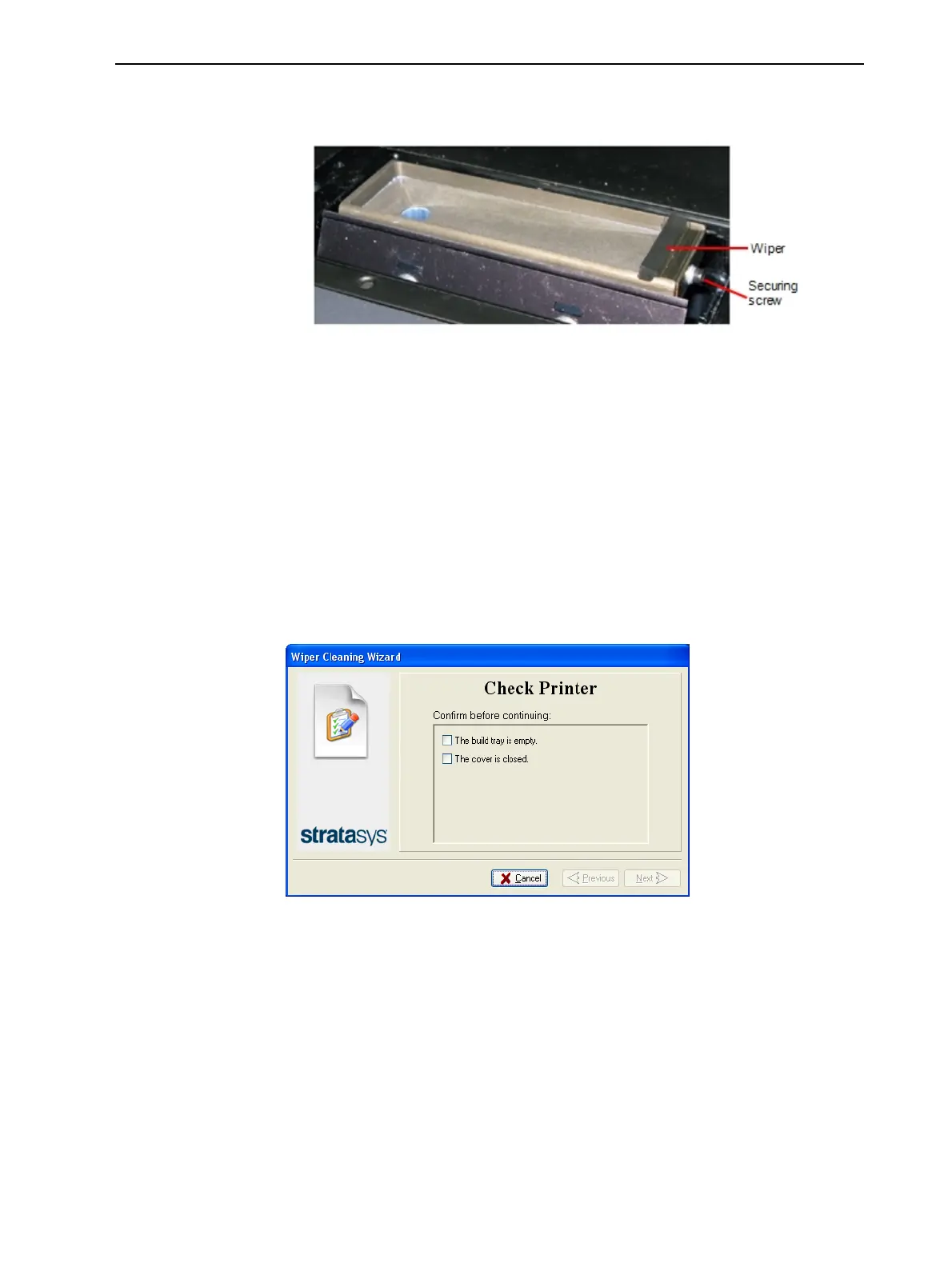
a. With the M3 hex (Allen) key, loosen (but do not remove) the screw
securing the wiper.
Figure 6-46 Wiper and excess-material drain
b. Grasp the wiper unit and remove it.
Note: Do not remove the grease.
c. Insert the new wiper, making sure that it is level, and tighten the
securing screw.
9. In the wizard screen (see Figure 6-45), confirm that the wiper blade is
clean, and click Next.
10. Remove all tools and cleaning materials from the printer, and close the
cover.
11. Confirm this in the wizard screen, and click Next.
Figure 6-47 Tray and cover confirmation
12. In the final sceen, click Done to close the wizard.













 To Next Page