Objet30 User Guide 5 Using Objet Studio
DOC-34025 Rev. I 5-27
Measurement Units
3D files contain an object's proportions, but not its units of measure. Therefore,
make sure to correctly select either millimeters or inches when inserting an
object. Otherwise, the size of the object on the build tray will be either much too
large or much too small.
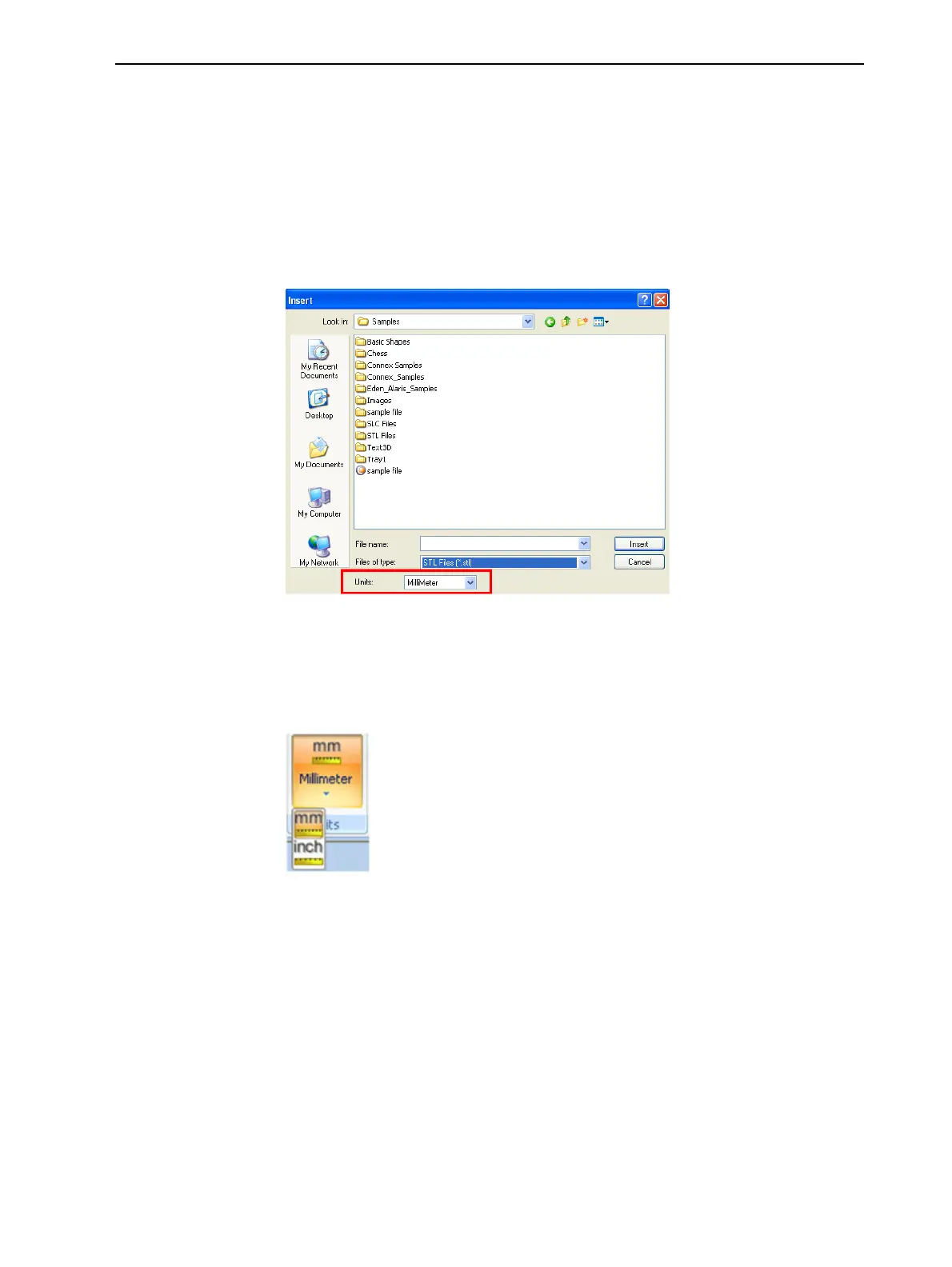
To set the measurement units when inserting an object:
➢ In the Insert dialog box, Units field, select Millimeter or Inch:
Figure 5-22 Units field in the Insert dialog box
To change measurement units for a selected object from the
Model Settings ribbon:
1. Open the Units flyout toolbar.
Figure 5-23 Units flyout toolbar
2. Select the measurement units desired.













 To Next Page