Objet30 User Guide 6 Operating and Maintaining the Printer
DOC-34025 Rev. I 6-79
Replacing the UV Lamp
The UV lamp used for curing models has a long, but limited, working life. You
can test and adjust its effective power with the UV Calibration wizard (see
"Testing and Calibrating the UV Lamp" on page 6-71). If you need to replace
the UV lamp bulb or UV reflector, follow these instructions:
To replace the UV lamp bulb or UV reflector:
1. Start the UV Lamp Replacement wizard from the Options menu (see
"Starting the Material Replacement wizard" on page 6-18).
Warning
Before continuing, make sure that the safety interlock in the printer cover is
not defeated, and that the lamp is not hot.
2. Make sure that the build tray is empty, and confirm this in the wizard
screen. Then, close the printer, and click Next.
Figure 6-105 Tray confirmation
The axes move to the “home” position.
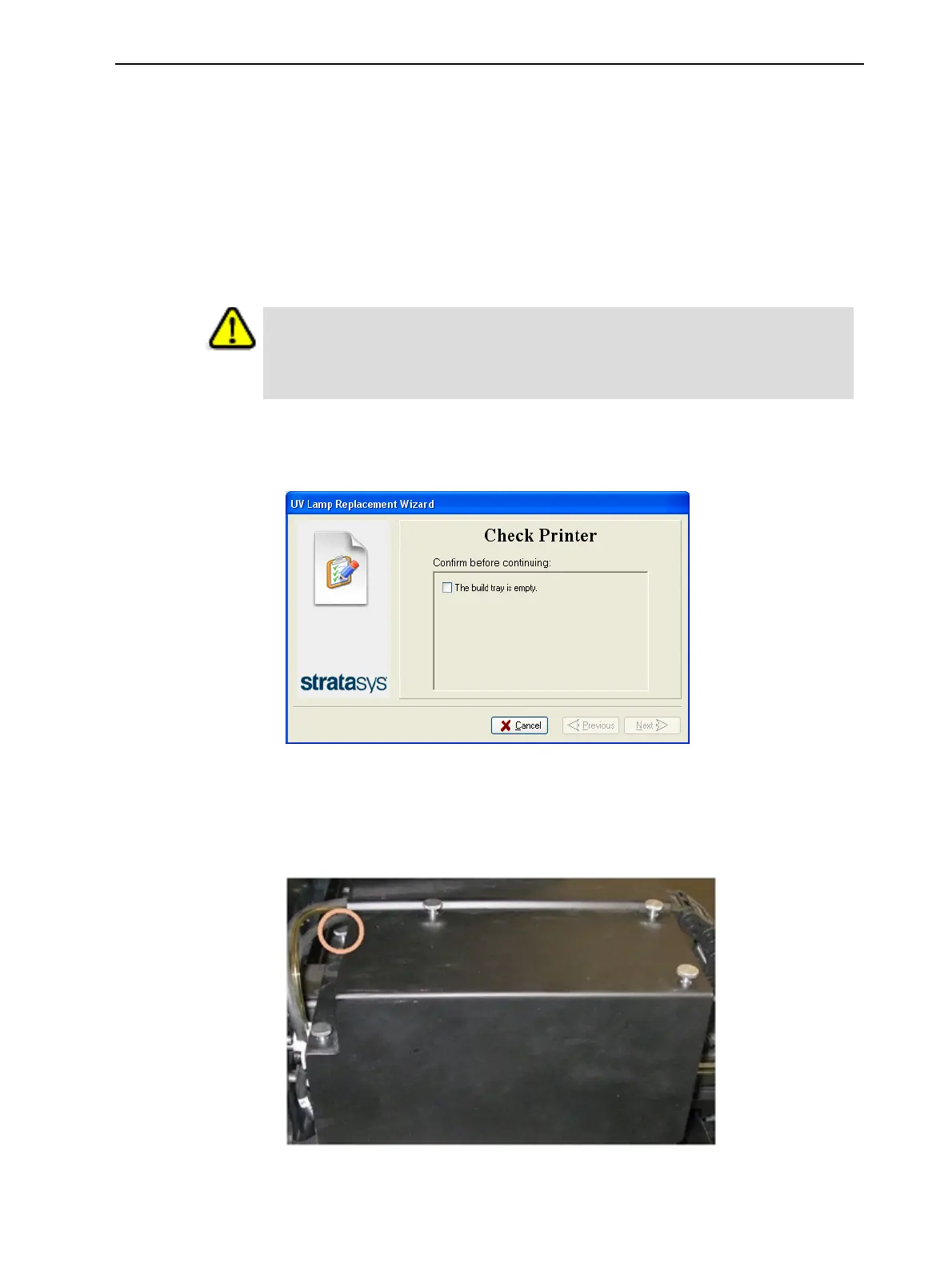
3. On the UV-assembly cover, loosen (do not remove) the thumbscrew
indicated in the photograph below.
Figure 6-106 UV-assembly cover













 To Next Page