Objet30 User Guide 6 Operating and Maintaining the Printer
DOC-34025 Rev. I 6-80
4. Remove the other four (4) thumbscrews that secure the UV-assembly
cover, and remove the cover.
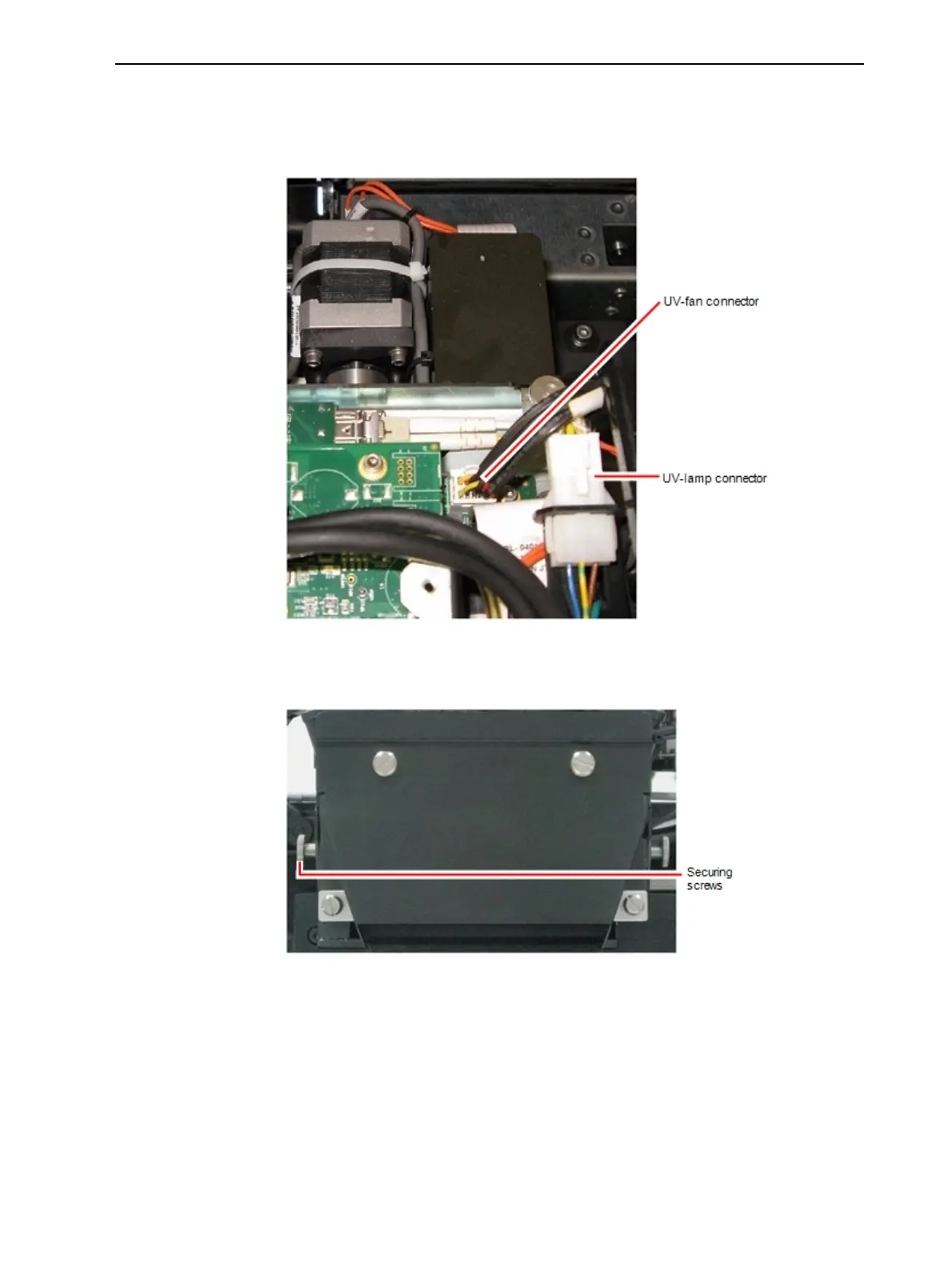
5. Disconnect the UV lamp cable and the fan cable.
Figure 6-107 Disconnecting the UV lamp assembly (top view)
6. Loosen the two side screws securing the UV lamp assembly to the printer.
Figure 6-108 UV-lamp-assembly
7. Remove the assembly, and place it on a flat surface.













 To Next Page