Objet30 User Guide 5 Using Objet Studio
DOC-34025 Rev. I 5-80
Scheduling Jobs
You can schedule jobs to be printed at a future time. For example, you can
configure Objet Studio to start long printing jobs in the late evening and early
morning hours.
To schedule a job:
1. Select a job in the Jobs Queue, and click on the pop-up toolbar.
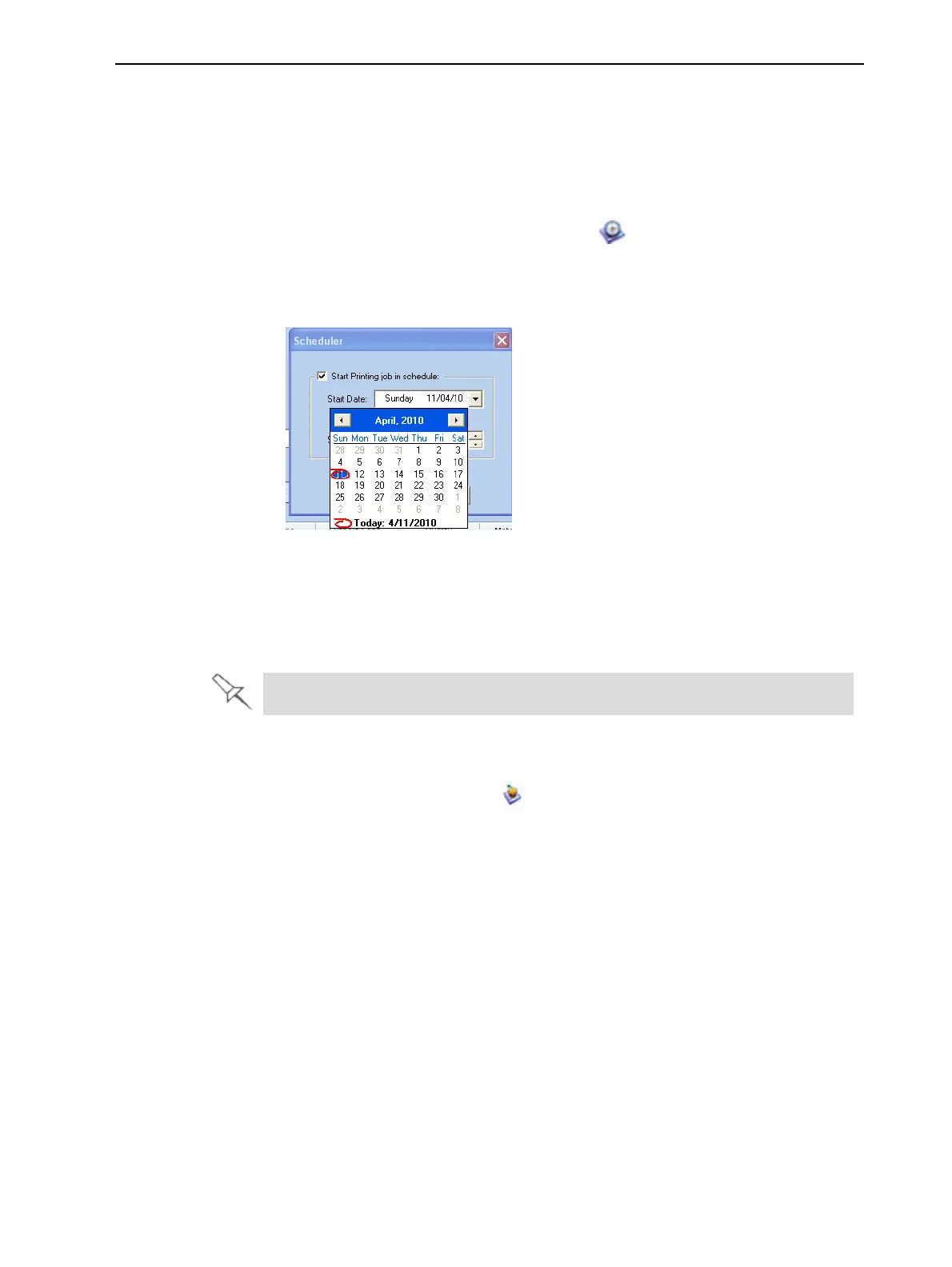
2. In the Scheduler dialog box, set the Start Date and Start Time for the job.
Click on the Start Date arrow to open a calendar.
Figure 5-97 Scheduler with calendar displayed
3. Click OK.
Exporting Jobs (objzf)
You can save print jobs as compressed files.
For an explanation of objzf files, see "Saving Build Trays" on page 5-51.
To export a print job:
1. Select a job.
2. On the pop-up toolbar, click .
3. In the Save As dialog box, select a folder.
4. Click Save.













 To Next Page