Objet30 User Guide 6 Operating and Maintaining the Printer
DOC-34025 Rev. I 6-72
To test and calibrate UV lamp radiation:
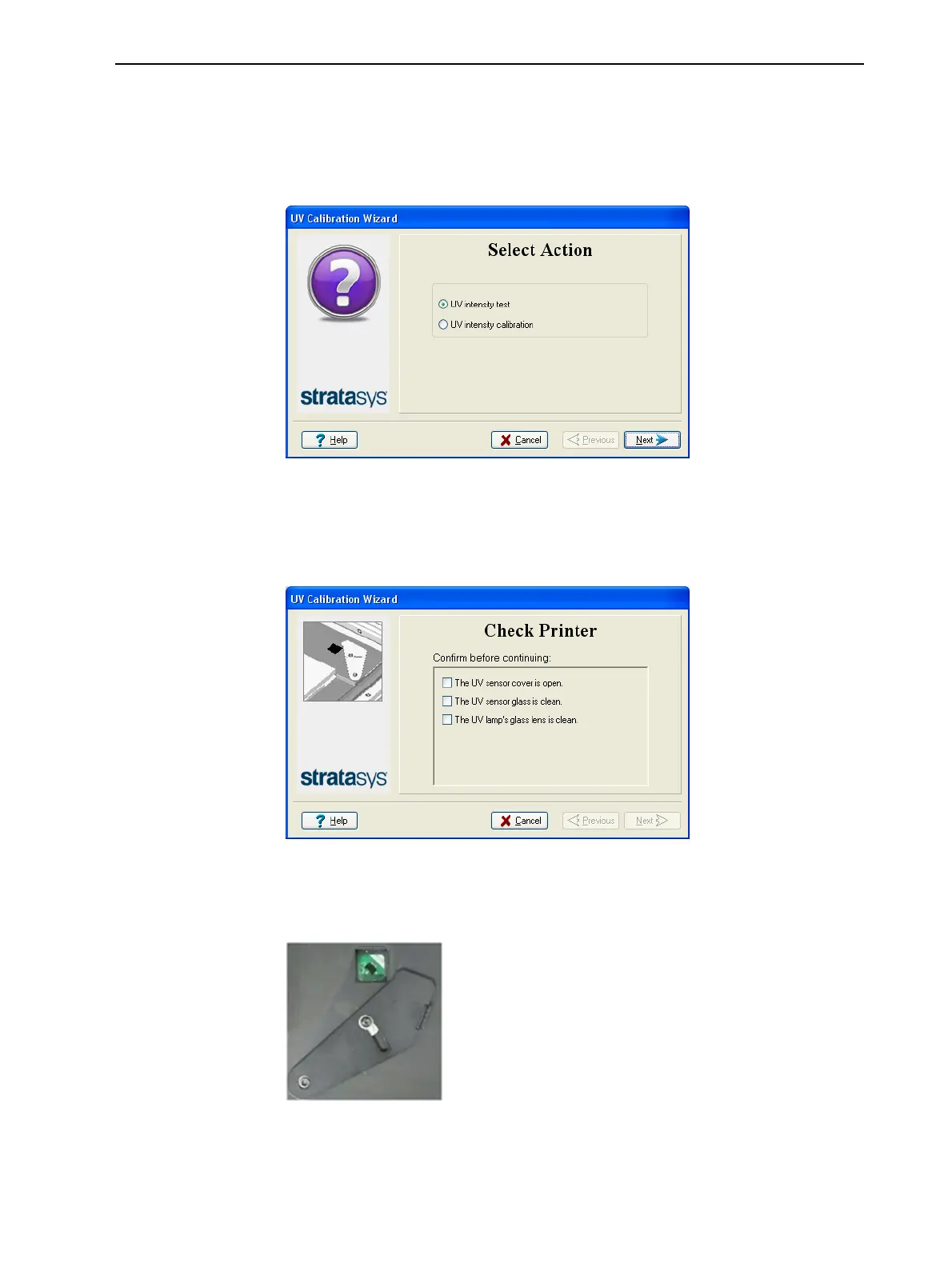
1. Start the UV Calibration wizard from the Options menu.
2. In the following screen, select UV Intensity Calibration to adjust the
lamp’s radiation level to the acceptable range.
Figure 6-92 UV Calibration selection
3. Make sure that the build tray is clear (empty). Confirm this in the wizard
screen, and click Next.
The following screen appears.
Figure 6-93 Printer preparation
4. Expose the UV sensor by sliding its cover to the right, and check that the
glass is clean.
Figure 6-94 UV sensor exposed













 To Next Page