Objet30 User Guide 5 Using Objet Studio
DOC-34025 Rev. I 5-16
STL file loading preference
If there are identically named stl files in more than one location, you need to
ensure that the correct component stl files are linked to the objtf file. For
example, if there are identically named stl files on one drive and on a flash
drive (this can occur if you copy the original files to a working folder), you can
set the default location from which files are loaded.
To set the Load Order:
1. From the Tools menu, select Options.
or—
In the Objet Studio Commands menu , click Options.
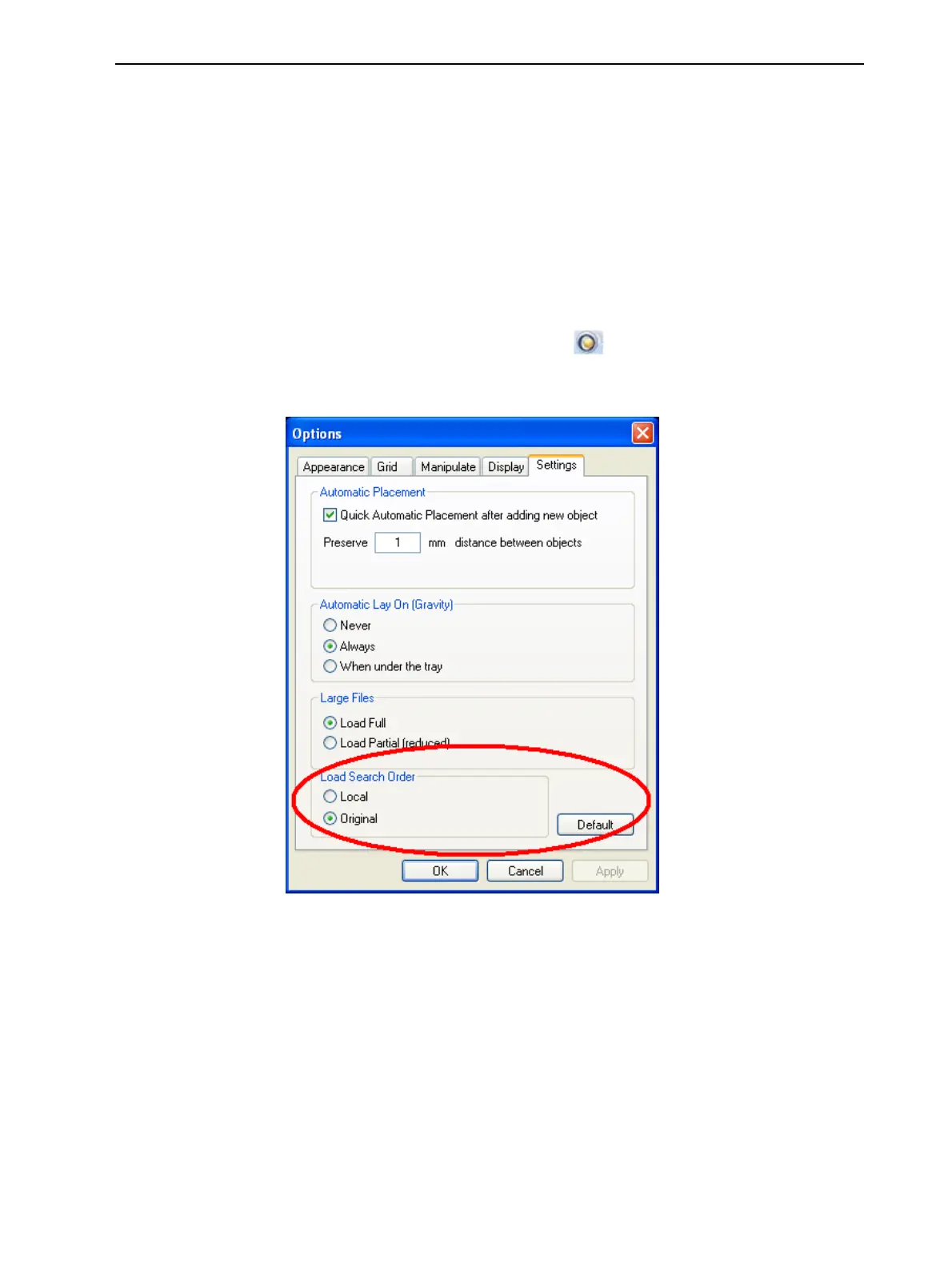
2. In the Options dialog box, display the Settings tab.
Figure 5-12 Options dialog box, Settings tab
3. Under Load Search Order, select an option:
❒ Local—to load files from the location where they were last saved.
❒ Original—to load files in their original location.
4. Click OK.













 To Next Page