Objet30 User Guide 5 Using Objet Studio
DOC-34025 Rev. I 5-30
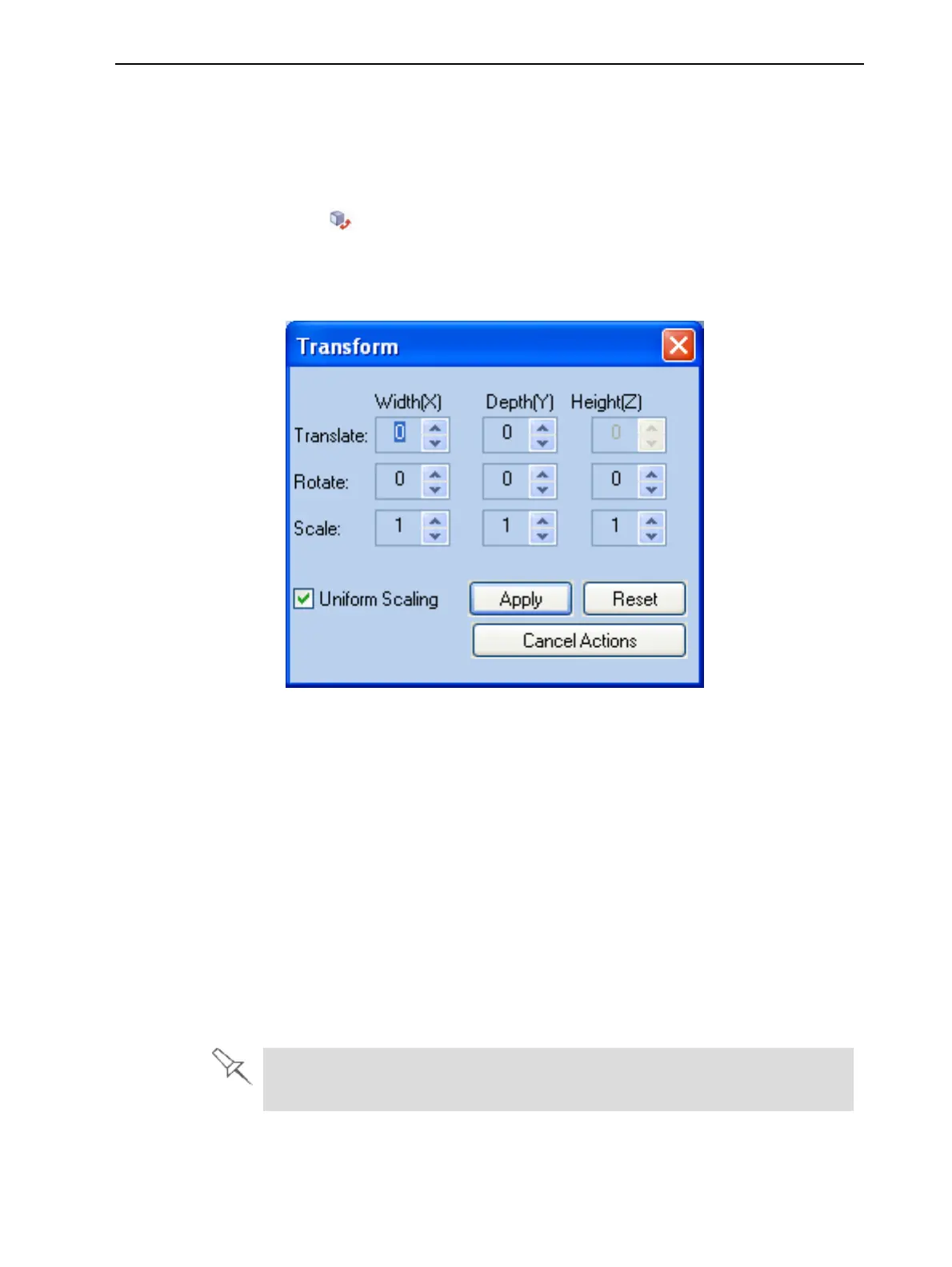
Using the Transform Dialog Box
You can make precise changes to an object by changing the properties in the
Transform dialog box.
To access the Transform dialog box (when an object is selected):
• Click on the Model Toolbar or on the Model Settings ribbon.
• From the right-click context menu, select Transform.
• From the Object menu, select Transform.
Figure 5-28 Transform dialog box
To change an object with the Transform dialog box:
➢ Change any of the values, then click Apply to see how the object changes
on the build tray.
Note: The changed values remain in the dialog box after clicking Apply.
Therefore, you can make small changes to values in the dialog box to see how
the object changes on screen each time you click Apply.
To reset all of the values in the dialog box:
➢ Click Reset.
Note: The object does not change. Any changes previously applied remain.
To undo all changes made with the Transform dialog box:
➢ Click Cancel Actions.
After closing the Transform dialog box, clicking Undo (on the Model Settings
ribbon or from the Edit menu) cancels all changes made with the dialog box.













 To Next Page