Objet30 User Guide 5 Using Objet Studio
DOC-34025 Rev. I 5-54
3. To choose from a wider range of commands:
❒ From the Customize Quick Access Toolbar menu (see Figure 5-59 on
the previous page), select More Commands.
or—
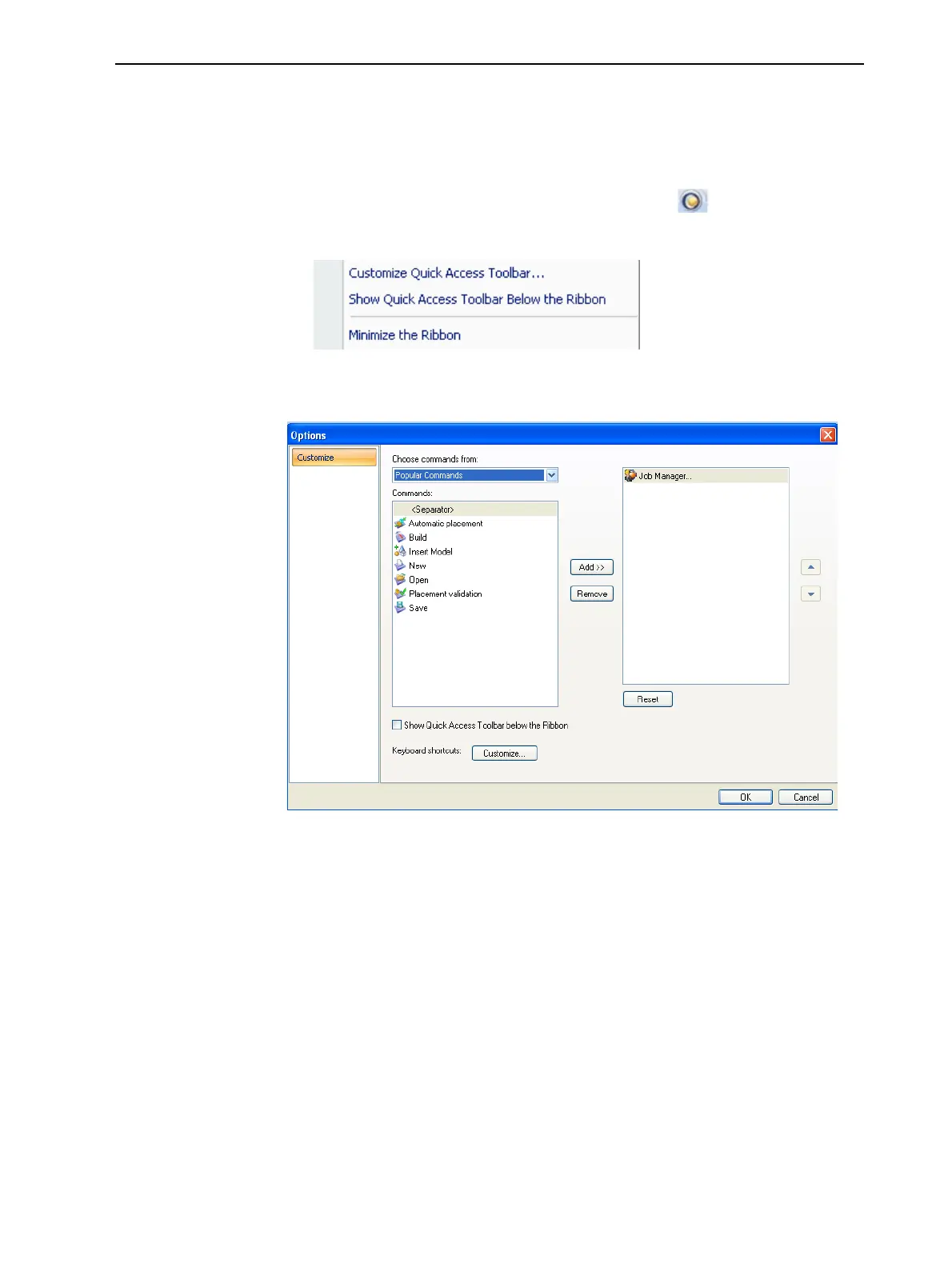
❒ Right-click on the Objet Studio Commands icon , or elsewhere on
the ribbon, and select Customize Quick Access Toolbar.
Figure 5-61 Right-click ribbon menu
The Options dialog box opens.
Figure 5-62 Quick Access Toobar Options dialog box
4. Open the drop-down list and select either Popular Commands or
Commands not on the Ribbon.
5. Select a command and click Add.
6. Click OK.













 To Next Page