CA-500 Series S/M 4-15 Revised December 2001
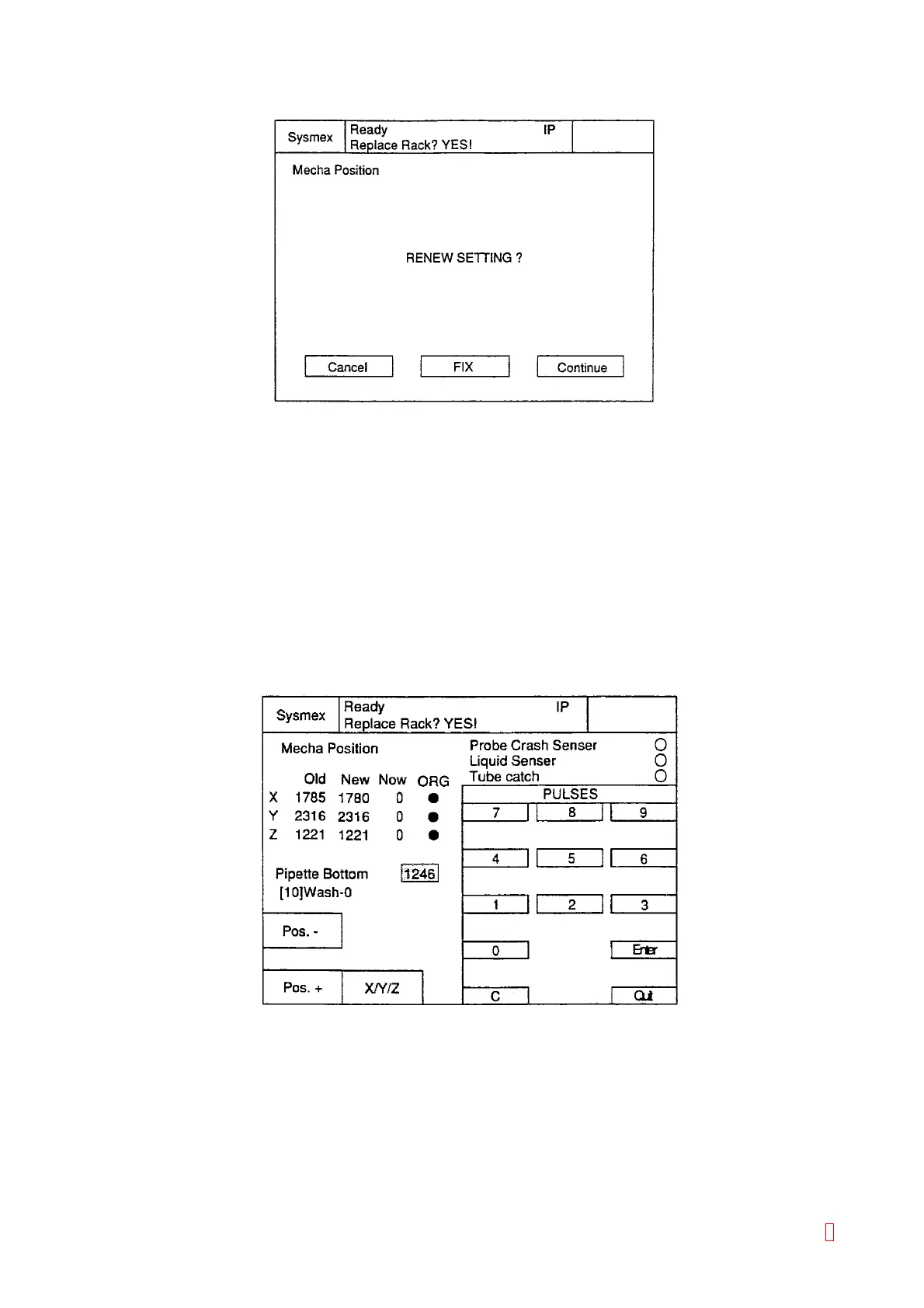
15) The confirmation screen will be displayed by pressing [Quit] key.
Figure 4-3-6: Confirmation Screen
16) When pressing [FIX] key, new position adjustment data will be printout and return to adjustment
selection screen.
(3) Pipette Lower Limit Adjustment
When [FIX] key is pressed to complete adjustment, 25 pulses are added to Z pulse setting value and the value
is automatically set as the pipette lower limit.
Large value should be set as the pipette lower limit when executing Z adjustment so that the probe can seek a
liquid surface at the lowest point. Be sure to set water inside the tube when setting large value manually as Z
pulse. If not, it may cause the pipette to crash at the bottom of the tube or the motor to be mis-adjusted by the
pulse beyond the limit.
1) Press [Pipette Bottom] key to display Manual Entry Screen. The pipette lower limit will be reverse
displayed and manual change is available.
Figure 4-3-7: Pipette Lower Limit Adjustment Screen
2) Use numeric keys to input the value.
When “Z Adjustment” is disable by the insufficient pulse, input “1275” for temporary.
The pipette lower limit value “1250” is set by pressing [1], [2], [5], [0], [Enter], [Quit] and returns to the
Mecha. Position Adjustment screen. Be sure to press [Enter] key to set the value.
3) When pressing [FIX] key, 25 pulses are added to Z pulse setting value and the value is automatically set
as the pipette lower limit.
8



 To Next Page