CA-500 Series S/M 4-27 Revised December 2001
4.3.12 Position Adjustment Procedure of Catcher (“[28]dust)
Adjustment Parameter: Catcher Position XYZ pulses of Reaction Tube Trash
Summary: Adjust the catcher XY and Z positions of the reaction tube trash by setting the reaction
tube to the catcher.
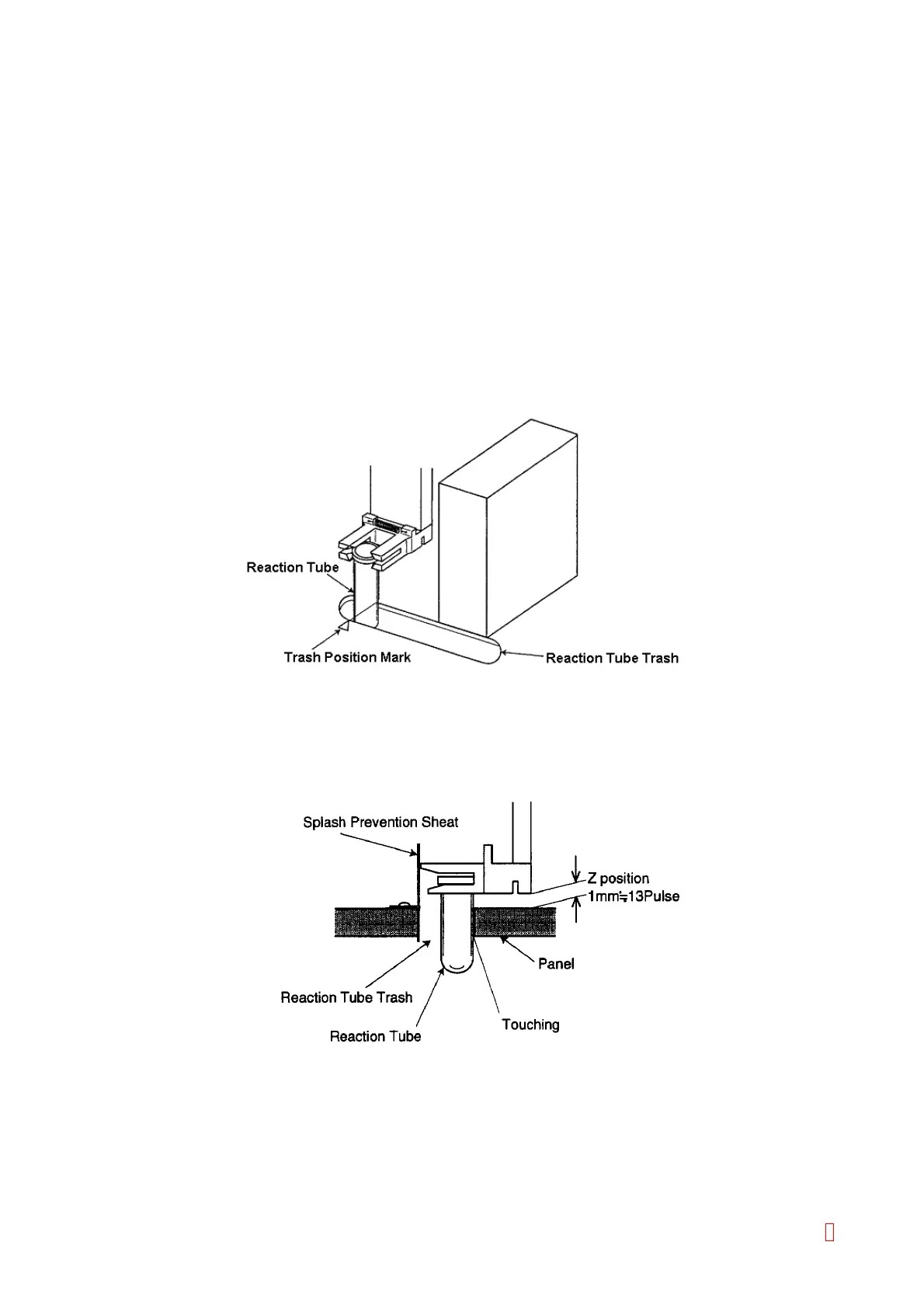
Standard Position:
Y direction: A center of the waste position mark on the panel agrees a center of the reaction tube.
Z direction: Z pulse position is at 13 pulses (approx. 1 mm) above the panel.
X direction: When Z pulse is as above, the reaction tube caught by the catcher is at the panel side
of the reaction tube trash. (Almost touches the trash.)
(1) XY Adjustment
1) Place the reaction tube to the catcher.
2) Verify that the “[28]dust” is shown on the left center of the screen. If not, change to “[28]dust” by using
[Pos. -] and [Pos. +] keys.
3) Move the catcher to the setting position by using [XY TEST] key.
4) Use [n], [p], [m], and [Æ] keys to adjust Y direction to a center of the waste position mark and the
reaction tube. Adjust X direction at the panel side of the reaction tube trash.
Figure 4-3-25: XY Direction Adjustment
5) Press [Z ADJUST] key to descent the catcher.
6) Use [n], [p], [m], [Æ], [Catcher UP], and [Catcher DOWN] keys to adjust the catcher position so that Z
pulse to become 13 pulses (approx. 1 mm) above the reaction tube trash panel. Adjust Y direction to
the center of the waste position mark and the reaction tube. Adjust the reaction tube position in X
direction to touch the panel side of the reaction tube trash.
Figure 4-3-26: Z Direction Adjustment
7) Press [Z TEST] key to return to the home position and descent the catcher. Verify that the reaction
tube to enter smoothly into the reaction tube trash.
8) Press [Z TEST] key to descent the catcher.
9) Use [Tube Free] and [Tube Catch] keys to verify that the reaction tube to enter smoothly into the
reaction tube trash.
10) When the adjustment is completed, press [XY ORG] key to return pipette (head) to the home position.
8



 To Next Page