USTER®
HVI 900
Instruction Manual
Uster Technologies, Inc.
Chapter 5
Version 4.0 (1.99) Calibration - Page 5-27
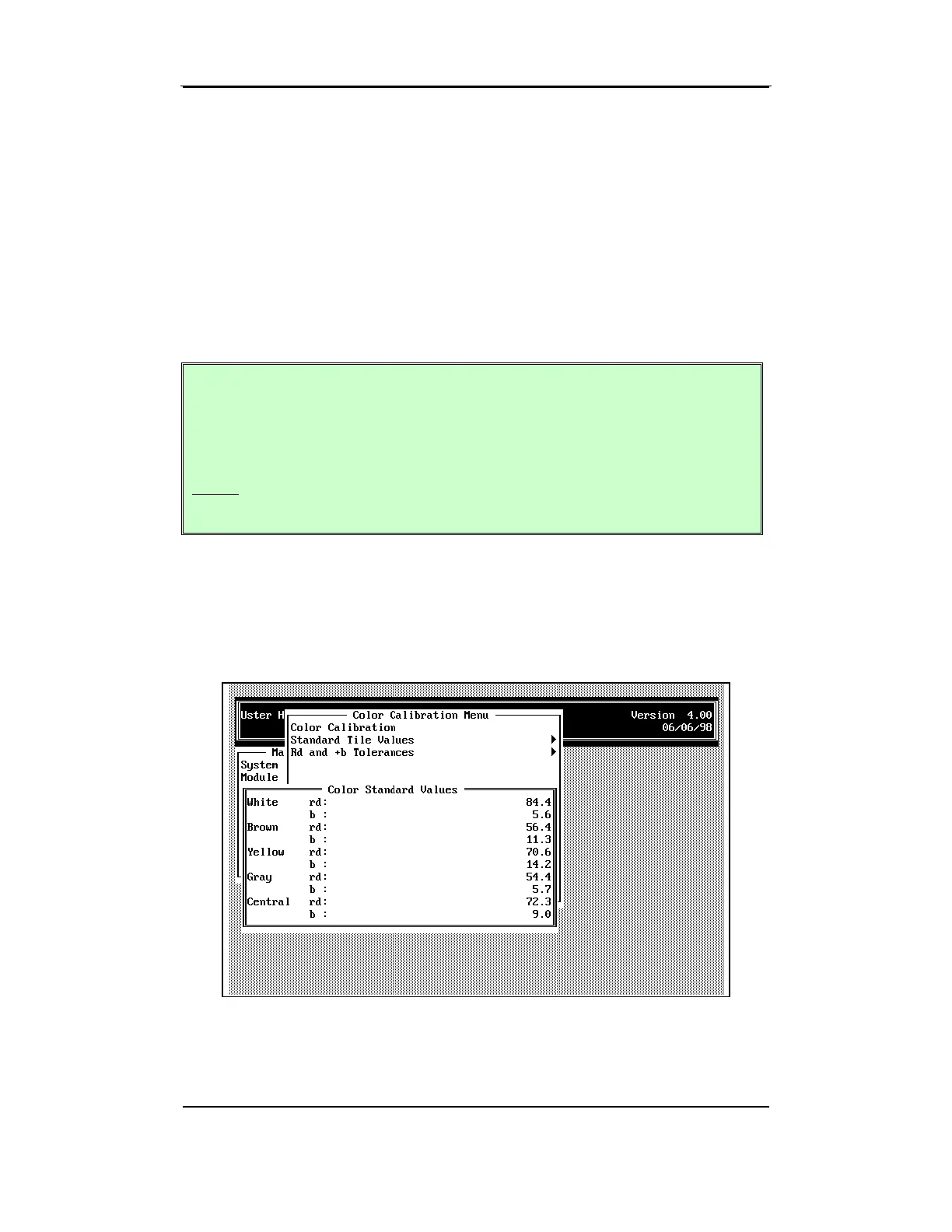
6.5 Standard Tile Values
• To access the STANDARD TILE VALUES MENU, highlight the item from the
COLOR MENU, then press ENTER.
A window is displayed listing each color tile with its Rd and +b values.
The values to be entered for each of the five color tiles are on the box of
tiles provided with the system.
Attention: The system does not alert you to values that
fall outside a reasonable range. For example, if you
enter an unacceptable value by mistake, you will
calibrate the instrument with the wrong values. You
must read the display carefully to prevent mistakes
while entering the standard values.
• Enter an Rd value for each tile color by pressing ENTER and then
type the value from the box of tiles supplied with the system. Press
ENTER again to continue to the next color. When all the values are
correct, press ESCAPE to return to the COLOR CALIBRATION MENU.



 To Next Page