USTER®
HVI 900
Instruction Manual
Uster Technologies, Inc.
Chapter 5
Version 4.0 (1.99) Calibration - Page 5-16
4.11 Calibration Constants
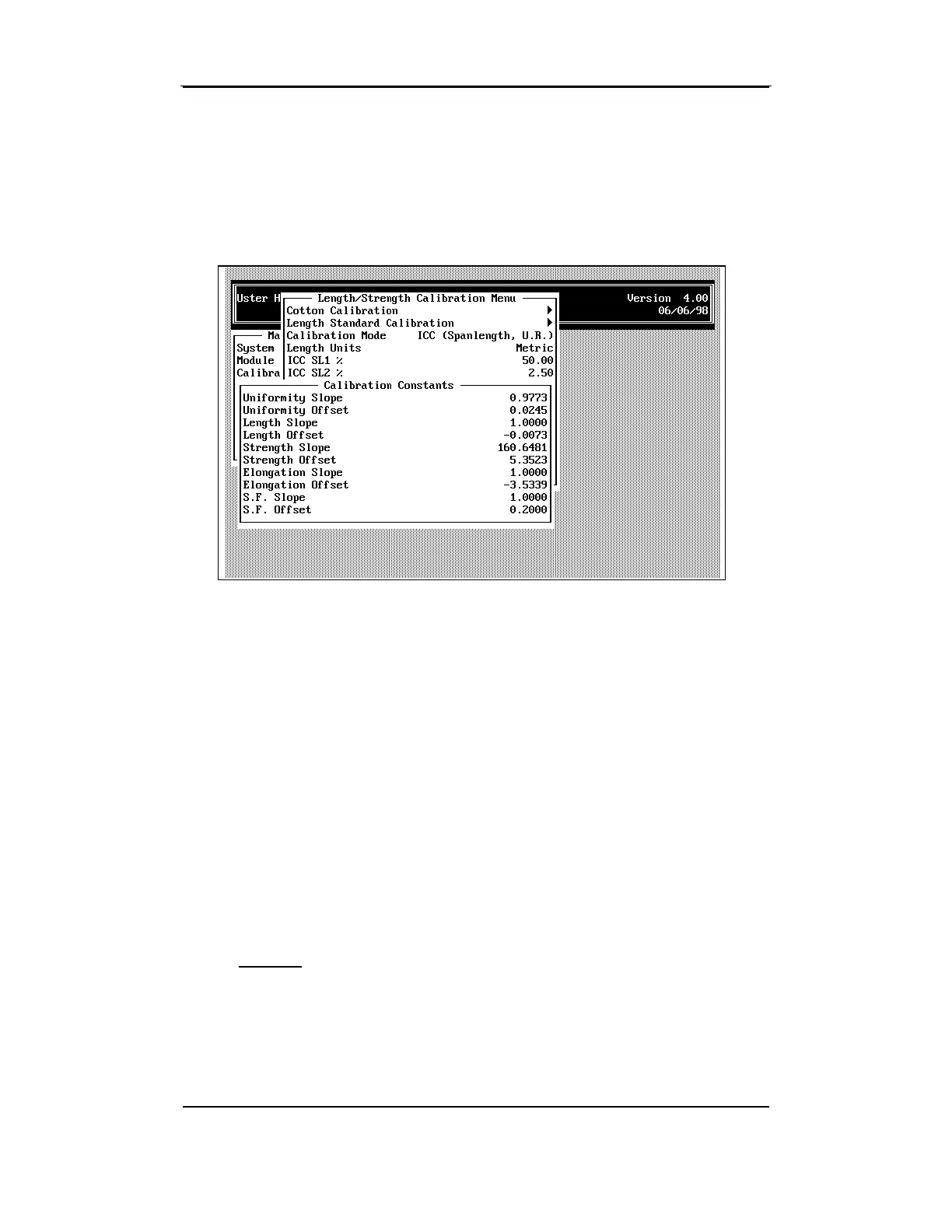
To access Calibration Constants from the CALIBRATION STATUS MENU,
highlight the item using the arrow keys, then press ENTER.
Slope and offset values for uniformity, length, strength, elongation, and
S.F. are entered from the C
ALIBRATION STATUS MENU. Typically, a service
technician makes any alterations to these constants. This is because
Cotton Calibration calculates the correct values for the slope and offset
based on these constants, and the test results may be skewed if these
constants are changed.
•
If needed, change the values by using the arrow keys to highlight the
item, then by pressing the ENTER key. Enter the value at the prompt
and then press ESCAPE to save the data.
Note that there is one screen for the ICC Calibration Mode and one
screen for the HVI Calibration Mode. After the initial calibration, the
HVI automatically calculates these values. At this point, you should
simply observe
them only. Do not change them manually or the test
results will be skewed.
Attention: When calibrating for the first time, the values should be set
as shown on the previous two screens.



 To Next Page