USTER®
HVI 900
Instruction Manual
Uster Technologies, Inc.
Chapter 11
Version 4.0 (1.99) System Diagnostics - Page 11-1
Chapter 11 System Diagnostics
The HVI 900 System provides software for testing individual instrument
circuits and components. The Diagnostics section is intended to be used
by Service Technicians during routine checks, troubleshooting, and
maintenance. However, at some point you might be directed to access
the DIAGNOSTICS MENU by Uster Technologies personnel. This chapter
explains how to access the System Diagnostics.
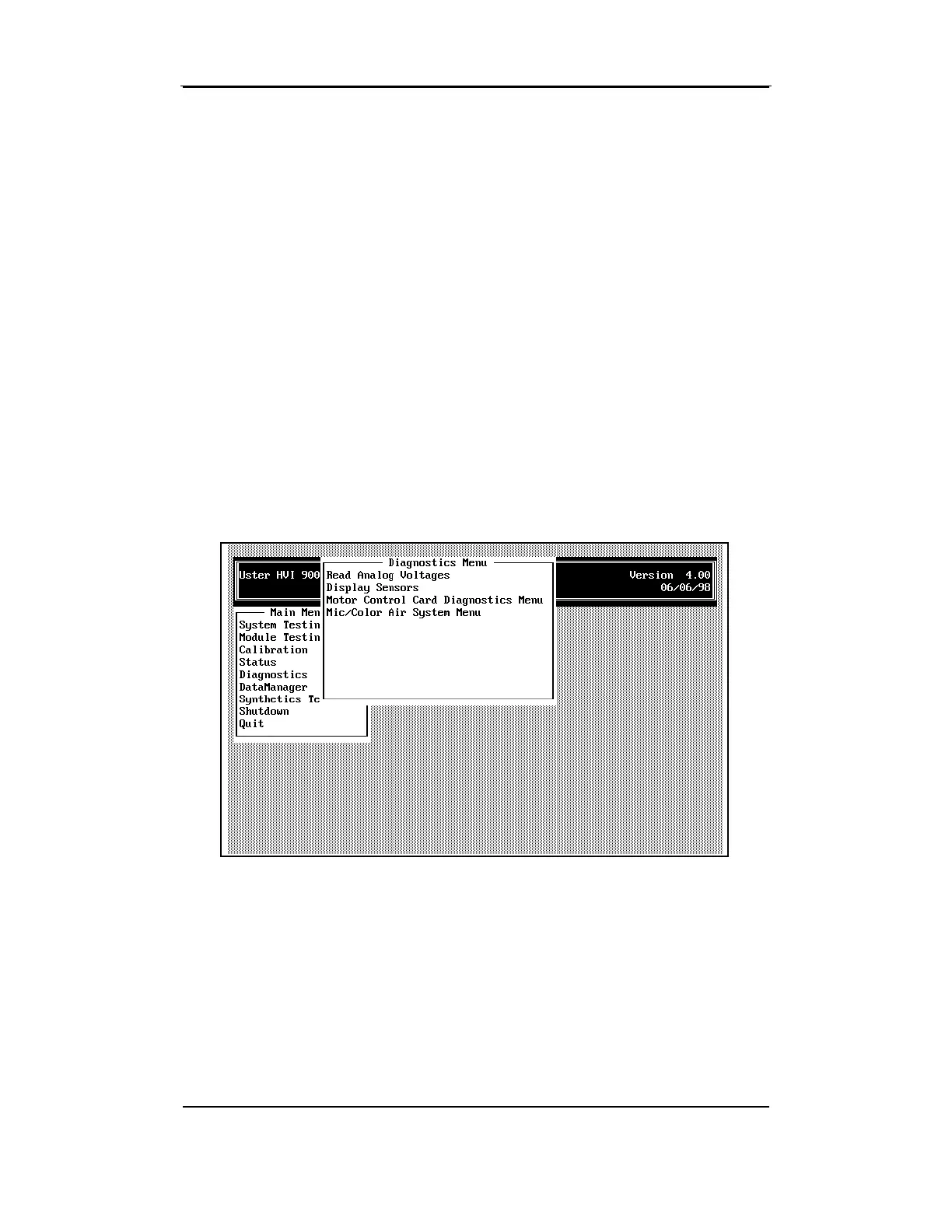
• Highlight
Diagnostics
from the MAIN MENU, and press ENTER.
Note: Depending on the configuration of your system, the menus and
screens shown may be different from those in this manual. The manual
reflects a system with Length, Strength, Micronaire, Color, and Trash
Modules.
The Diagnostics Menu contains the following items that are used to
troubleshoot problems.
Read Analog Voltages —This screen displays various system
information such as: system pressure, b, Rd, temperature, etc.
Display Sensors — This screen lists the setup information.



 To Next Page