SmartPAC 2 with WPC 2000 Integration User Manual 1128600
Initialization Mode 4-5
CORRECTION reading should change to match the value shown in the CURRENT
RESOLVER ANGLE field.
4. Press RESET when you are finished. You are returned to the Main Initialization Menu.
POSITION SENSOR
(INITIALIZATION – POSITION SENSOR)
This item allows you to disable the position sensor, select the format (i.e., numeric or
alphanumeric) to be used in entering tool numbers, specify whether counters are to be
incremented in Inch mode during setup, and make other settings. Parameters are set on the
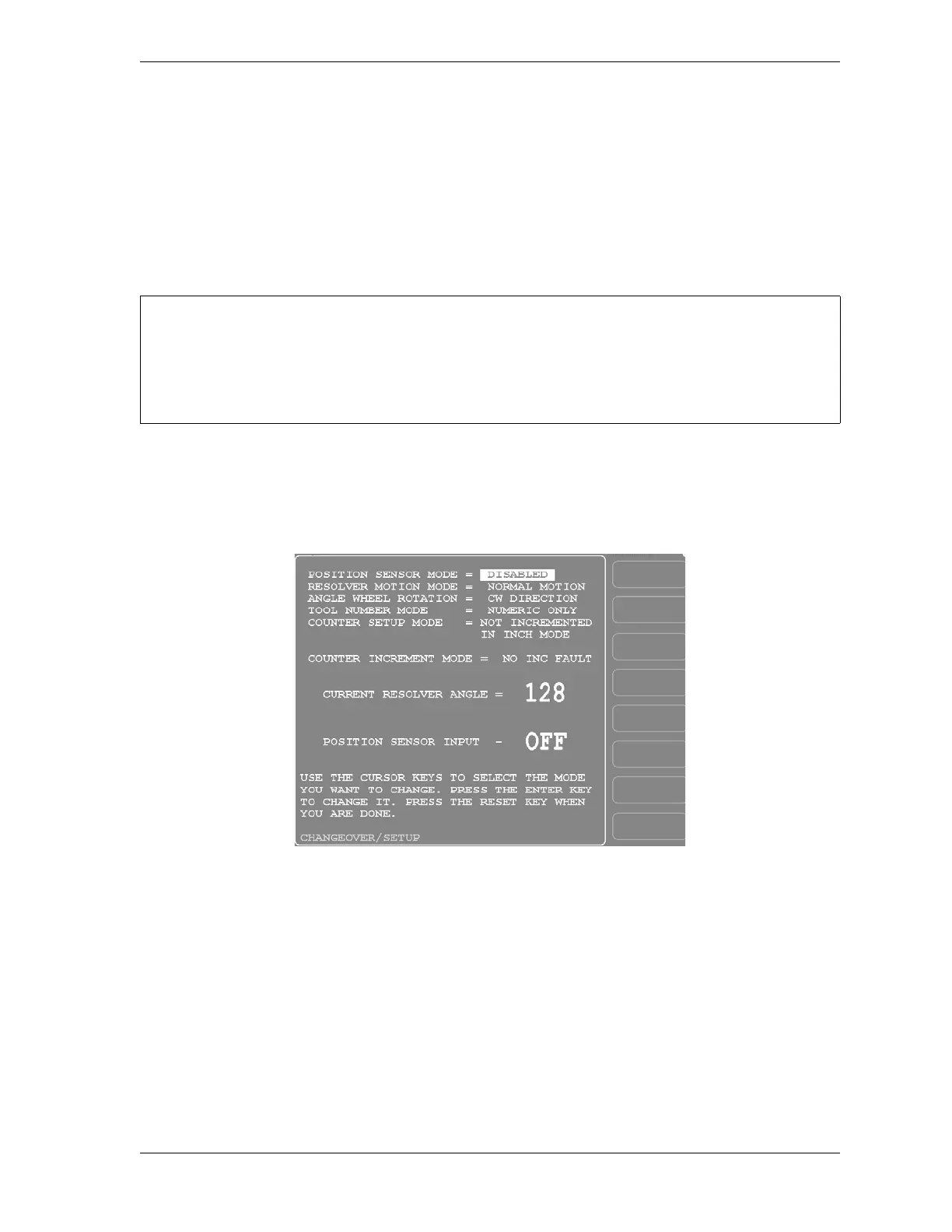
screen shown in Figure 4-3. The following sections show you how to set each parameter
Position Sensor Mode
(INITIALIZATION – POSITION SENSOR)
To operate SmartPAC 2 with WPC 2000, you must disable the POSITION SENSOR MODE
setting. To do so, follow these instructions:
1. With the cursor resting on the POSITION SENSOR MODE field, press ENTER until the
“DISABLED” entry displays.
2. Press RESET to save your setting and return to the Main Initialization Menu.
DISABLE POSITION SENSOR ON SMARPAC 2 WITH WPC 2000 INTEGRATION
An overrun limit sensor is required for SmartPAC 2 with WPC 2000 Integration (see page 2-29).
You cannot use a position sensor. Make sure to disable the POSITION SENSOR MODE setting as
instructed below.
Figure 4-3. Position Sensor Screen


 To Next Page