SmartPAC 2 with WPC 2000 Integration User Manual 1128600
Fault Messages 7-5
Messages for Press Control Problems
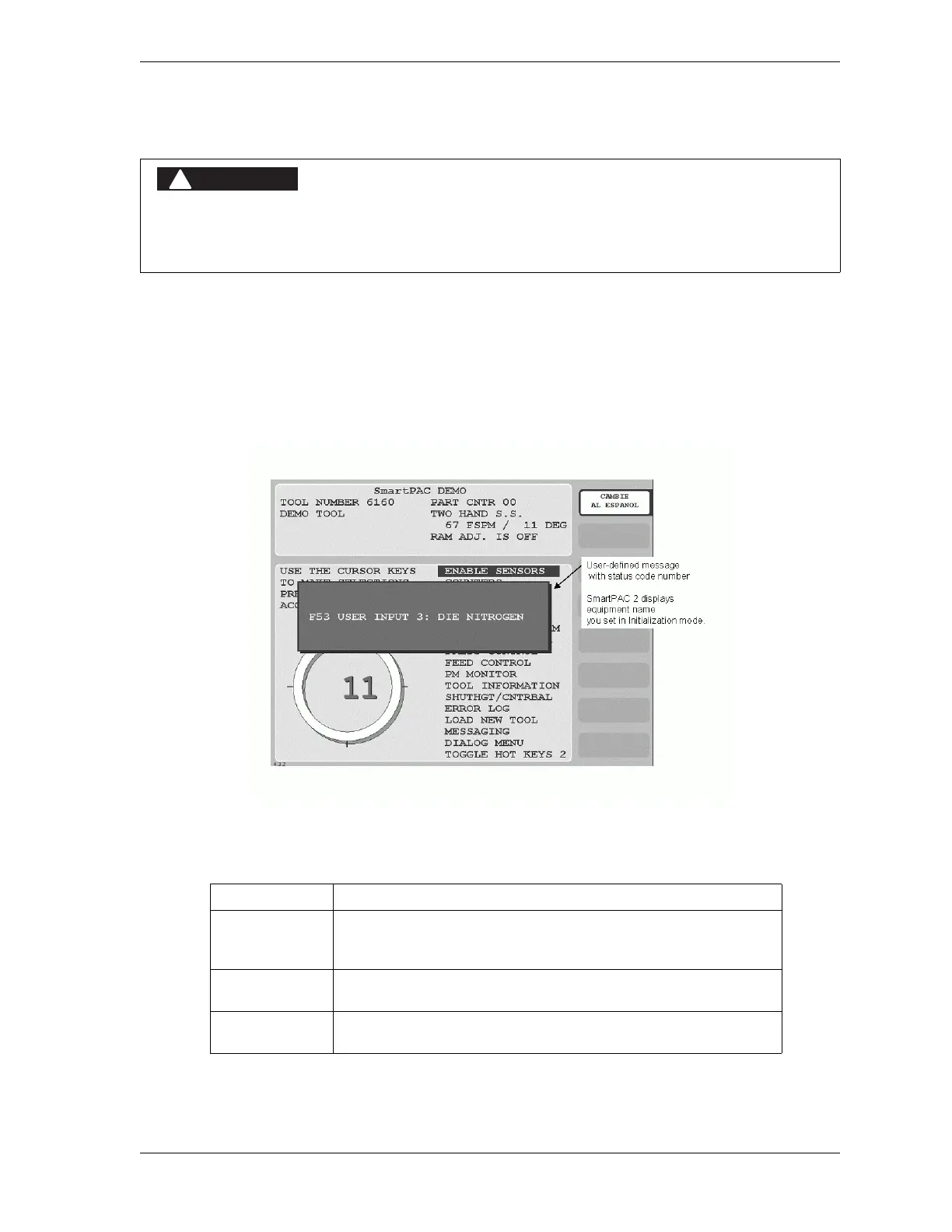
Whenever WPC 2000 detects a problem with the clutch/brake control, the press, or peripheral
equipment, it sends a Stop command to the press and generates a fault on the SmartPAC 2
display. Most of these faults include a three-character alphanumeric code (see Figure 7-3 for
an example). The initial letter, E, F, or H, indicates how to clear the fault after it has been
corrected and, in the case of F and H faults, specifies the processor (WPC 2000 has two
processors) that reported the problem, as shown in Table 7-1.
PRESS MALFUNCTION
Correct or repair any press malfunction or wiring error before restarting the press.
Failure to comply with these instructions will result in death or serious injury.
Figure 7-3. WPC 2000 Display Showing Fault Code
Table 7-1. Fault Codes: Significance of Initial Letter
Initial Letter Significance
E To clear the fault, you must power down the WPC 2000, then
power the unit back up. The fault cannot be cleared by
pressing the RESET key.
F Generated by the main processor. To clear the fault, press the
RESET key.
H Generated by the second processor. To clear the fault, press
the RESET key.



 To Next Page