SmartPAC 2 with WPC 2000 Integration User Manual 1128600
Introduction 1-7
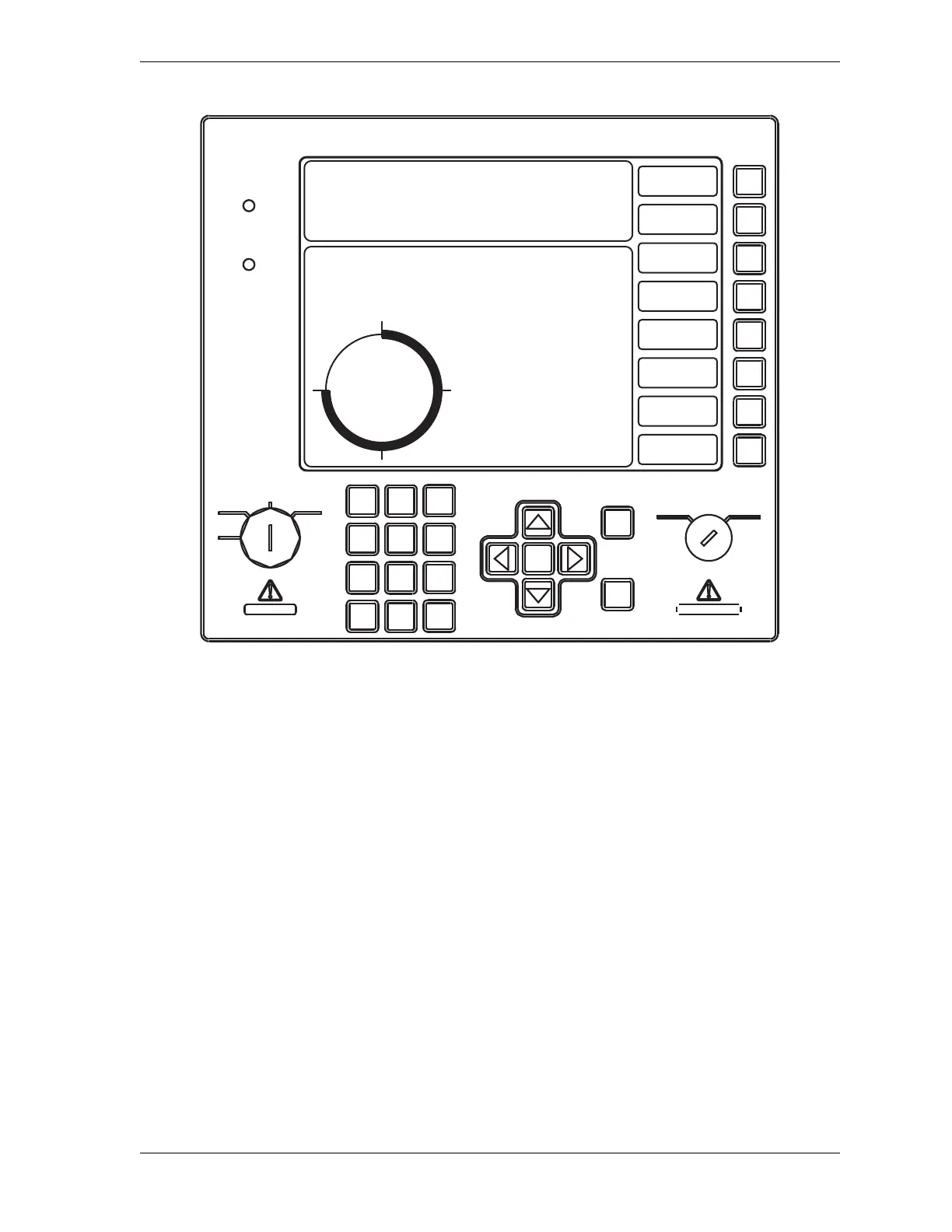
ENTER key When you press this key, SmartPAC 2 accepts the menu item
you have selected or the number you have keyed in.
RESET key You press this key when you are done with a programming or
other procedure. Also resets SmartPAC 2 after fault or event
messages appear on the display.
Brake Warning LED An amber LED that flashes when the stopping time of the press
increases to within 10 milliseconds of the preset Stop-time
Limit, alerting the operator that it is time to schedule
maintenance on the brake.
Detailed instructions on how to use the keyboard and display are provided in Chapter 3.
Figure 1-1. SmartPAC 2 Front Panel
PRESS #14
TOOL NUMBER 6160 PART CNTR 449
FLANGE B TWO HAND S.S.
PRESS ANGLE 270
CAMBIE
AL ESPANOL
USE THE CURSOR KEYS ENABLE SENSORS
TO MAKE SELECTIONS. COUNTERS
PRESS ENTER TO DIE PROTECTION
ACCESS SELECTION. CAM SWITCH
BRAKE MONITOR
TONNAGE/WAVEFORM
PRESS CONTROL
FEED CONTROL
TOOL INFORMATION
SHUTHGT/CNTRBAL
ERROR LOG
LOAD NEW TOOL
DIALOG MENU
TOGGLE HOT KEYS 1
270
ENTER
RESET
PROG RUN
OFF
INCH
SINGLE
STROKE
CONT
POWER
BRAKE
WARNING
HELP
123
456
987
.
0
CLEAR
SmartPAC 2
Wintriss Press Automation Control
F1
F2
F3
F4
F5
F6
F7
F8



 To Next Page