1128600 SmartPAC 2 with WPC 2000 Integration User Manual
5-28 Program Mode
Setting the Ready Signal for a Green Sensor
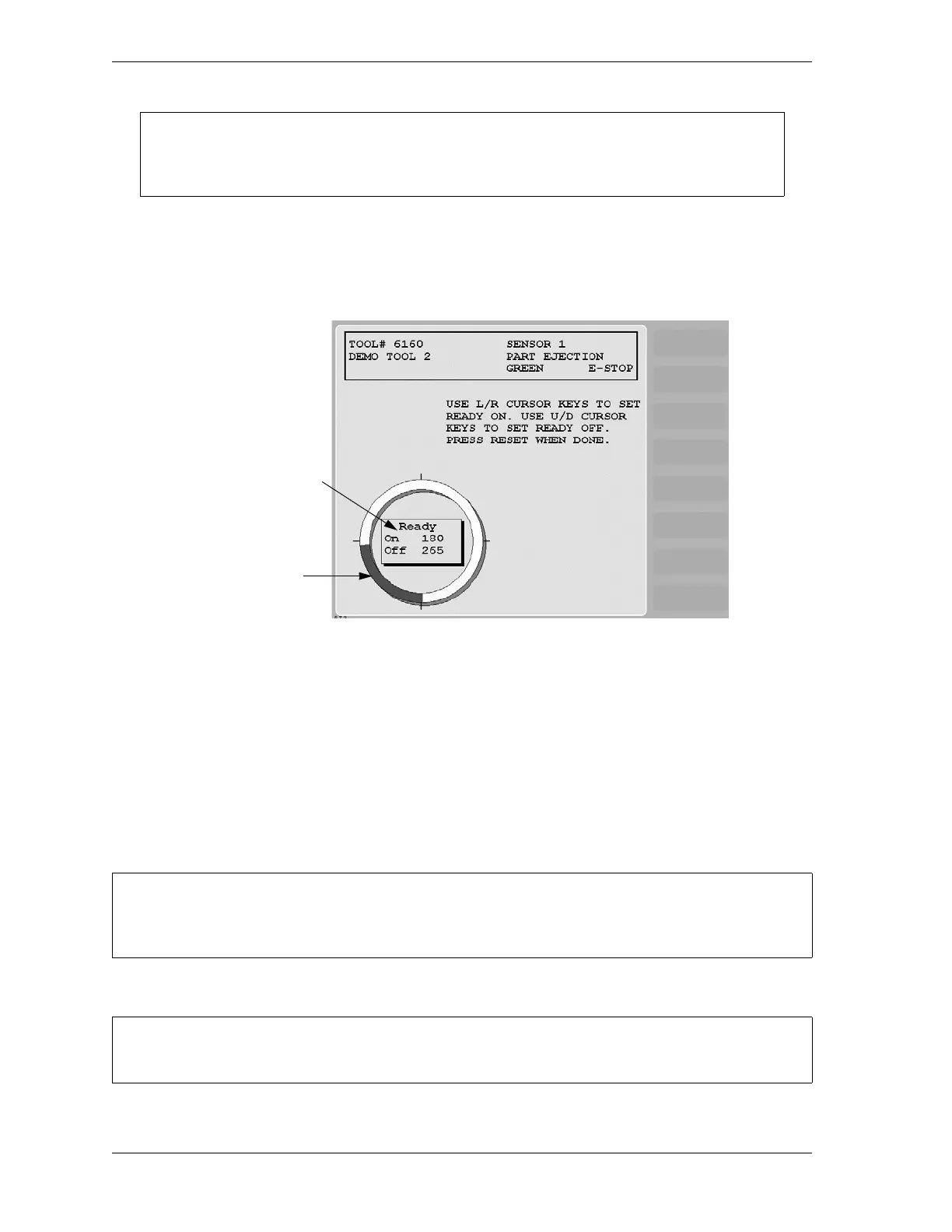
After you select the stop type for a Green, Green Quick Check, or Green Constant sensor, the
Ready Signal Programming screen, shown in Figure 5-28, displays.
On this screen, you set the Ready signal for Green, Green Quick Check, and Green Constant
sensor types. The Ready signal is the timing window during which the sensor must actuate to
prevent SmartPAC 2 from sending a stop signal to the press. In the example shown in
Figure 5-28, the Ready On signal is set to 180°, the Ready Off signal to 265°.
For Green and Green Quick Check sensors, you set the Ready signal so that it is a little longer
than the sensor’s actuation time. You set the Ready signal for Green Constant sensors so that
it is a little shorter than the sensor’s actuation time. See Understanding Sensor Terminology,
page 5-16 for more information.
To set the Ready signal, do the following:
The critical angle can only be set for values between 0° and 184°. If you attempt to enter
185° as the critical angle, a window will open, asking you to enter a different value.
Figure 5-28. Ready Signal Programming Screen
The Ready signal you set in Program mode can be fine-tuned in Run mode after you have run the
press. See Adjusting the Ready Signal for Green Sensors, page 6-11 for details.
If you do not know how to use the cursor keys to set sensor Ready signal timing, see page 3-7.
Highlighted arc
shows duration
of Ready signal
Ready signal
On and Off angles



 To Next Page