SmartPAC 2 with WPC 2000 Integration User Manual 1128600
Program Mode 5-39
Channel numbers that are missing from the menu have been programmed as “global” cams in
Initialization (see SET GLOBAL CAMS (Optional), page 4-15). To view global cam channels,
press F5 (View Global Cam Summary) (see page 5-47).
Selecting a Cam Channel
To make cam settings, you must first select a channel. To do so, perform the following steps:
1. Select CAM SWITCH on the Tool Program Menu. The Cam Channel Menu displays.
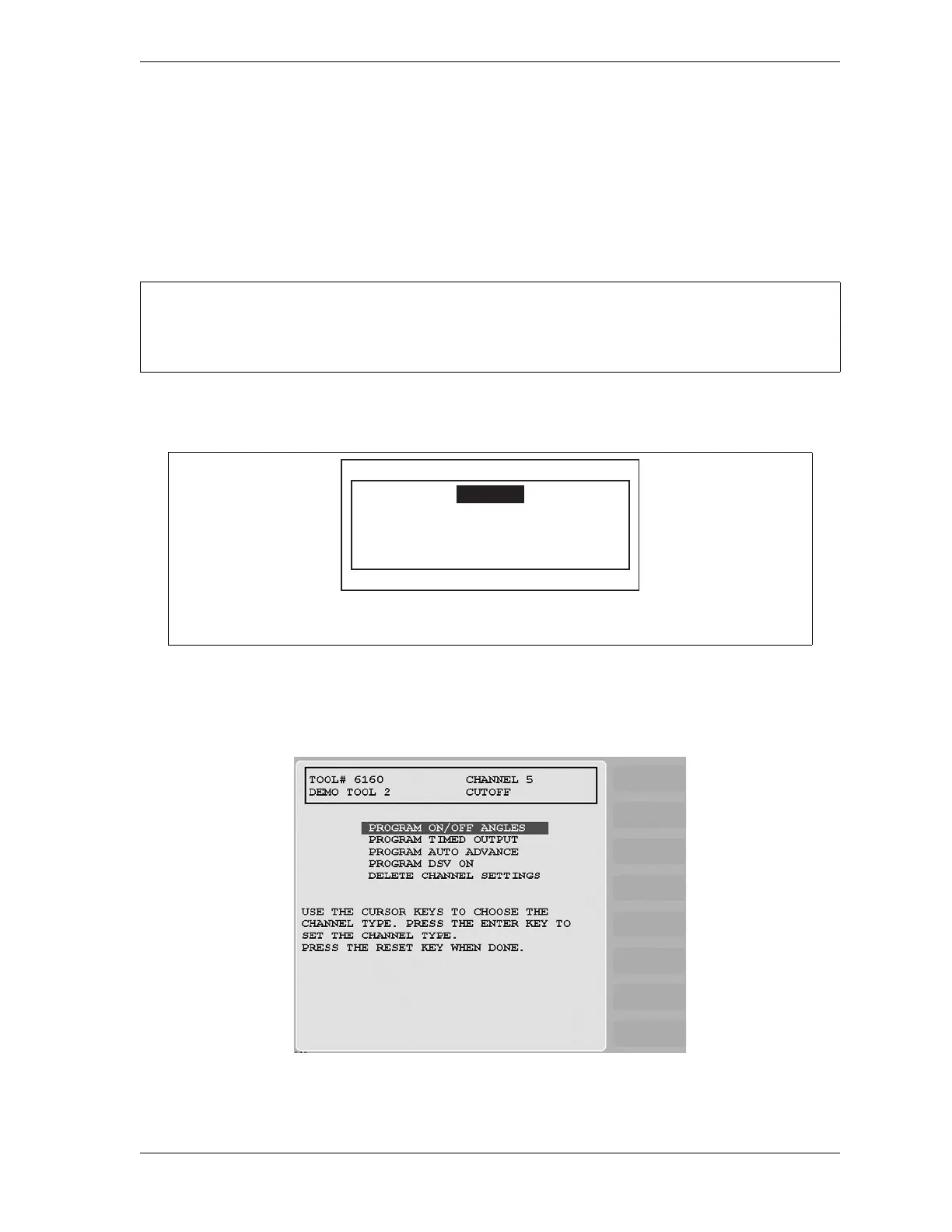
2. Select a cam channel to program. The Cam Channel Program Type Menu, shown in
Figure 5-45, displays.
DO NOT USE CHANNEL 6, 7, OR 8 WHEN USING THE ASSOCIATED BATCH COUNTERS.
Cam channels 6, 7, and 8 are also used for batch counters 1, 2, and 3.
If this display appears, you need to enter the general password to program cam settings.
Security access is set in Initialization mode (see SECURITY ACCESS, page 4-47).
Figure 5-44. “Enter Your Password” Screen
Figure 5-45. Cam Channel Program Type Menu
ENTER YOUR PASSWORD
USE THE KEYPAD TO ENTER NUMBERS.
USE THE UP/DOWN CURSOR KEYS TO
INCREASE/DECREASE. PRESS ENTER
WHEN DONE. PRESS RESET TO CANCEL.
60599



 To Next Page