SmartPAC 2 with WPC 2000 Integration User Manual 1128600
Installation 2-47
Installing SmartPAC 2
Mounting the SmartPAC 2 Control Enclosure
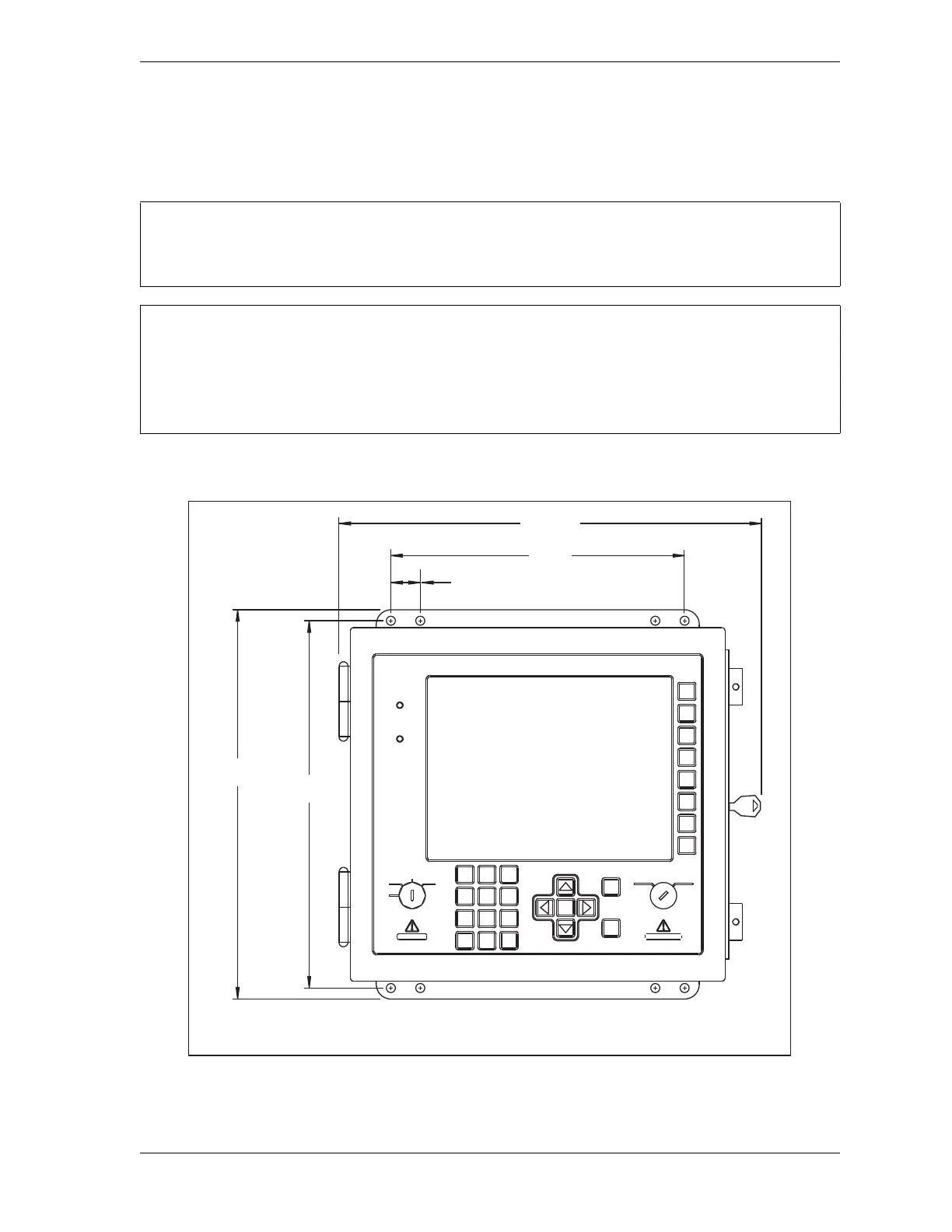
To mount the SmartPAC 2 enclosure, follow the steps below, referring to Figure 2-23.
If your SmartPAC 2 is a panel mount version, go to the next section, page 2-48, for mounting
instructions.
PLACE SMARTPAC 2 AT A CONVENIENT HEIGHT
SmartPAC 2 should be installed at a convenient height for all users. Ideally, the top edge of the
unit should be approximately at chin level. Experiment to determine a good height for all users
before mounting.
Figure 2-23. SmartPAC 2 Mounting Dimensions: Enclosure
Enclosure depth approx. 5.5 inches (140 mm). However, you must allow clearance of
approximately 18 inches (460 mm) from mounting surface to fully open the enclosures door.
ENTER
RESET
PROG RUN
POWER
BRAKE
WARNING
HELP
123
456
987
.
0
CLEAR
SmartPAC 2
13.25
(336.6)
12.51
(317.8)
1.00
(25.4)
TYP
10.00
(254.0)
14.2 REF
(360)
F1
F2
F3
F4
F5
F6
F7
F8
OFF
INCH
SINGLE
STROKE
CONT



 To Next Page