SmartPAC 2 with WPC 2000 Integration User Manual 1128600
Program Mode 5-45
The PROGRAM AUTO ADVANCE item on the Cam Channel Program Type Menu enables
you to program up to two cam channels as Auto Advance and to set On and Off angles for
those channels. Auto Advance cam settings automatically compensate for changes in press
speed, advancing cam timing as the speed of the press increases, delaying timing as speed
decreases. An Auto Advance cam channel is often used for Top Stop because it ensures that
the press will top-stop at the same angle regardless of varying press speeds. Auto Advance
settings are also used for feed, pilot release, lube, or other speed-sensitive application.
To program an Auto Advance cam channel, do the following:
1. Select PROGRAM AUTO ADVANCE on the Cam Channel Program Type Menu. The
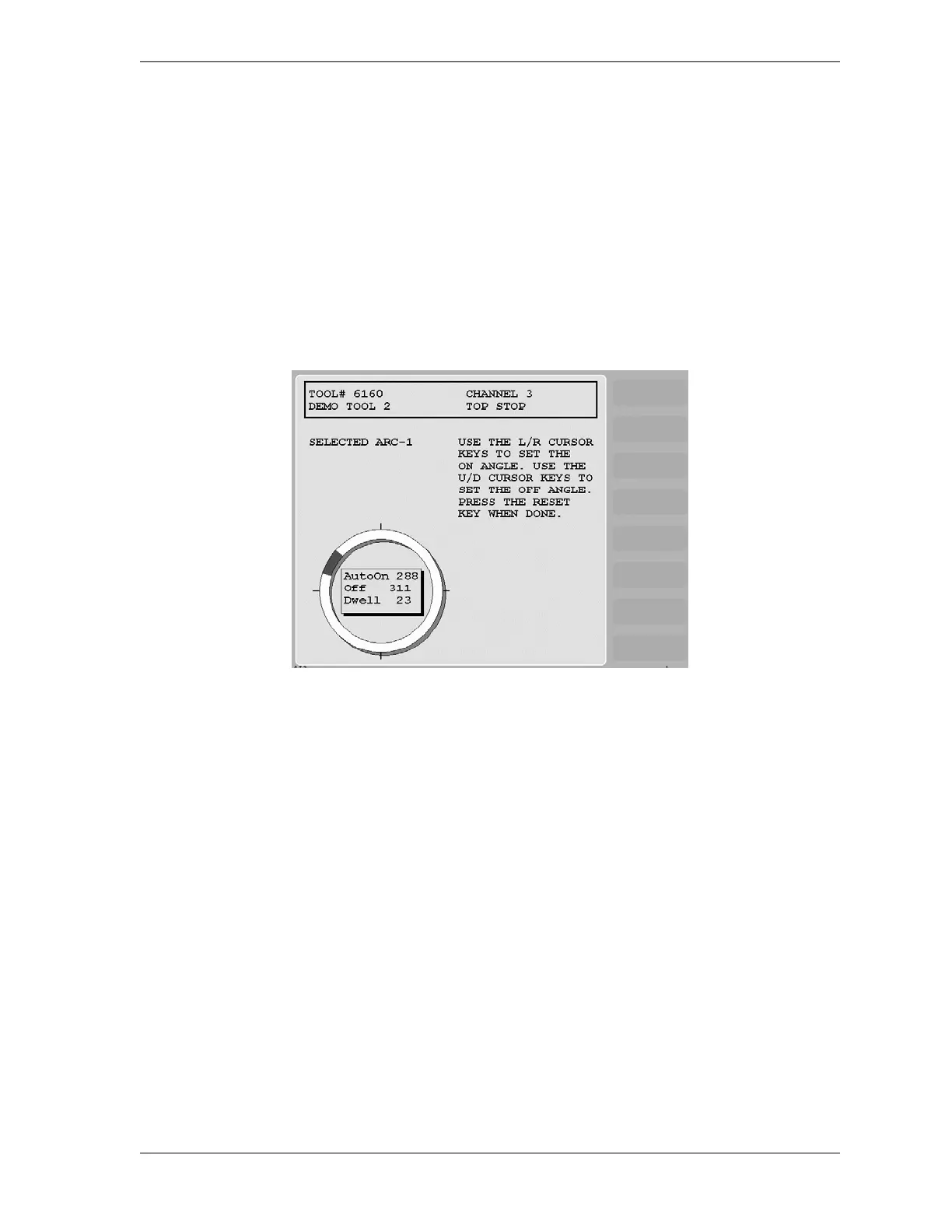
Cam Channel Auto Advance Program screen, shown in Figure 5-51, displays.
2. Set the AutoOn angle on the crank angle clock, using the Left () and Right () cursor
keys, referring to Using Cursor Keys to Set Timing, page 3-7 if you need help.
As you press the Left () cursor key, the On cursor moves counterclockwise around the
display, and the AutoOn angle value decreases. When you press the Right () cursor key,
the On cursor moves clockwise around the display, and the AutoOn angle value increases.
The precise AutoOn angle value is displayed in the window inside the clock display. In
Figure 5-51, the AutoOn angle is set to 288°.
3. Set the Off angle on the crank angle clock, using the Up () and Down () cursor keys.
As you press the Up () cursor key, the Off cursor moves clockwise around the display,
and the Off angle value increases. As you press the Down () cursor key, the Off cursor
moves counterclockwise around the display, and the Off angle value decreases.
The precise Off angle value is displayed in the window inside the clock display. In
Figure 5-51, the Off angle is set to 311°.
4. Press RESET when you are finished to return to the Cam Channel Program Type Menu.
Figure 5-51. Cam Channel Auto Advance Program Screen


 To Next Page