1128600 SmartPAC 2 with WPC 2000 Integration User Manual
H-8 Reporting Downtime and Scrap to SFC
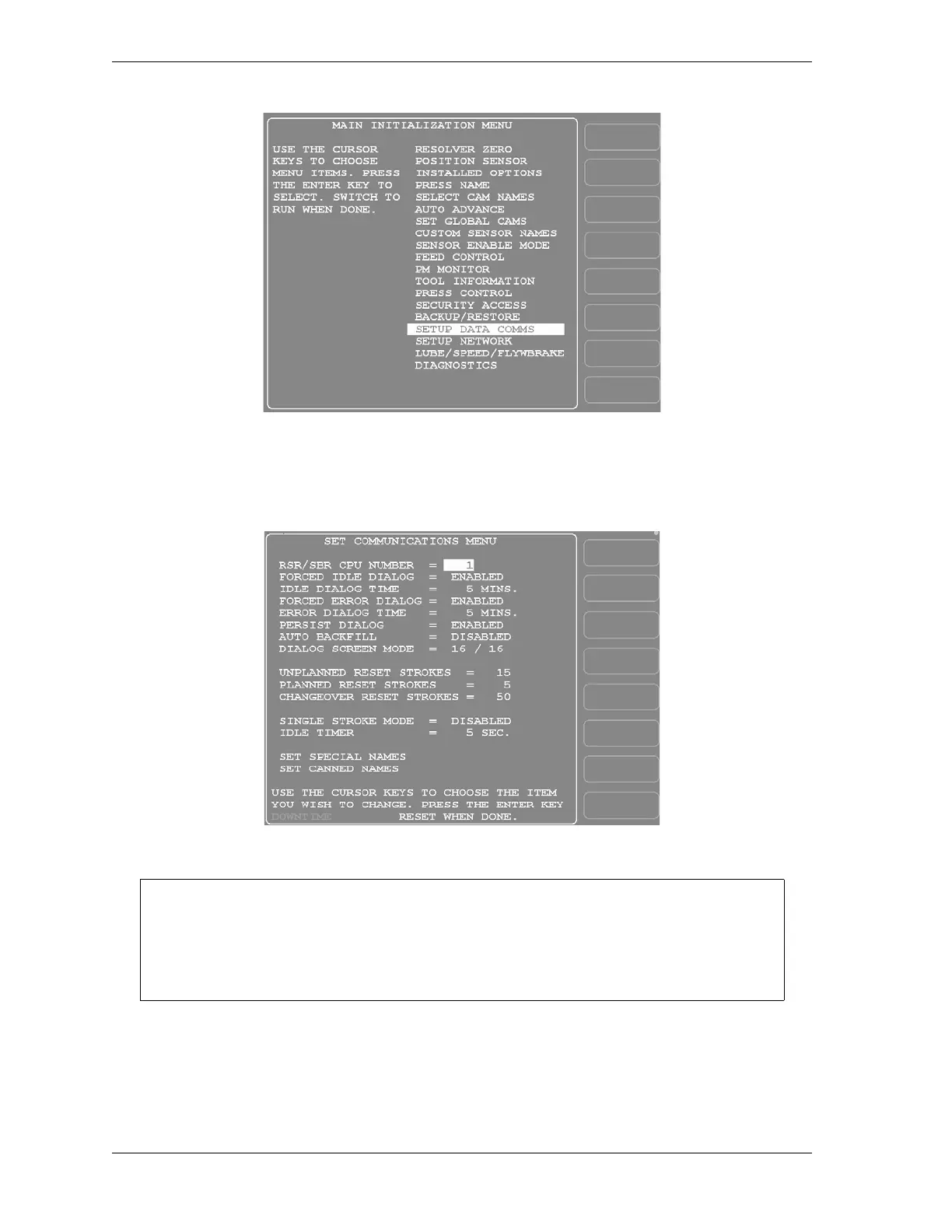
2. Highlight the “SETUP DATA COMMS” menu item, using the Up () or Down ()
cursor key, and press ENTER. The Set Communications Menu (see Figure H-5) displays:
Figure H-4. SmartPAC 2 Main Initialization Menu
Figure H-5. Set Communications Menu
Wintriss recommends that you take advantage of the additional features provided by the
“32 Custom” dialog screen mode setting. The “16 / 16” setting should be selected only
when you have both SmartPAC 1s and SmartPAC 2s and, even then, only if complete
consistency is required.



 To Next Page