SmartPAC 2 with WPC 2000 Integration User Manual 1128600
Installation 2-19
5. At the other end of the cable, connect the wires to the Main Processor board connector
terminals, as shown in Table 2-27, page 2-114 and Figure 2 at the end of the manual.
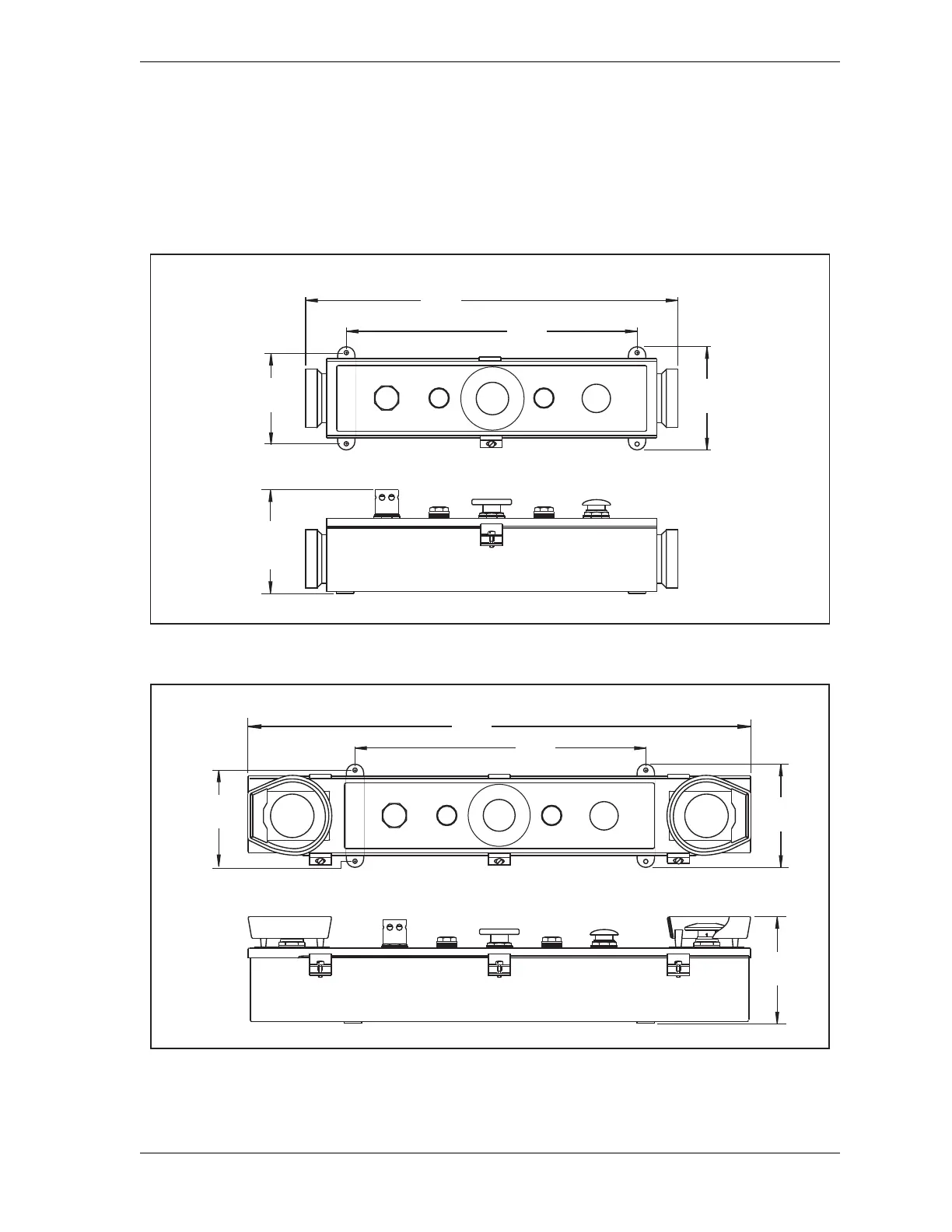
6. Mount the Operator Station in a permanent location after performing the applicable
verification and checkout tests and calculating the correct safety distance. Refer to
Figure 2-10 and Figure 2-11 for mounting dimensions.
Figure 2-10. Pre-wired Operator Station with Side Run Buttons: Mounting Dimensions
Figure 2-11. Pre-wired Operator Station with Top Run Buttons: Mounting Dimensions
MUTE
PALM
TIME
PRIOR
ACT
INTRISS
W
TOP
STOP
5.8
(148)
REF
4.69
(119.1)
16.75
(425.5)
R
U
N
/
I
N
C
H
R
U
N
/
I
N
C
H
5.50
(139.7)
21.25
(539.8)
Dimensions:
inches
(mm)
E
M
E
R
G
E
N
C
Y
S
T
O
P
6.06
(154.0)
MUTE
PALM
TIME
PRIOR
ACT
INTRISS
W
TOP
STOP
16.75
(425.5)
28.75
(730.3)
5.50
(139.7)
4.69
(119.1)
E
M
E
R
G
E
N
C
Y
S
T
O
P
Dimensions:
inches
(mm)



 To Next Page