1128600 SmartPAC 2 with WPC 2000 Integration User Manual
D-10 Updating SmartPAC 2 Firmware
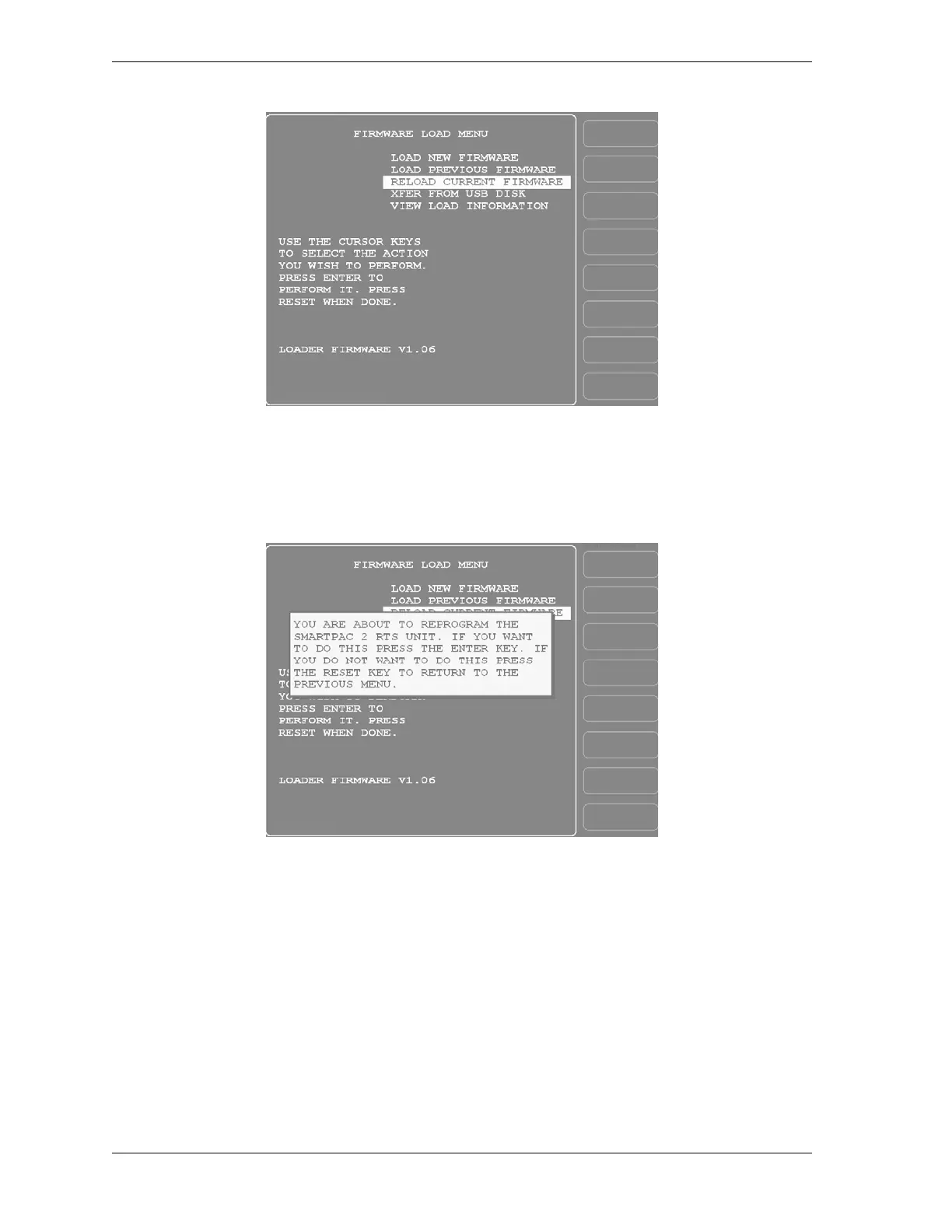
4. Using the cursor keys, highlight “RELOAD CURRENT FIRMWARE,” as shown in
Figure D-5, and press ENTER. A yellow status window appears with the message “YOU
ARE ABOUT TO REPROGRAM THE SMARTPAC 2 RTS UNIT . . .” (see Figure D-6).
5. Press ENTER to continue. The message “PLEASE WAIT WHILE THE FIRMWARE
MEMORY IS BEING ERASED” displays briefly, followed by a display like the one
shown in Figure D-7, page D-11, indicating that the firmware is being loaded. It takes
about five minutes for the firmware to load.
Figure D-5. Firmware Load Menu with “RELOAD CURRENT FIRMWARE” Highlighted
Figure D-6. Firmware Load Menu with Yellow Status Window



 To Next Page