5.4 Self-configuration
5.4.1 How to Execute Self-Configuration
5-47
Outline of Motion Control Systems
[ b ] Self Configuration of Each Module
If modules or devices are added, self-configuration can be executed separately for the Module (port) that has been
changed.
By performing the following operation, self-configuration will be executed for the selected slot.
Before performing the operation, turn ON the power supply of devices such as SERVOPACK.
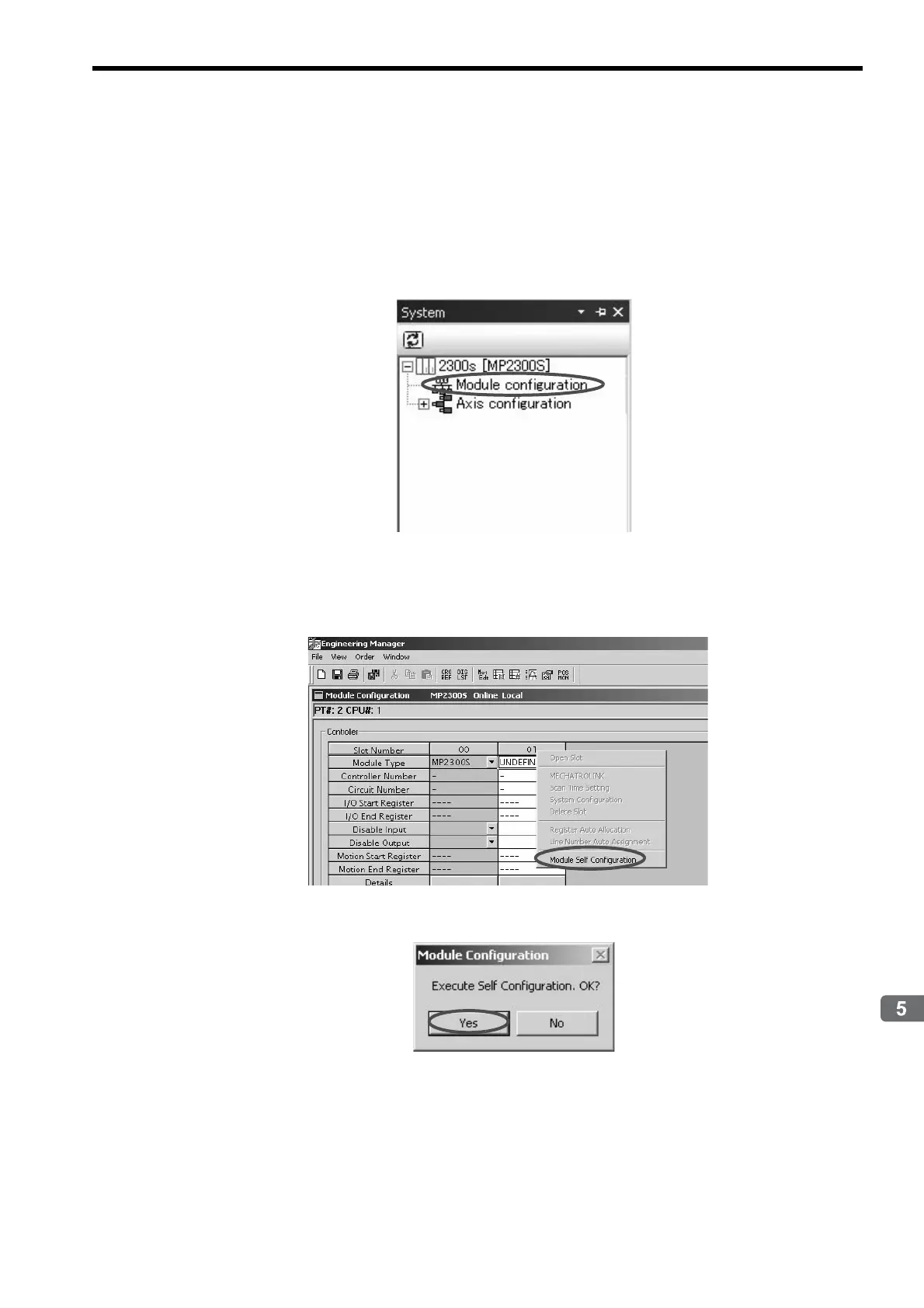
1. Double-click System - Module Configuration.
The Engineering Manager Window will start and the Module Configuration Window will appear.
2. Right-click the Module for which devices have been added and select Module Self Configuration
from the pop menu to execute self-configuration.
3. Click Yes for the following message.



 To Next Page