6.2 Communication with Other MP Series
6.2.2 When the MP2300S Acts as Slave (ladder program which uses a MSG-RCV function)
6-19
Built-in Ethernet Communications
( 1 ) How to Set up the MP2300S Side
If the setting of transmission parameters (IP address, subnet mask) is already completed, start from step 3.
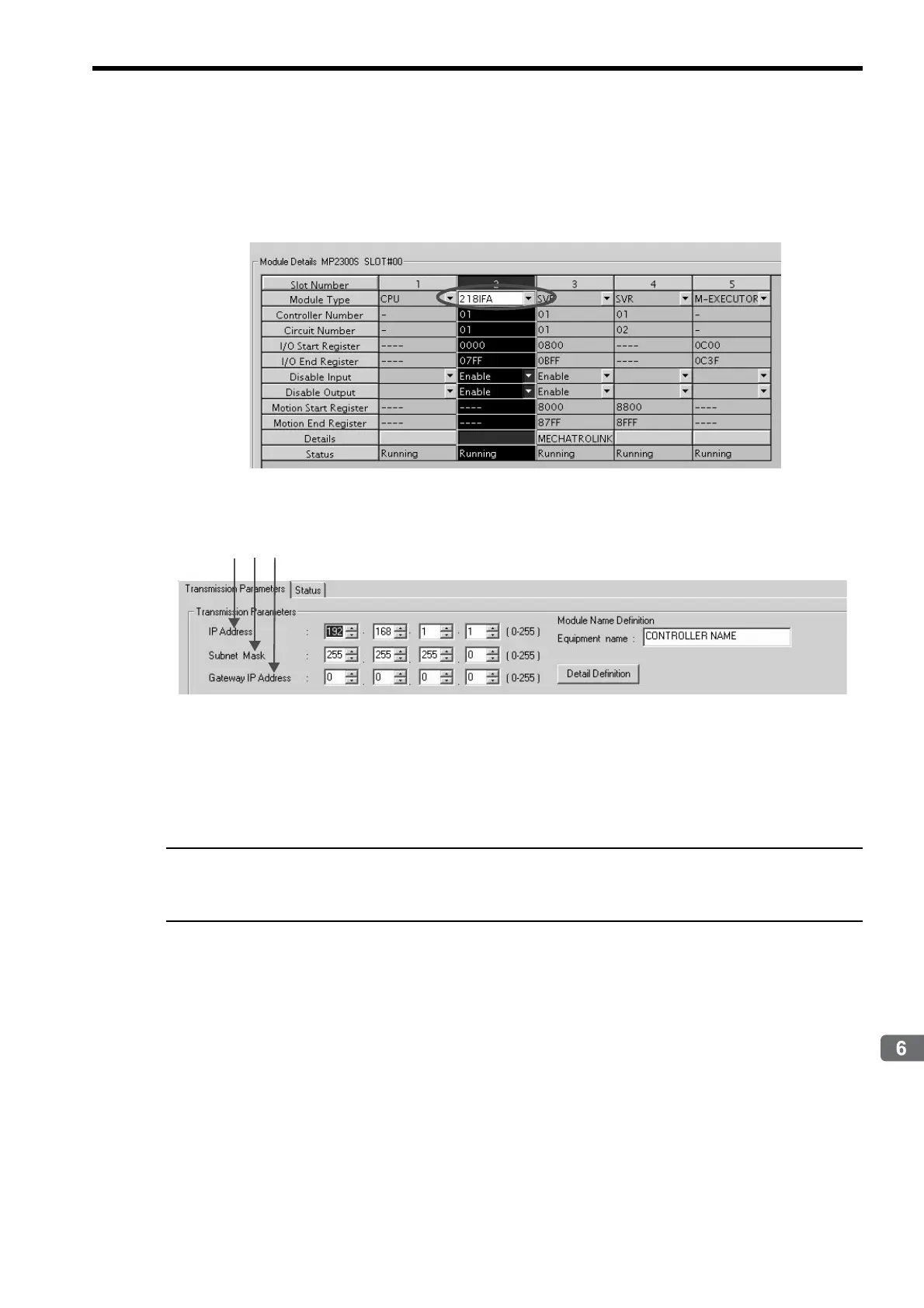
1. Double-click the 218IFA Tab in the Module Details of the module configuration definition.
2. Set transmission parameters.
How to set up transmission parameters
c Set IP Address (“192.168.001.001,” for example).
d Set Subnet Mask (“255.255.255.000,” for example).
e Set Gateway IP Address (“000.000.000.000,” for example).
Caution
Set up a unique IP address in the network.
For the IP address, check with your network administrator.



 To Next Page